
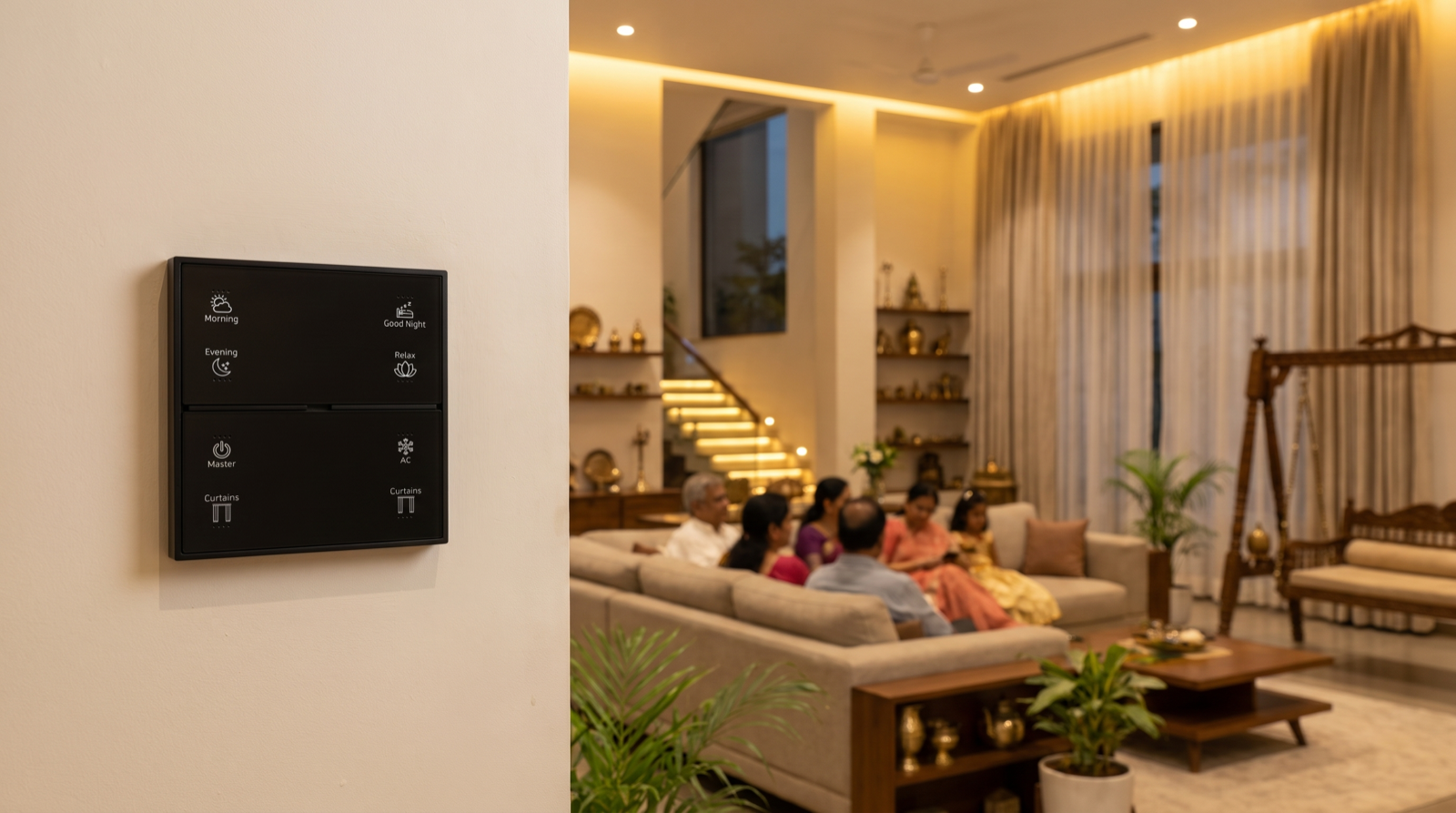
In this guide
- What changes when three generations share one home
- Zoning: private suites, shared spaces and the whole house
- Routines for each generation, without stepping on each other
- Keypads, app and voice: the right control for each person
- Shared rooms: rules for when two people want different things
- Alerts, privacy and staff access in a large household
- Worked example: a G+2 independent house
- How Pert delivers it (designed, not DIY)
- FAQs
This article is part of our wider coverage of home automation in Hyderabad. It draws together several earlier guides — home automation for elderly parents, home automation for families with young children and how home modes work — and shows how they fit together when all of those people live under one roof.
What changes when three generations share one home
A joint-family home is not just a bigger flat. Four things change, and each one has a direct consequence for how the automation is designed.
| What is different | Typical joint-family situation | Design consequence |
|---|---|---|
| Overlapping schedules | Grandparents asleep by 9:30pm and up at 5:30am; parents active till midnight; children's bedtime at 9pm on school nights | No single "house bedtime"; Night mode must be built from each suite's Good Night, not a fixed clock time |
| More private territory | Each couple has its own suite, sometimes its own floor and sitting area | Each suite's keypads control that suite; broad commands are scoped so they never reach into someone else's room by accident |
| Very different comfort with technology | A grandparent who has never used an app, a teenager who uses only the app, parents who want both | Everything important is on a wall keypad or a sensor; the app is an extra, never the only way |
| Larger shared spaces | A big living and dining area, a pooja room, a kitchen used from early morning, staircases between floors | Shared-space scenes, clear rules on who "wins" in a shared room, and safe minimum lighting on stairs and passages |
The good news is that none of this needs exotic hardware. It needs the same keypads, dimmable and tunable lighting, motorised curtains and sensors as any designed home, programmed with the family's structure in mind.
Zoning: private suites, shared spaces and the whole house
The single most important decision is to divide the house into three levels of control, and write down which commands live at which level.
- Suite level. A bedroom with its own bathroom, dressing and sometimes a sitting area. Its keypads own its lights, curtains and AC. Its Good Night scene switches off the suite only. Nobody else's button affects it except deliberately from the app.
- Shared level. Living, dining, kitchen, pooja room, passages, staircase, entrance, terrace and outdoor lighting. These have shared scenes — Morning, Evening, Dinner, Guests — and a scoped Master-off at the main door.
- House level. Away, Holiday and the final Night state. These act across every zone, but they check the suites first: Away should not run while a grandparent is home alone, and the house goes to its full Night state only when the last suite has said Good Night (or after a late fallback time such as 1am).
In practice, zoning is mostly a matter of how groups and master commands are built. How group and multi-way control works explains the mechanics; in a joint-family home the rule of thumb is simple: the main-door Master switches off what everyone shares, and nothing that anyone sleeps in.
On the network side, one Zigbee system through one Pert gateway is usually the right answer even across three floors, because shared scenes, security and house-level modes need to see every zone. A G+2 house with RCC slabs between floors needs mains-powered devices on every floor to keep the mesh strong, and a large house may need an additional gateway; that is decided at the site survey, not guessed. How a Zigbee mesh works explains why floors and concrete matter.
Routines for each generation, without stepping on each other
Each suite gets its own routines, tuned to the people who sleep there. The skill is in making sure every routine is scoped to its own zone, or to shared spaces that are genuinely unoccupied at that time.
| Who | Typical routine | Scope | Watch out for |
|---|---|---|---|
| Grandparents | 5:30am: suite and passage to a soft warm level, pooja-room light on; 9:30pm Good Night with a 10–15% night path to the bathroom | Their suite, the pooja room and the passage outside their door | A morning routine must not open shared living-room curtains onto parents still asleep upstairs |
| Parents | Late Evening scene in their suite or study; their own Good Night after 11pm; a weekday wake-up at 6:45am | Their suite and study | Their Good Night should not trigger a house-wide off while the grandparents' night path is in use |
| Children | School-night bedtime fade at 9pm; a 6:30am wake-up on weekdays only; a dim night light that stays on | Children's rooms | Teenagers may want the bedtime routine as a reminder, not a forced off; agree this with the family |
| Whole family | Dinner scene in the dining area at 8pm; Sunday-lunch Guests scene | Shared spaces | Shared scenes should never touch suites |
The grandparents' night path deserves special care. It should run on a motion sensor at their bedroom door and passage, rise only to a low level between 10pm and 6am, and stay outside every Master-off and Good Night command in the house. Our guide to wake-up and bedtime routines covers fade times and levels in detail, and how presence detection works explains why a door contact plus motion sensor is more reliable than motion alone.
Keypads, app and voice: the right control for each person
In a joint family the question is not "keypad or app?" but "which control does each person actually reach for?" The answer differs by generation, and the design should respect it.
- Grandparents: keypads and sensors only. Stella keypads in the same positions as the old switches — bedside, room entrance, bathroom door — with a few buttons engraved in plain words agreed with them: Morning, Good Night, Fan, Night Light. Their most important automations run on sensors and need no button at all. Nothing they rely on should require the app or the internet.
- Parents: keypads plus the app. The main-door keypad carries the shared scenes and the scoped Master; the app lets them check whether the terrace lights are off or the house is armed from their bed or from the office.
- Children: room keypads, limited app. Younger children use the keypad in their room. Older children may have app access to their own room only. Neither should be able to arm, disarm or switch the house to Away.
- Voice: an optional extra. Useful for a grandparent with limited mobility or for hands-busy moments in the kitchen, but never the only path to a light. See home automation with Alexa and Google Home.
Button behaviour should also be consistent across the house. If a single press runs a scene and a long press dims on one floor, the same should be true on every floor, so a grandparent visiting the children's floor is not surprised. How smart keypad buttons work explains toggle, scene, long-press and dimming behaviour.
Shared rooms: rules for when two people want different things
Conflicts are not a failure of automation; in a large household they are certain. The point is to decide the rules in advance rather than let the last schedule win. Five rules work well in joint-family homes:
- The person at the keypad wins. A deliberate press in a room overrides any schedule or sensor in that room until the next scene change, or for a set hold time such as 2 hours.
- Schedules yield to occupancy in shared rooms. A 10:30pm "living room off" schedule should first dim to 30% for a minute as a warning, and do nothing if motion shows someone is still there watching television.
- Curtains in shared rooms move automatically only when the room is empty, or by a press. A sunrise schedule should not open the living-room curtains onto someone sleeping on the sofa after a late flight.
- Staircases and passages never go fully dark at night. They fall to a minimum level instead, because several generations use them at unpredictable hours.
- Suites are never touched by shared commands. This is the rule that prevents most family arguments about the system.
For the mechanics behind these rules — priorities, holds and timers — see how home automation resolves conflicts.
Alerts, privacy and staff access in a large household
More people means more notifications, and the quickest way to make a family ignore alerts is to send every alert to everyone. Route alerts by responsibility:
| Alert | Who should get it | Why |
|---|---|---|
| Main door left open at night, security alarm | All adults | Everyone needs to know, and someone will be home to act |
| Grandparent's night path used several times, or no movement in their suite by mid-morning | The one or two adults who look after them | A gentle check-in, not a household broadcast |
| Low battery on a sensor, a device offline | The adult who manages the system | Maintenance belongs with one person |
| Children's room AC still on at 2am | Their parents | It concerns their room and their decision |
Privacy matters as much as convenience. Cameras from the security range belong at entrances, gates and the parking area, never inside private suites. Each adult couple should be able to see and control the shared areas and their own suite, and see other suites only if the family agrees. Domestic staff — a cook who arrives at 6:30am, a driver, a cleaner — get access only to what their work needs. Our guides to managing smart home access for family, staff and guests and designing notifications and alerts go further.
Worked example: a G+2 independent house
Consider a typical G+2 independent house: grandparents on the ground floor with the pooja room, kitchen, living and dining; the parents and their two children on the first floor; a guest suite and a family lounge on the second floor, with the terrace above. A designed scheme might look like this:
| Location | Keypad buttons | Automatic behaviour |
|---|---|---|
| Main door (ground) | Welcome, Evening, Dinner, Master (shared areas only) | Sunset turns on gate and façade lights; Master leaves the night path, outdoor schedule, security and every suite alone |
| Grandparents' bedside | Morning, Good Night, Night Light, Curtains | Motion-triggered night path to bathroom at 10–15%; their Good Night closes their curtains and leaves the passage at its night level |
| Pooja room | Pooja, Off | 5:30am soft warm light on weekdays; a separate festival scene for special days |
| Parents' suite (first floor) | Morning, Relax, Good Night, AC, Curtains | Their Good Night switches off their suite and, if the children's rooms are already in Good Night, sets the first-floor staircase to its night minimum |
| Children's rooms | Study, Play, Good Night, Night Light | School-night bedtime fade at 9pm, weekdays only; dim night light left on |
| First-floor landing | House Night, Away | House Night runs only after checking every suite; Away is blocked while motion shows anyone on the ground floor |
| Second-floor lounge and guest suite | Movie, Guests, Off | Guest suite has its own Good Night; the lounge goes off after 30 minutes with no motion |
The same principles scale down to a large apartment where grandparents live with a family in a 4BHK: two suites, shared living and dining, a scoped Master at the door, and a protected night path. They also apply if a floor is later rented out; our guide to keypad layouts and engraving covers how buttons and labels are planned per room.
How Pert delivers it — a designed solution, not a DIY kit
Pert designs and installs complete systems — Stella keypads, tunable and dimmable lighting, motorised curtains, scene automation and security devices — working together on one Zigbee network through the Pert gateway, with scenes and schedules running locally in the home. We are not a box of gadgets one family member sets up on a weekend. For a joint family, the consultation is with the household, not one person: we ask who sleeps where, who wakes first and who stays up last, who looks after whom, which rooms are private and which are shared, and who should receive which alerts. That becomes a zoning plan and a keypad schedule for every suite, reviewed with each generation before installation. At handover we walk each person through their own room's keypads, test the night path and the scoped Master with the family present, and after move-in we fine-tune timings and levels to how the household actually lives. If you are comparing installers, our guide to the best home automation companies in Hyderabad lists questions worth asking.
Planning a smart home for the whole family? We design and install lighting, curtains, keypads, scenes and security for Hyderabad flats and independent houses, zoned so every generation is comfortable and nobody switches off anybody else. Request a consultation →
Frequently asked questions
Is home automation a good idea for a joint family?
Yes, if it is designed around the family rather than around gadgets. A joint-family home has more people, rooms and overlapping routines, so the gains are larger: a lit night path for grandparents, one keypad to check the whole house, one press to set shared rooms for the evening. The risks are larger too, which is why zoning the house into private suites and shared spaces at design stage matters.
How do you stop one family member switching off another's room?
By scoping commands. Each suite's keypads own that suite, the main-door Master switches off shared areas only, and house-wide Night or Away modes check which suites have already said Good Night or are empty before acting. People can still control another room on purpose from the app if they have permission.
Will elderly parents be able to use a smart home?
They should never need to learn anything new. Grandparents use wall keypads where their old switches were, with a few buttons engraved in plain words, and their most important automation — a low night path when they get up — runs on sensors with no button at all. The app is optional for them, and everything they rely on works on the local gateway without the internet.
Should a joint-family house have one system or one per floor?
Usually one system, designed in zones, so shared scenes, security and house-level modes work across floors while each suite keeps its own scenes and keypads. Separate systems make sense only where a floor is genuinely independent, such as a rented portion with its own entrance. Large or multi-storey houses may need more mains-powered devices or an additional gateway, which is decided at the site survey.