
In this guide
- The four kinds of "one button, many devices"
- Multi-way control: one load, many keypads, no traveller wires
- Groups: why the whole room should move at once
- Master-off and leaving-home: what to switch off and what never to
- A worked control map for a 3BHK apartment
- Design rules and common mistakes
- How Pert delivers it (designed, not DIY)
- FAQs
This article is part of our wider coverage of home automation in Hyderabad. It sits between two earlier guides: how a Zigbee mesh network works explains how commands travel, and how to design home automation scenes explains what the moods should look like. This one is about the control layer in between: which button sends which command to which devices.
The four kinds of "one button, many devices"
People use "group", "scene" and "all off" loosely, but they are different tools, and a good design uses each for the job it suits. Here is the vocabulary we use on every project:
| Type | What it does | Example | Best used for |
|---|---|---|---|
| Multi-way | One load controlled from several places; every keypad shows the same state | Staircase light from the ground-floor landing, the first-floor landing and a motion sensor | Staircases, long passages, bedrooms with a door keypad and two bedsides, rooms with two entries |
| Group | Several loads behave as one: on, off and dim together to the same level | "Living downlights" — eight downlights on four circuits act as one button | Everyday on/off/dim buttons; "all curtains in this room"; "all balcony lights" |
| Scene | Several loads each go to their own stored level or position | Relax: cove 30%, downlights 10%, pendant 0%, sheers closed | Moods and routines: Morning, Dinner, Movie, Good Night |
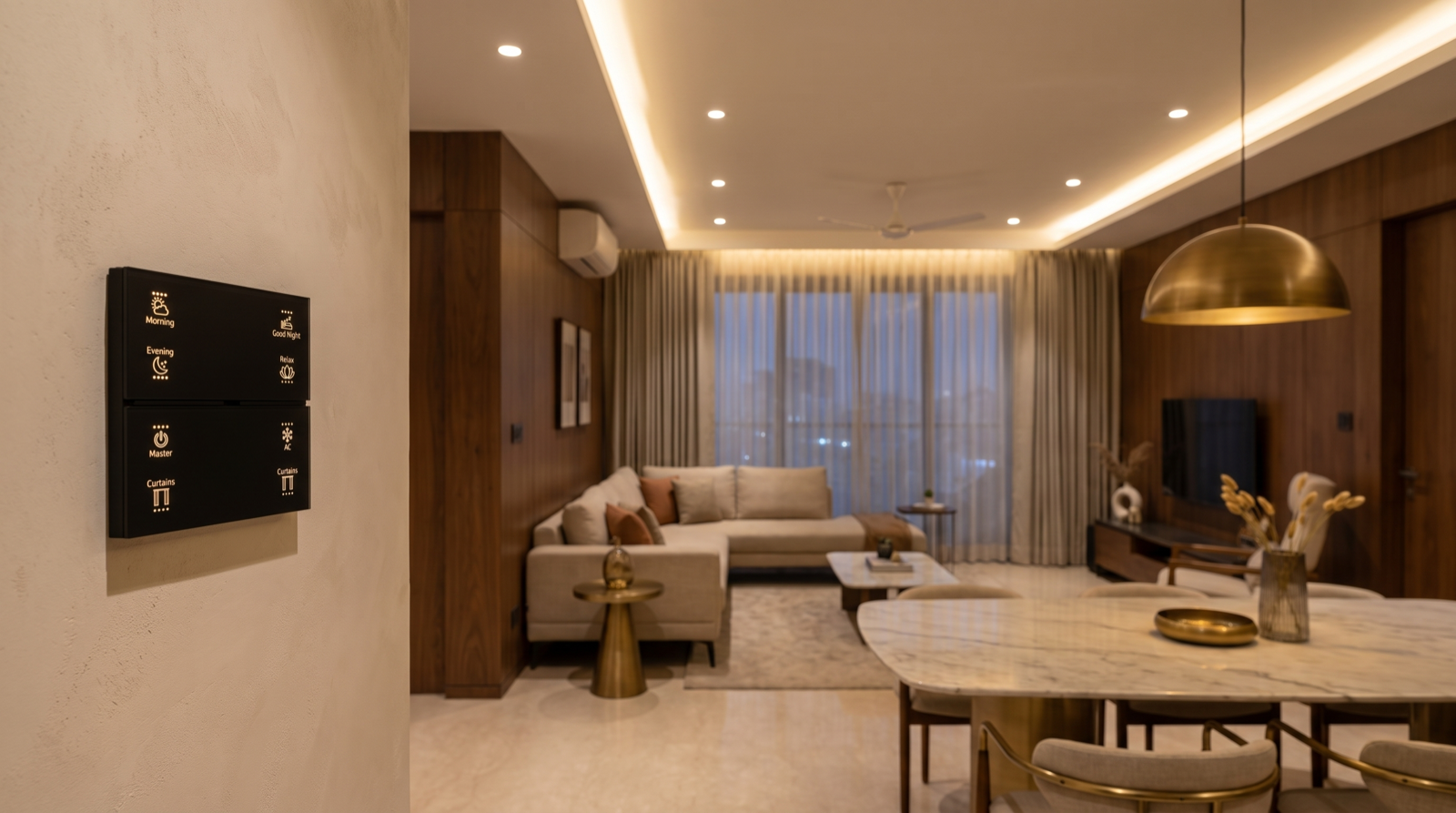
| Master / all-off | A very large group or scene covering a floor or the whole home, with deliberate exclusions | "Leaving" at the main door: all lights off, curtains closed, AC off, security armed | The entrance keypad, a bedside "all off downstairs", away mode |
The distinction that matters most is between a group and a scene. A group has one state shared by all members; a scene has many states, one per member. If you press "Living downlights" and hold to dim, everything in the group dims together. If you press Relax, each light goes somewhere different. Mixing them up is the root of the most common complaint we hear in homes we are asked to fix: "I pressed the button and the room looked different from yesterday."
Multi-way control: one load, many keypads, no traveller wires
How it works conventionally
A conventional two-way circuit uses two changeover switches joined by a pair of traveller wires; for a third point, an intermediate switch is added between them. Every additional point means another cable run between switch boxes, planned before plastering, and the switch position no longer tells you whether the light is on.
How it works in an automated home
The load — say the staircase downlights — is wired to one controller. That controller is the load's owner. Every other point that needs to control it is simply a keypad button (or a sensor) that sends a command to that owner over the Zigbee network. Consequences worth knowing:
- No traveller wires. Each keypad only needs power at its own box. Adding a third or fourth control point later is a programming change, not a chase in the wall.
- State stays in sync. Because the owner reports its state, every keypad backlight shows whether the light is actually on. There is no "the switch is down but the light is on" confusion.
- Dimming follows you. Press-and-hold on any keypad dims the same load, and all points agree on the level.
- Sensors are just another control point. A motion sensor on the stairs is one more input to the same owner, with its own rules (only at night, only to 20 percent, timeout after two minutes). How to plan staircase and corridor lighting with motion sensors sets out those rules.
The one rule you must not break
Never leave a mechanical switch in series with the smart controller "just in case". If someone turns that switch off, the controller loses power: the light becomes unreachable from every other keypad, the app shows it offline, and if that controller was also a Zigbee router, part of the mesh goes quiet with it. Existing two-way wiring is either removed or re-used as a plain power feed during a retrofit — how to add home automation to existing modular switches covers how we handle this box by box.
Where multi-way belongs
| Space | Control points we usually plan | Why |
|---|---|---|
| Staircase (G+1 or G+2) | Every landing, plus a motion sensor for night use | You should never climb in the dark to reach a switch. |
| Long passage to bedrooms | Living end, bedroom end | Walk in one end, switch off at the other. |
| Master bedroom | Door keypad, both bedsides | Both partners reach the room lights and the curtains from bed. |
| Living room with two entries | Main entry, dining/kitchen side | The room is entered from both directions every day. |
| Villa gate and porch lights | Entrance keypad inside, garage or car-porch keypad | Switch on the approach from where you actually arrive. |
Groups: why the whole room should move at once
One command, many listeners
A living room often has eight to fourteen downlights on three or four circuits, plus a cove and a pendant. If a button sent a separate "on" message to each controller in turn, you would see them respond one after another — the "popcorn" effect. Zigbee avoids this with group addressing: each member is told at commissioning that it belongs to, say, "Living downlights". The keypad then sends one group message, every member hears it together, and the lights come up as one. The same applies to a dim ramp: one command, one fade, everyone in step.
Three useful kinds of group
- Room groups — "Living downlights", "Bedroom 2 lights". The everyday on/off/dim buttons on a keypad.
- Function groups across rooms — "All curtains", "All balcony and façade lights", "All pooja and foyer lights". Useful on the entrance keypad or in routines.
- Floor or zone groups — "Ground floor lights" in a villa, used by a floor-level all-off.
What belongs in a group, and what does not
Group loads that should always share one state: a run of downlights, a set of façade uplighters, the curtains across one window wall. Do not group things that need different levels — the cove and the downlights, or the sheer and the blackout curtain. That is a scene's job. A group of curtains should also be curtains only: a curtain motor understands open, close, stop and position, while a light understands on, off and level, so combining them in one group gives a button that half-works. For tunable-white lights, a group also shares colour temperature, which is exactly what you want across a run of downlights and exactly what you do not want between the downlights and a warm reading lamp.
How groups feel on a keypad
On a well-programmed keypad, a group button follows a consistent pattern across the whole house: tap to toggle, press-and-hold to dim up or down, backlight on when any member is on. Consistency is what makes the house usable by parents, guests and staff who never read a manual. How to plan keypads in a home covers where those buttons should live.
Master-off and leaving-home: what to switch off and what never to
The master-off is the most-used and most dangerous button in the house. Pressed at the main door every morning, it is a real convenience; designed carelessly, it switches off the refrigerator plug or the Wi-Fi router and nobody notices until something has gone wrong. We design it as a list, agreed with the family, of what it touches:
| Category | Typical treatment | Notes |
|---|---|---|
| All lighting | Off | Optionally leave the foyer at 20% for 60 seconds so you are not locking the door in the dark. |
| Curtains | Close (or leave as they are, by family preference) | Closing west-facing curtains on a Hyderabad afternoon keeps the heat out while you are away. |
| AC | Off, via IR blaster where fitted | A final "AC off" is one of the most useful parts of a leaving routine. |
| Chosen appliances on smart plugs | Off | Geyser, iron, a heater in winter — only what the family explicitly adds. |
| Security | Arm / switch to away notifications | Door and motion sensors start alerting; cameras keep recording. See Pert security. |
| Refrigerator, freezer, aquarium | Never | Excluded by design, not by remembering. |
| Wi-Fi router, gateway, cameras | Never | Switching these off disconnects the remote access and alerts you would rely on while away. |
| Medical equipment, UPS/inverter loads | Never | Especially in homes with elderly parents. |
Scoped master-offs
One whole-home master is right at the main door. Elsewhere, a smaller scope is usually better: a bedside "all off downstairs" in a villa that leaves the upstairs corridor at night level; a "living all off" on the dining keypad that leaves the kitchen alone while someone is still cooking. A master button that turns off the room you are standing in, at night, with a child walking to the bathroom, is a bad design, however clever it looks in a demo.
Guarding against accidental presses
Because the button does so much, we usually put it at the end of a keypad's button column, give it an unmistakable label such as Leaving or All Off, and in busy homes make it a press-and-hold rather than a tap. For longer trips it hands over to away mode — how to plan away mode when you travel covers presence simulation and alerts.
A worked control map for a 3BHK apartment
This is the kind of table we produce before a single device is ordered. It is for a typical 2,000 sq ft Hyderabad 3BHK with an entrance foyer, a living-dining space with two entries, a passage and three bedrooms. Each row is a button, and every button is one of the four types above.
| Keypad location | Button | Type | What it controls |
|---|---|---|---|
| Main entrance | Welcome | Scene | Foyer 80%, living cove 40%, passage 30% |
| Main entrance | Leaving | Master (hold) | Whole-home list above; foyer 20% for 60s |
| Main entrance | Foyer | Group | Foyer downlights + pooja niche light |
| Living (main entry) | Downlights | Group + multi-way | All living downlights; same button on the dining-side keypad |
| Living (main entry) | Relax / Movie | Scene | Cove, downlights, sheers and blackouts to stored levels |
| Living (main entry) | Curtains | Group | Sheer and blackout across the living window wall, open/close/stop |
| Dining side | Dinner | Scene | Pendant 70%, living downlights 20%, cove 30% |
| Dining side | Living all off | Scoped master | Living and dining only; kitchen untouched |
| Passage (both ends) | Passage | Multi-way | Passage lights; motion sensor at night 15% |
| Master bedroom door | Room lights | Group + multi-way | All bedroom lights; mirrored on both bedsides |
| Master bedsides (both) | Good Night | Scene | Bedroom off, curtains closed, AC set, passage to night level |
| Master bedsides (both) | All off | Scoped master | Everything outside the bedrooms, excluding the list above |
Notice that the same load often appears on several buttons in different roles — living downlights are a group on two keypads and a member of three scenes. That is normal. What must never happen is a load with two owners, or a button whose type changes from room to room.
Design rules and common mistakes
Six rules we design by
- Every load has exactly one owner controller. Everything else controls it by command.
- Groups for sameness, scenes for difference. If members need different levels, it is a scene.
- Same button, same behaviour, everywhere. Tap toggles, hold dims, backlight shows state — in every room.
- Master-offs are lists, not "everything". Exclusions are written down and signed off.
- Scope master-offs to where you are standing. Whole-home at the door, floor or wing elsewhere.
- Labels say what happens, not what is wired. "Dinner", not "L3+L5+P1".
Mistakes we are called in to fix
| Symptom | Cause | Fix |
|---|---|---|
| Lights switch on one by one | Button sends individual commands instead of a group command | Rebuild as a proper group or scene |
| Staircase light "stops working" from upstairs | Old mechanical two-way switch left in series and turned off | Remove it; feed the controller permanent power |
| Room looks different each time the button is pressed | A group used where a scene was needed (or vice versa) | Split into a group for on/off/dim and a scene for the mood |
| Wi-Fi and cameras offline after leaving home | Master-off included the router's smart plug | Remove network and security loads from every master list |
| Keypad backlight shows "on" when the light is off | Button not linked to the load's reported state | Bind feedback to the owner controller |
| Bedside "all off" plunges the corridor into darkness at 2am | Master scoped too widely | Leave a night path at 10–15% |
When a device in a group is offline, the others still respond and it simply misses the command. That is why state feedback matters: the keypad and app should show the truth, so a failed device is noticed and fixed instead of silently making the room look wrong.
How Pert delivers it — a designed solution, not a DIY kit
Buying keypads does not give you a control layer; designing one does. On every project our team walks the home with the family and records how each space is entered and used; draws the owner controller for every load on the electrical plan; decides which loads are multi-way and removes the need for traveller wiring; builds the room, function and floor groups; agrees the scenes and their levels; writes the master-off and scoped all-off lists with the exclusions signed off; engraves keypads with labels that describe the result; and commissions and tests every button from every location before handover. Pert's keypads, lighting, curtains and security devices work together as one Zigbee system through the Pert gateway, so the control map on paper is exactly what the home does. After handover, when you want a button changed or a new room added, we update the map and the programming together.
If you are comparing who should design and install yours, best home automation companies in Hyderabad sets out what to ask — including whether they will show you a control map before installation.
Want every button in your Hyderabad home to do exactly what it says? We will draw your control map — multi-way points, groups, scenes and a safe master-off — on your floor plan, and commission it room by room. Request a consultation →
Frequently asked questions
Do I still need two-way switch wiring for a staircase in a smart home?
No. The staircase light is wired to one controller, and the keypads at each landing (and a motion sensor, if you want one) send commands to it wirelessly. There are no traveller wires and no intermediate switch for a third point; each keypad only needs power at its own box. Just make sure no old mechanical two-way switch is left in series with the controller, because switching it off cuts the controller's power and makes the light unreachable from everywhere else.
What is the difference between a group and a scene in home automation?
A group makes several devices behave as one: all living downlights on, off or dimmed together to the same level. A scene sets each device to its own stored level or position — cove 30%, downlights 10%, pendant 60%, sheers closed. In a Zigbee system both go out as one command that every member hears together, so the room changes at once. Use groups for everyday on/off/dim and scenes for moods like Relax, Dinner or Good Night.
What should a master-off button switch off, and what should it leave on?
It should switch off all lighting, close or leave the curtains as agreed, and switch off appliances you have chosen, such as AC through an IR blaster or a geyser on a smart plug. It should never switch off the refrigerator, the Wi-Fi router, the smart home gateway, security sensors and cameras, or medical equipment. Many families also leave a dim foyer or path light on for a short delay. These exclusions are part of the design, so the button is safe to press every day.
What happens to a group or master-off if one device is offline?
The devices that receive the command act on it; the offline one misses it and stays as it was. A well-designed system shows this through keypad backlights and the app, which reflect each load's real state, so the problem is noticed and fixed. After a power cut, each device restores its configured state, and the next group command brings everything back in line.