
In this guide
This article is part of our wider coverage of home automation in Hyderabad. It goes alongside how to plan a smart main door lock and video door phone, which covers the hardware at the entrance, and what a smart home gateway does, which explains where the system's logic lives. Here the subject is the people.
The three ways people control a smart home
Access in a smart home is not a single setting. It happens at three separate layers, and each one should be planned on its own:
| Layer | What it controls | Who needs it | Account needed? |
|---|---|---|---|
| Wall keypads | Lights, curtains, AC and scenes in the room where the keypad is fitted | Everyone who is physically inside the home | No. Being in the room is the permission |
| App accounts | The whole home from anywhere: remote control, alerts, schedules, camera views and, for some accounts, settings | The adults who run the household | Yes, one per person |
| Door-lock credentials | Getting through the main door: PIN, fingerprint, RFID card, app unlock or the mechanical key | Everyone who needs to enter without being let in | A credential per person, not necessarily an app account |
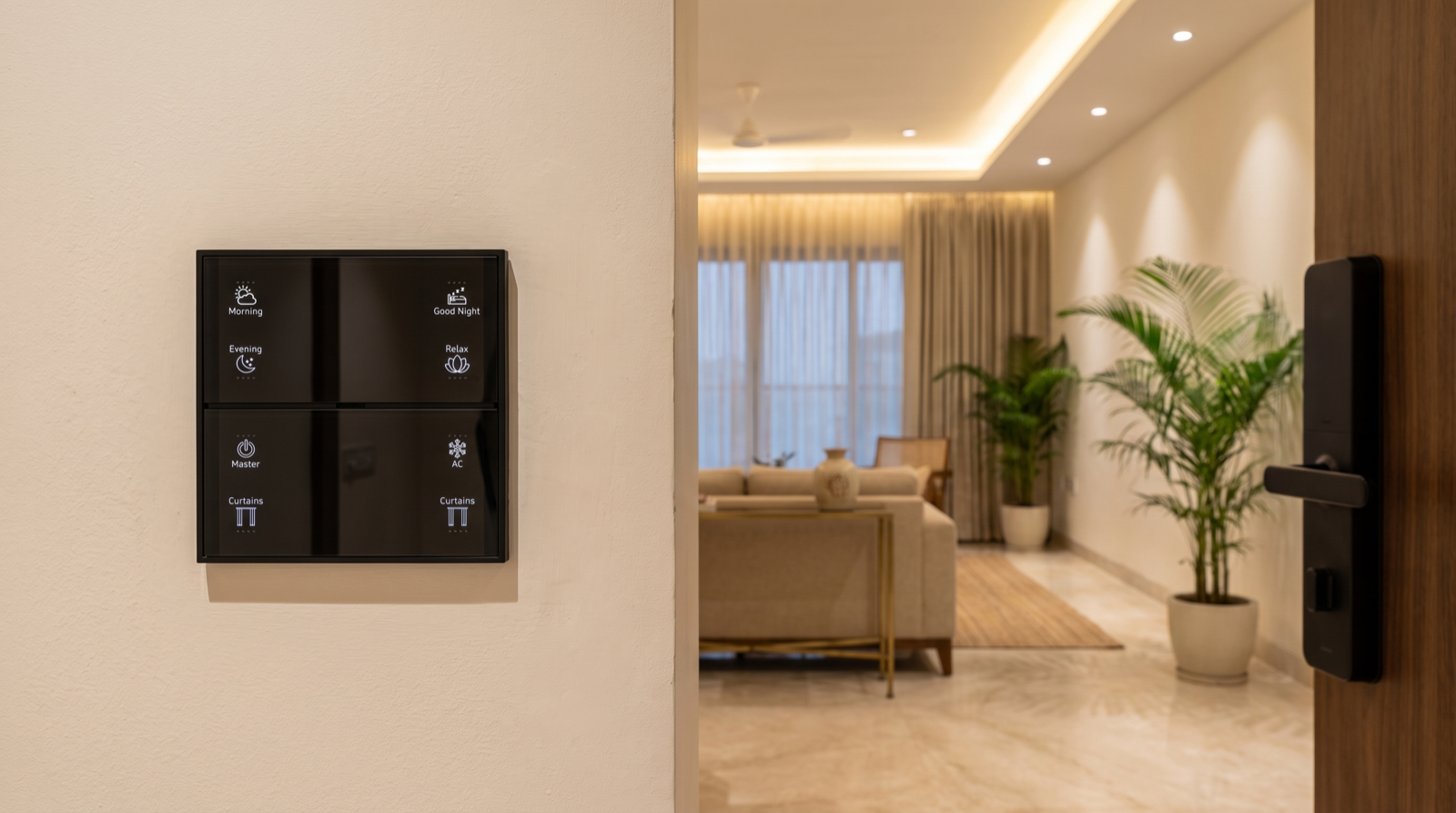
The most important design decision follows from this table: keypads carry the everyday load, so the app does not have to. If every room has a properly planned wall keypad with engraved scenes, a guest, a grandparent or the housekeeper can run the house without installing anything. The app then only needs to be on the phones of the few people who really need remote control. Fewer app accounts means fewer phones to secure, fewer notifications going to the wrong person and fewer people to remove later. Do you need a smart home app, a wall keypad or both? explains why keypads come first in a designed system.
Within the app layer, think in terms of roles even if every app labels them differently. A good set-up has one owner (who can add and remove people, change automations and manage devices), a small number of full members (who can control everything and receive alerts but do not change the system), and, where the app supports it, restricted members who can see only certain rooms or devices. Before you sign off a design, ask the installer exactly which roles their app supports, rather than assuming.
An access matrix for a real Hyderabad household
The clearest way to plan access is the same way we plan scenes and modes: a written matrix. Here is a worked example for a 4BHK villa with a working couple, two school-age children, a parent staying with the family, a cook, a housekeeper, a driver, and a tenant on the first floor.
| Person | Keypads | App | Main door | Alerts |
|---|---|---|---|---|
| Owner (one adult) | All | Owner role: devices, automations, people | Own fingerprint + PIN | Security, door, device-offline |
| Spouse | All | Full member | Own fingerprint + PIN | Security and door |
| Elderly parent | All, with simple engraved labels | None, or view-only on a tablet if they want it | Fingerprint (no code to remember) | None. Their safety alerts go to the couple |
| Children (10 and 14) | Their rooms and common areas | None | Own PIN or RFID tag for after-school arrival | Their arrival notifies the parents |
| Cook | Kitchen and dining | None | Own PIN, valid 6:30–10:30am and 5:30–8:30pm | None |
| Housekeeper | All common areas | None | Own PIN, valid 10am–2pm, Monday to Saturday | None |
| Driver | Entrance and parking only | None | No main-door access; uses the gate | None |
| Weekend guests | Guest room and common areas | None | Temporary code for the length of the stay | None |
| First-floor tenant | Their own floor only | Separate home or separate account limited to their floor | Their own entrance and credentials | Their floor only |
Look at what the matrix achieves. Of nine people, only two have the app. Everyone has their own door credential, so nobody shares a code. Domestic staff can do their work through keypads and never see the family's cameras or schedules. The tenant's floor is separated from the family's at the design stage, which is far easier than trying to split a single system later. For rental arrangements, home automation for rented apartments in Hyderabad covers what to plan when the occupant is not the owner.
Rules that keep the matrix workable
- One person, one credential. Shared codes cannot be revoked for one person without changing them for everyone, and they make the access log meaningless.
- One owner, not three. If several people can change automations, the logic drifts and nobody knows why the balcony curtains started opening at 6am. Settings changes should go through one person.
- Room scope follows the work. The cook needs the kitchen; the housekeeper needs common areas. Nobody on staff needs the master-bedroom scenes or the camera feeds.
- Keypads always work for whoever is present. Do not try to lock a keypad to a person. Anyone in the room should be able to turn a light on, and a child or guest pressing Good Night should never be blocked.
Time-limited and scheduled access
Most access in a household is not permanent. It is daily, weekly or for a few days only. Smart locks handle this far better than keys, because a credential can carry a schedule. Pert's smart door lock, for example, supports fingerprint, app, password, RFID and mechanical-key unlocking, scheduled temporary guest keys and real-time access logs. That is the toolkit you need for the cases below.
| Situation | Credential | Window | Ends |
|---|---|---|---|
| Daily domestic staff | Personal PIN or RFID card | Their working hours, working days | Removed on their last day |
| Parents or relatives staying for two weeks | Fingerprint enrolled for the stay, or a temporary code | Round the clock | Removed after they leave |
| Weekend guests | Temporary code | Friday evening to Sunday night | Expires automatically |
| Plumber, electrician or pest control | One-time or short temporary code, or unlocked remotely from the app after a video-doorbell check | A two- or three-hour slot | Expires automatically |
| Pet sitter or plant-watering while you travel | Temporary code | A daily 30-minute window during the trip | Expires on your return date |
Two habits make this reliable. First, prefer credentials that expire on their own. A code you have to remember to delete is a code that will still work in two years. Second, pair temporary access with a notification. When the plumber's code is used, the owner's phone should say so. How to design smart home notifications and alerts covers how to keep that useful without flooding your phone.
Inside the home, temporary access can also change how the automation behaves. When guests are staying, the guest room is usually taken out of whole-house scenes, so pressing Good Night in the master bedroom does not switch off a guest's reading light. That is an automation decision, not a lock decision, but it belongs on the same plan.
When someone leaves: a same-day checklist
The real test of an access plan is the day a cook, driver, tenant or contractor stops coming. If access was planned person by person, this takes about ten minutes:
- Remove their door credentials: PIN, fingerprint and RFID card. If they had a mechanical key, collect it; if you cannot, plan a cylinder change.
- Remove their app account, if they had one, from the home. Removing the person from the home is what matters; uninstalling the app from their phone does nothing.
- Change the Wi-Fi password if they knew it. A home's network should have a separate guest network so this is rarely needed; how to plan Wi-Fi and network for a smart home explains why.
- Change any shared code they may have seen, such as a gate code or a family PIN.
- Watch the access log for the next week for any failed attempts.
The same checklist applies at a bigger scale when a tenant moves out, or when you sell or rent out a home. In that case the owner account itself should be handed over or the system reset by the installer, so the previous owner no longer appears in the app or receives alerts from the new occupants' home.
Access logs and alerts: knowing who came in
Because everyone has their own credential, the lock's access log becomes a simple, honest record: the cook arrived at 6:42am, the housekeeper at 10:05am, your son at 3:50pm. You rarely need to read it, but it is valuable in exactly the moments that matter: a missing item, a door left open, or an elderly parent who has not gone out in two days.
The log is most useful when a few events are turned into gentle alerts and everything else stays silent:
- Children arriving home: a single notification to both parents when a child's code or tag opens the door after school.
- Access outside a schedule: if a staff code is used outside its window, or a temporary code after it should have been used up, the owner is told.
- Repeated wrong codes: several failed attempts in a short time is worth an immediate alert.
- Door left open: a door sensor on the main door can alert if it stays open for more than a few minutes. Pert's door sensors are designed for exactly this kind of rule.
Access logs and door alerts should run through the system in the home, not only through a cloud dashboard, so that a door opening at night still turns on the entrance light even when the internet is down.
Privacy: accounts, cameras and data
A smart home knows when people come and go, which rooms are in use and, if there are cameras, what is happening at the door. Treat that information with the same care as your phone. The practical rules:
- Never share a login. Every adult who needs the app gets their own account. A shared login cannot be removed for one person, and it makes it impossible to tell who changed what.
- Use a strong, unique password and two-step verification for the owner account and the email address behind it, wherever the service supports it. The owner account is the key to the house.
- Point cameras at entrances, not private spaces. Gates, the main door, parking and the balcony door are the right places. Bedrooms are not, and neither are areas where domestic staff change or rest. Placement is covered in how to plan CCTV camera and sensor placement at home.
- Limit who sees camera feeds. Camera access should follow the matrix: owner and spouse, not every account.
- Prefer local logic. In a hub-based system, scenes, schedules and sensor automations run on the gateway inside the home. Less of the household's day-to-day activity has to travel to a cloud service for the home to work, compared with a collection of separate cloud-only gadgets, each with its own app and account.
- Keep the network separate. A guest Wi-Fi network for visitors and staff phones keeps them off the network your gateway, cameras and family devices use.
- Review access every few months. Open the app and the lock's user list, and remove anyone who no longer needs access. It takes five minutes and it is the step most homes skip.
When you are comparing installers, ask how they handle accounts and access at handover. Who will be the owner? How do you add and remove people? Can staff codes be scheduled? What happens to access if you sell the home? These questions sit alongside the ones in best home automation companies in Hyderabad, and a good answer to them tells you a lot about how carefully the rest of the system has been thought through.
How Pert delivers it — a designed solution, not a DIY kit
Pert's Stella keypads, tunable and dimmable lighting, motorised curtains and smart locks, cameras and sensors work together as one Zigbee system through the Pert gateway. Because we design and install the whole system rather than selling a kit, access is planned with you before anything is mounted on a wall. At the consultation we ask who lives in the home, who works there and when, who visits, and whether part of the property is rented out. That becomes a written access matrix like the one above. Keypads are placed and engraved so that everyone who does not need the app can still use the house fully. Door-lock credentials are enrolled person by person at handover, staff schedules are set, and the owner is shown how to add and remove people and how to read the access log. If the household changes later — a new cook, parents moving in, a floor let out — we update the plan with you rather than leaving you to work it out from the app.
Planning home automation for a Hyderabad flat or villa? We will design the whole system — keypads, lighting, curtains, locks, cameras, scenes and access for every person in the home — and hand it over with a clear plan for who controls what. Request a consultation →
Frequently asked questions
Does everyone in the house need the smart home app?
No. In a well-designed home the wall keypads do the everyday work, so children, elderly parents, domestic staff and guests can use lights, curtains and scenes without an app or an account. App access is best kept for the adults who need remote control, alerts and settings, usually two to four people. Fewer accounts means fewer phones to secure and fewer people to remove later.
How should we give domestic staff access to the home?
Give each member of staff their own door-lock credential, such as a personal PIN or fingerprint, rather than sharing the family code, and where the lock supports it restrict it to their working hours. Inside the home, keypads are enough for them to operate lights and curtains, so they rarely need the app. A personal credential means the access log shows who came in and when, and it can be removed on their last day without changing anyone else's code.
What should we do when a driver, cook or tenant leaves?
Remove their personal door-lock credentials (PIN, fingerprint or RFID card) on the same day, remove them from the app if they had an account, and change any shared Wi-Fi password they knew. Then check the access log over the next few days. If the family shared a single code with them, change that code for everyone. That is the main reason to give every person their own credential from the start.
Is a smart home a privacy risk?
It can be if it is set up carelessly. The main risks are shared logins, too many app accounts, weak Wi-Fi passwords, cameras pointed at private spaces and accounts that are never removed. A hub-based system where scenes and automations run on a gateway inside the home sends less day-to-day activity outside the home than a set of cloud-only gadgets. Good practice is one owner account, named accounts for everyone else, strong unique passwords, cameras covering entrances rather than bedrooms, and a short access review every few months.