
In this guide
- The order of decisions that usually goes wrong
- Three measurements that decide everything
- Lock types compared, and who each one suits
- Batteries, power cuts and getting in when it fails
- The video door phone: height, lens and backlight
- Apartments, society intercoms and rented flats
- Making the door drive lights, curtains and security
- Cables and provisions to leave before plastering
- How Pert delivers it (designed, not DIY)
- FAQs
A smart main door is the most visible part of home automation in Hyderabad and the part with the least margin for improvisation, because a door is a physical object with fixed dimensions and a cut that cannot be uncut. This guide covers the measurements that decide which locks can ever fit, how the lock families genuinely differ, where the door station camera goes and why, the cable to lay before the plaster closes, and what a valid unlock should trigger inside the house.
The order of decisions that usually goes wrong
The normal sequence on a Hyderabad site is: door shutter ordered, shutter machined for a standard mortise lock, frame fixed, walls plastered, painting done, family moves in, and then somebody starts researching smart locks. At that point three things are already true. The lock pocket is cut to a fixed backset and body size. There is no cable anywhere near the door station position, so anything you add has to be wireless or surface-trunked. And the foyer switch plate is populated, so there is nowhere to put an indoor monitor without opening a wall.
The correct sequence costs nothing extra and takes one conversation:
- Choose the lock model first, before the shutter is machined, so the carpenter cuts for that exact body, backset and escutcheon footprint.
- Fix the door station and indoor monitor positions on the drawing at the same time as the foyer keypad, so the back-boxes and conduits go in together.
- Run the cable during first fix, even if the hardware is bought a year later. A conduit that exists is free; a conduit that does not exist means surface casing on a finished wall.
This is the same argument we make for the whole house in when to plan home automation during construction in Hyderabad — but the door is the case where getting the order wrong is hardest to undo, because the alternative to a conduit is a new door.
Three measurements that decide everything
Before you look at a single product, take these three numbers off the door. They eliminate most of the catalogue in about two minutes.
- Door leaf thickness. Measure the edge of the shutter. Indian main doors are commonly 35–45mm; most smart mortise handle sets are specified for 38–50mm. A slim internal flush door at 30–32mm will not take one, and a very heavy 60mm+ solid teak door needs a lock with an extended spindle and longer connecting screws, which must be ordered as an option rather than assumed.
- Backset. The distance from the door edge to the centre of the handle spindle. 60mm is the common Indian standard, with 70mm also in circulation. This is the number that most often kills a retrofit, because the lock body has to match the pocket already cut. Measure it, do not guess it.
- Stile width. The solid vertical rail along the lock edge of the shutter. You need roughly 90–120mm of solid material to accept a mortise body without weakening the leaf. On a hollow-core flush shutter this solid section is a small internal lock block, often only 100–150mm tall, and a heavy handle set fitted outside it will loosen within a year.
Two more things worth checking at the same time. Door swing and handing — inward or outward, left or right — because some handle sets are handed and others are field-reversible, and getting this wrong means an exchange rather than an adjustment. And the gap between the shutter and the frame, since a warped door that already needs a shove to close will keep failing to auto-lock, and no electronics will fix that. Fix the door first.
Lock types compared, and who each one suits
Four families of smart door lock cover almost everything sold in India, and the right one is usually decided by the door rather than by the feature list.
Smart mortise handle set
A full lock body inside the door with a long handle and escutcheon on both faces, usually carrying a fingerprint reader, a touch PIN pad, a card reader and a key override. This is the premium answer for a new solid-core main door and the one to specify before machining. It gives the strongest multi-point engagement and the best appearance, and it is the hardest to retrofit because it demands a specific pocket.
Rim-mounted smart deadbolt
Fits to the inside face of the door with a strike on the frame, leaving the existing lock in place. Excellent for retrofits, hollow-core shutters and tenants, since it needs little or no new mortise cutting and comes off cleanly. It looks like an addition rather than an integrated handle, which is the trade-off.
Cylinder-swap smart lock
Replaces only the euro cylinder inside an existing lock body, keeping the handles and the door completely untouched. The least invasive option available and often the only one a landlord will approve. Feature sets are usually narrower — frequently app and key rather than fingerprint — and it depends on the existing lock body already being sound.
Glass-door and gate locks
Patch-fitting locks for frameless glass entry doors, and separate weather-rated units for a compound gate. If your entry is glass or your villa has an outer gate, treat these as their own decision with their own IP rating, and never fit an indoor-rated lock in an exposed position.
On access methods, the practical hierarchy for an Indian family is: fingerprint as the everyday method for adults, PIN for children and for anyone whose fingerprint reads poorly, card for domestic help and elderly parents who find fingerprints unreliable, app for remote and one-off access, and mechanical key as the fallback you hope never to use. Specify at least three of the five. A lock with only fingerprint and app will strand somebody eventually.
One feature worth asking about specifically: time-bound and one-time PINs. A cleaning service that arrives Tuesdays between 9am and 11am should have a code that works only then, and a delivery or a visiting relative should get a code that expires. This is the capability that changes daily life more than the hardware finish does.
Batteries, power cuts and getting in when it fails
The most common worry about a smart lock is also the easiest to answer: a good one is not connected to mains power at all. It runs on four to eight AA cells, typically 6–12 months or around 8,000 operations, so a Hyderabad power cut has no effect on it whatsoever. What you plan for is the battery, not the grid.
- Low-battery warning. A decent lock warns for several weeks through the keypad, the app and an audible beep on unlock. Confirm all three exist.
- Emergency power contact. Most units expose a 5V USB-C or micro-USB contact on the outer face so a power bank gives you enough charge to open the door. Keep a small power bank in the car.
- Mechanical key override. Non-negotiable. Insist on a physical cylinder, and keep those keys somewhere other than inside the house — with a neighbour, in the car, or in an outdoor key safe.
- Offline operation. Fingerprint, PIN and key must all work with the internet down. Only remote app unlocking should need a connection. The wider reliability picture is in do smart homes work during power cuts and internet outages.
- Auto-lock behaviour. Decide the relock delay deliberately — 10 to 30 seconds suits most families — and test it against how your door actually closes. And decide consciously whether the lock should ever be remotely openable at all; some families switch that off entirely and lose nothing.
The video door phone: height, lens and backlight
A door station is a camera with a very specific job: recognising the face of a person standing 0.5 to 1m away, in whatever light the lobby happens to have. That is a different problem from perimeter surveillance, which is covered in how to plan CCTV camera and sensor placement at home.
- Camera height 1.4–1.5m to the lens. This frames an adult's face rather than their chest, and with a 150–170 degree wide angle it still catches a child, a wheelchair user or a parcel left on the floor. Mounting at 1.6m or higher — a common site error — gives you a permanent view of the top of everyone's head.
- Position on the handle side, roughly 150–300mm from the door frame, so a visitor stands naturally in frame rather than pressed against the blind edge.
- Solve the backlight before the megapixels. A station facing an afternoon sun or a bright lobby window turns every face into a silhouette. Move it, shade it, or specify true wide dynamic range. Resolution never fixes a backlight problem.
- 2MP minimum, with IR fill for a dim lobby, and a weather shield or recessed box if the position is at all exposed to driven rain.
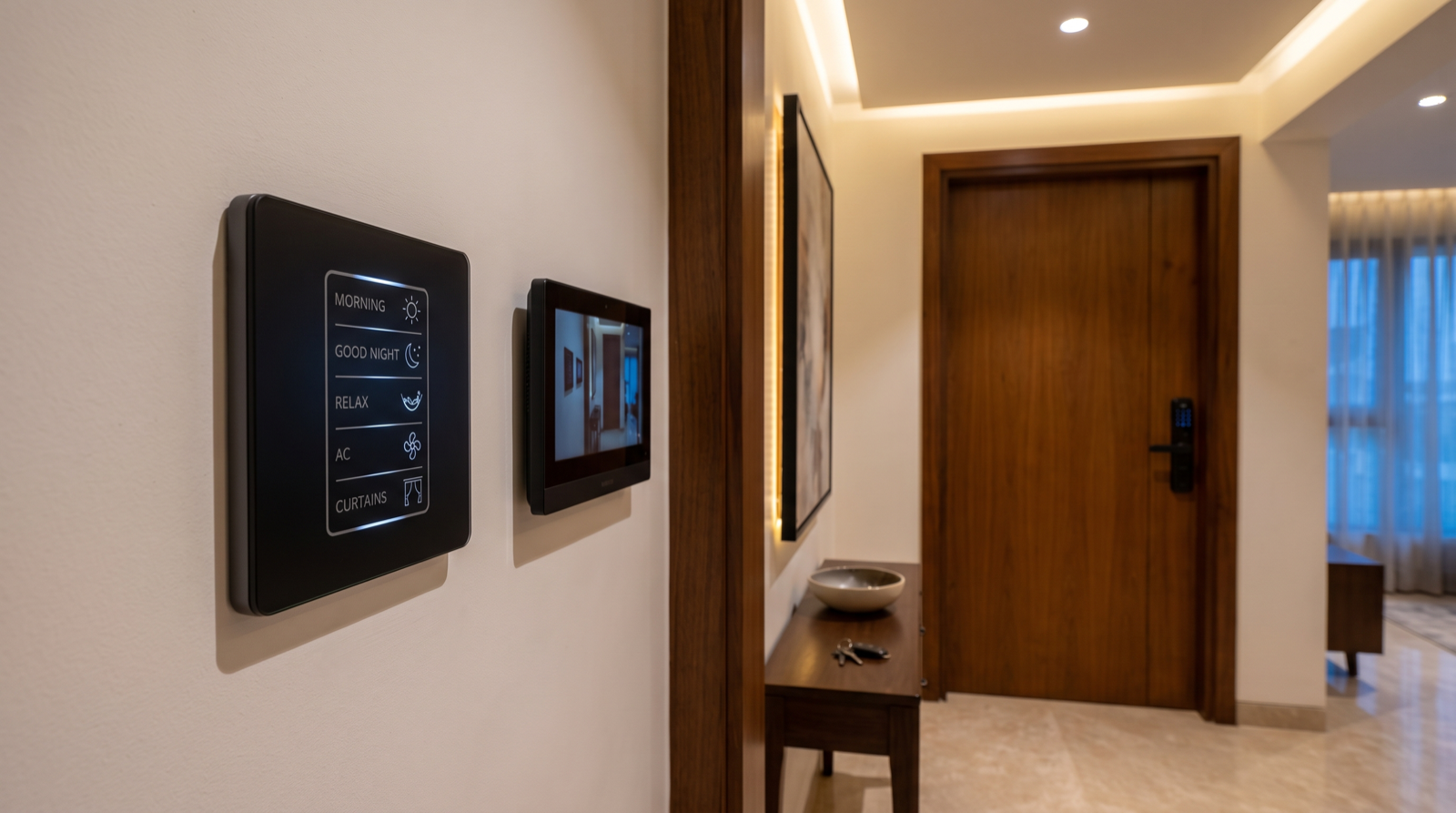
- Indoor monitor at 1.4–1.5m, on the foyer wall you already pass on the way out, ideally directly beside the entry keypad so the door, the lights and the alarm live in one place. In a larger villa, add a second monitor at the master bedroom so nobody crosses the house at 11pm to see who rang.
- Cable it, do not trust wifi at the door. An outer door in an RCC building is often the worst signal position in the home. Run Cat6 from the door station back to the panel — it carries video and power over a single cable and leaves you options later.
Position the entry keypad and the monitor as one composition rather than two separate afterthoughts; the height and grouping conventions are in how to plan keypad layouts and engraving, and the lighting that makes the whole arrival sequence work is in how to plan entrance foyer lighting and automation.
Apartments, society intercoms and rented flats
Most Hyderabad apartments arrive with a builder-fitted intercom handset wired to the security desk and the lobby gate. That system belongs to the association, not to you, and it is generally not something to modify. Plan around it:
- Leave the society intercom alone and add your own door station at your flat door. The two coexist; the society unit handles the main gate, yours handles the person actually outside your door.
- Check the association's rules on the lobby face before anything is fixed to a shared wall. Some buildings restrict what may be mounted outside the flat door, including finish and projection.
- In a villa, plan two tiers — a gate station at the compound and a door station at the house — and decide which one rings which monitor.
- Renting? Keep it reversible. A cylinder-swap lock or a rim deadbolt, plus a self-contained doorbell inside your own frame, keeps everything removable. Store the original hardware in a labelled box and get written consent before drilling. More tenant-safe choices are in home automation for rented apartments in Hyderabad.
Making the door drive lights, curtains and security
A smart lock that only locks a door is a better lock. A smart lock wired into the house is automation, and this is where the value actually appears. Four events are worth building:
- Valid unlock, after dark. Foyer and corridor lights to 60%, the living room to a low welcome level, and the alarm disarmed — all from a fingerprint, before you have put the bags down. Worked examples are in how to design home automation scenes.
- Leaving. One press on the entry keypad, or the door locking behind you, runs Away: all lights off, motorised curtains to their day position, and security armed. This is the scene that removes the walk-through check.
- Good Night. The bedside button confirms the main door is locked and arms the house. Being told the door is already locked is a small thing that people notice every night.
- Notification on specific codes. A message when the help's code is used, or when the door opens while the house is in Away, is far more useful than a general activity feed nobody reads.
Two integration cautions. Keep the lock's own operation independent of the automation controller, so a fingerprint still opens the door if anything else is down. And treat the door contact sensor as a separate, cheap, worthwhile item — it tells you the door is shut, which the lock alone cannot. The broader picture is in smart home security in Hyderabad: locks, cameras and sensors and why scene-based automation beats app-only smart devices.
Cables and provisions to leave before plastering
All of this is nearly free at first fix and genuinely expensive afterwards. Put it on the electrical drawing:
- Cat6 from the door station position to the automation panel, terminating in a back-box at 1.4–1.5m on the handle side, 150–300mm from the frame.
- Cat6 to the indoor monitor position at 1.4–1.5m on the foyer wall, in a back-box grouped with the entry keypad, with both plates aligned.
- A door contact sensor cable at the top of the frame on the hinge side, or a concealed flush contact rebated into the frame while the carpenter still has the frame in hand.
- A 5A point near the door head if a gate station, a maglock or a powered strike is even a possibility later.
- The lock model confirmed before the shutter is machined, with its cutting template handed to the carpenter. This one line prevents most of the problems in this article.
- A spare conduit from the door area to the panel. The door is the position most likely to want something new in five years.
The whole-house version of this checklist runs through how to plan smart lighting for a new home, and if you are working on a finished flat rather than a construction site, can you add home automation during renovation in Hyderabad covers what is still practical.
How Pert delivers it — a designed solution, not a DIY kit
Pert is a solutions company: we design and install, and we do not ship a carton of parts for someone else to work out. On a main door that means a site visit to measure the leaf thickness, backset, stile width and swing, and to check how the shutter actually sits in its frame; a lock and door station selection matched to those measurements rather than to a catalogue photograph, with the cutting template issued to your carpenter before machining; door station and monitor positions marked on the same drawing your electrician and interior designer work from, with the lobby light checked for backlight at the hour it matters; professional installation, alignment and commissioning, including auto-lock timing tested against your own door; and enrolment of every family member's fingerprints, the time-bound codes for domestic help, and the arrival, Away and Good Night scenes tuned in the finished home.
If you are comparing providers on this level of detail rather than on headline price, our guide to the best home automation companies in Hyderabad covers what to check before you sign, and home automation maintenance and support in Hyderabad covers what happens after handover — which, for a lock with batteries in it, matters more than for anything else in the house.
Building or renovating in Hyderabad? Choose the lock before the carpenter machines the shutter, and get the two Cat6 runs and the door-contact cable onto the drawing before the plaster closes. It costs almost nothing now, and it is the difference between a main door that runs the house and a smart lock that never quite fit. Request a consultation →
Frequently asked questions
Will a smart lock fit my existing main door?
Three measurements decide it. Leaf thickness — most smart mortise sets need 38–50mm, and a typical Indian main door at 35–45mm is usually fine. Backset — 60mm is the Indian standard, with 70mm also common, and the lock body must match the pocket already cut. Stile width — you need about 90–120mm of solid material along the lock edge. Send those three numbers and a photo of the lock edge before buying. On a hollow-core flush shutter, choose a rim-mounted or deadbolt-style lock instead of a heavy handle set.
What happens to a smart lock during a power cut or when the batteries die?
Nothing happens during a power cut, because a good smart lock runs on its own AA batteries — roughly 6–12 months or about 8,000 operations — and never touches mains power. It warns for weeks before the batteries are exhausted. If they do run flat, use the emergency 5V USB contact on the outer face with a power bank, or the mechanical key override. Insist on that key path and keep the keys outside the house. Fingerprint, PIN and key all work with the internet down.
How high should a video door phone camera be mounted?
About 1.4–1.5m to the lens, on the handle side and 150–300mm from the frame, with a 150–170 degree wide angle so children and parcels are still in frame. Keep it out of direct sun and away from a bright lobby window, because backlight silhouettes a face no matter the resolution — specify true wide dynamic range if the position cannot move. Mount the indoor monitor at 1.4–1.5m beside the entry keypad.
Can I fit a smart lock and door phone in a rented apartment?
Yes, with reversible hardware: a cylinder-swap lock that replaces only the euro cylinder, or a rim-mounted smart deadbolt on the inside face. Both come off at the end of the tenancy. The society intercom is shared infrastructure and should not be modified, so add a self-contained video doorbell inside your own door frame. Keep the original hardware in a labelled box and get the landlord's written consent before drilling.