
In this guide
- A routine is a sequence, not a scene
- A worked wake-up routine, step by step
- What should start the morning: alarm, schedule, sunrise or button
- A worked Good Night routine, and the checks it should run
- Calendars and people: weekdays, holidays and different bedrooms
- Eight mistakes that make routines annoying
- How Pert delivers it (designed, not DIY)
- FAQs
This article is part of our wider coverage of home automation in Hyderabad. It builds on time, sunrise and sunset routines and how home automation modes work. Those cover scheduling and house modes in general; here we design the two daily routines in detail.
A routine is a sequence, not a scene
A scene sets a group of devices to fixed states in one instant: Relax puts the cove at 40% and closes the sheers. A routine is a list of timed steps, each of which can be a scene, a single device action, a wait, or a check. Waking up and going to bed both take 15–30 minutes in real life, so the system should spread its actions over that time too.
Every good daily routine is built from the same four kinds of step:
| Step type | What it does | Wake-up example | Bedtime example |
|---|---|---|---|
| Fade | Changes a light level slowly over minutes, not instantly | Bedroom cove from 0% to 40% warm over 15 minutes | Living room from 60% to 20% over 10 minutes |
| Stage | Moves a device part-way, then further later | Sheers to 30% open, then blackout fully open 10 minutes later | Living-room curtains closed, bedroom curtains left for the occupant |
| Wait / condition | Pauses, or continues only if something is true | Continue only if nobody has pressed Snooze or Off | Switch off a bedroom only if no motion there in the last 10 minutes |
| Check | Looks at a sensor and reports instead of acting | Tell the kitchen keypad if the balcony door was left open overnight | Warn if the main door is unlocked or a balcony door is open |
The routine runs on the gateway in your home, which keeps the clock, runs each step at the right moment and stores the state of every device. That is also why it keeps running when the internet is down.
A worked wake-up routine, step by step
Here is a weekday wake-up for the master bedroom of a 3BHK flat with tunable cove lighting, motorised sheers and blackouts on motorised curtain tracks, a bedside Stella keypad and a split AC on an IR or smart controller. Target time to be up: 6:30am.
| Time | Step | Why |
|---|---|---|
| 6:10am | AC set from 24°C sleep setting to 26°C, or fan-only in winter | The room starts warming slightly, which helps waking without a jolt |
| 6:15am | Bedroom cove fades from off to 30% warm white over 15 minutes | A slow fade is far less startling than a light switching on |
| 6:22am | Sheers open to 30% | Adds daylight gradually; at this time of year Hyderabad sunrise is around 6:05–6:15am |
| 6:30am | Blackout curtains open fully; cove continues to 50% and shifts cooler | The “now get up” step |
| 6:30am | Kitchen and passage lights to 70% if it is still dark outside | The path to the kitchen is ready before anyone walks it |
| 6:45am | Bedroom AC off if it is still running | Nobody needs to remember to switch it off |
| Any time | Pressing Morning on the bedside keypad jumps straight to the 6:30am state | If you are already awake, you skip the slow part |
The two buttons a wake-up routine needs
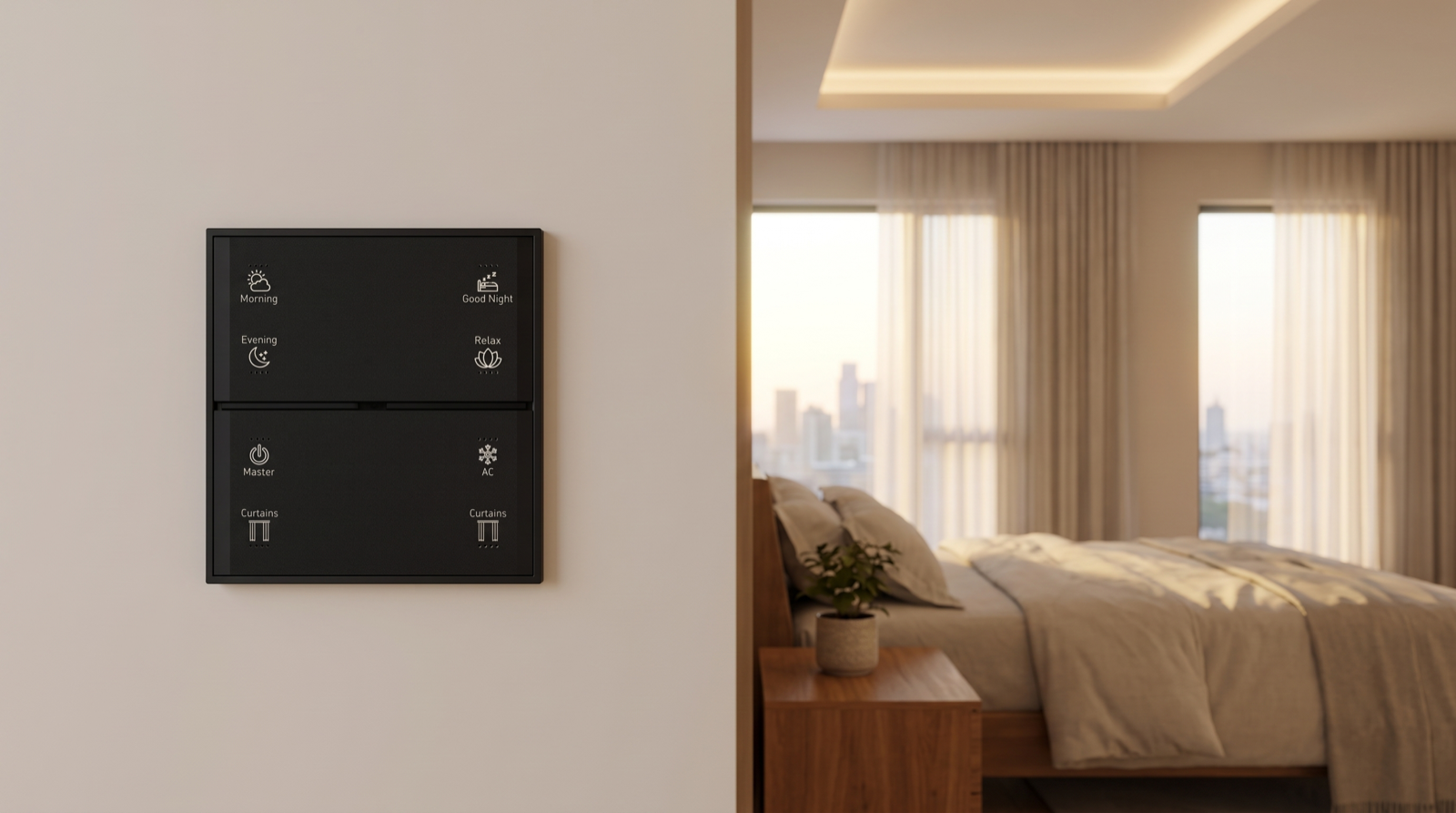
- A way to go faster. Morning on the keypad completes the routine immediately: curtains open, lights to the daytime level, AC off.
- A way to stop it. A long-press, or the Good Night button pressed again after the routine has started, should cancel the rest of the sequence for that room only and leave the curtains where they are. Without a stop, a sick child or a late night means the routine gets disabled entirely and rarely gets switched back on.
Notice that lighting is only one load here. The routine is coordinating curtains, AC, multiple rooms and a keypad. That coordination is what turns separate devices into a home that behaves, and it is the same principle behind group and multi-way control.
What should start the morning: alarm, schedule, sunrise or button
The sequence is half the design. The other half is deciding what starts it.
| Trigger | Works well for | Watch out for |
|---|---|---|
| Fixed time (6:15am on weekdays) | Office and school days with a set start | Needs a calendar for holidays and leave; otherwise it wakes you on Sankranti |
| Sunrise offset (sunrise − 10 min) | People who like to wake with the light, and non-working days | Hyderabad sunrise moves from about 5:45am in June to about 6:50am in January, so add an earliest and latest limit, such as “not before 6:00, not after 7:00” |
| Button (Morning pressed) | Irregular schedules, shift work, weekends | Nothing happens until someone is up; fine for weekends, less helpful for school mornings |
| Sensor (first kitchen motion after 5:30am) | Starting the shared spaces when the first person gets up | Should never open bedroom curtains; a 3am glass of water must not count, so always add a time window |
The pattern we use in most homes is a fixed time on working days, a button on non-working days, and a sensor to bring shared spaces to life. The bedroom routine starts by the clock or by the person in it; the living room and kitchen follow whoever is up first. How triggers, conditions and actions fit together is explained further in sensor-triggered automation: triggers, conditions and actions.
A worked Good Night routine, and the checks it should run
Bedtime is harder than wake-up, because not everyone goes to bed at once and because it is the moment the house should be made safe. A well-designed Good Night press, from the bedside keypad or the one at the bedroom door, typically runs this sequence:
| Step | Action | Condition / note |
|---|---|---|
| 1. Check | Is the main door locked? Are balcony doors closed? | If not, the keypad backlight blinks and a phone alert names which door; the routine still continues |
| 2. Living areas off | Living, dining, kitchen and foyer lights fade off over 30 seconds | Skip any room where motion was seen in the last 5 minutes, or where another family member is clearly still up |
| 3. Curtains | Living-room curtains close | Bedroom curtains close only in the room where Good Night was pressed |
| 4. This bedroom | Bedside light to 10% warm for 2 minutes, then off | Gives time to settle without hunting for a switch |
| 5. AC | This bedroom's AC to the sleep setpoint | Never switches off an AC in another bedroom that is occupied |
| 6. Mode | House set to Night mode | Passage sensors now give a soft path light instead of full brightness |
| 7. Security | Night-time alerts armed for balcony and main door | Cameras and sensors from the security system follow the Night rules |
Night path lighting: the part people notice most
Once the house is in Night mode, a trip to the bathroom or kitchen at 2am should be lit just enough to walk safely: passage lights at 10–15% warm, switching off 60–90 seconds after the last motion, bathroom lights at a low level instead of full brightness. This is what makes elderly parents and children safer at night, and it is entirely automatic once Good Night has been pressed. Home automation for elderly parents shows how far this can go.
The safety net if nobody presses Good Night
Families forget. A backstop schedule, such as “at 1:00am, if the house is still in Home mode and there has been no motion in the living room for 20 minutes, run the living-area part of Good Night”, catches the nights when everyone fell asleep in front of the TV. It should switch off only empty rooms and never close curtains on someone still sitting there.
Calendars and people: weekdays, holidays and different bedrooms
A routine that only works for one person on one kind of day will be switched off within a month. Design for the whole household from the start.
| Room / person | Weekday | Weekend | Holiday mode |
|---|---|---|---|
| Master bedroom | Wake sequence from 6:15am | No automatic wake-up; Morning button only | As weekend |
| Teenager's room | Wake sequence from 6:40am on school days | None | None during school vacations |
| Grandparents' room | None; they wake earlier on their own. Soft path light only | As weekday | As weekday |
| Kitchen and living | First kitchen motion after 5:30am, or first Morning press | Same trigger, softer levels | Same trigger |
| Good Night backstop | 1:00am | 1:30am | 1:30am |
Three practical points make this work. First, keep one calendar for the house, with Holiday mode switched on from the app for school vacations, Diwali or a week of leave, rather than editing each schedule. Second, wake-up routines belong to rooms, not the whole house; bedtime belongs to the room where it was pressed plus the shared areas. Third, when a routine and a person disagree, the person wins: if someone changes a light by hand during the sequence, that room drops out of the rest of the routine. How home automation handles conflicts, overrides and timers explains that rule in detail.
Eight mistakes that make routines annoying
- Instant on. Lights switching straight to full brightness at wake-up. Always fade over 10–20 minutes.
- One curtain movement. Blackouts opening fully in a single step at 6am. Open sheers first and blackouts later, or the other way round for bedtime.
- Whole-house wake-up. Opening every bedroom's curtains because one alarm went off. Wake-up is per room.
- No cancel. A routine you cannot stop for one morning gets disabled for good.
- No holiday calendar. A 6:15am weekday routine running on a public holiday is the fastest way to lose the family's goodwill.
- Blind Good Night. Switching everything off without checking doors, or switching off an occupied room's AC.
- Unbounded sunrise. A sunrise trigger with no earliest or latest time wakes you at 5:45am in June.
- Cloud-dependent timing. If the schedule runs in a cloud service, an overnight internet outage means no wake-up. Ask where the logic runs; it is one of the questions in best home automation companies in Hyderabad.
How Pert delivers it — a designed solution, not a DIY kit
Pert's Stella keypads, tunable and dimmable lighting, motorised curtains and sensors and security devices work together as one Zigbee system through the Pert gateway. We design and install the whole system rather than handing over a kit, so routines are designed with you, not left for you to build in an app. At the consultation we ask who wakes when, which rooms should never be woken automatically, how late the household usually stays up and which doors matter most at night. That becomes a written routine plan for each bedroom and for Good Night, with the Morning and Good Night buttons placed and engraved on the keypads to match. The sequences run on the gateway in your home, we test them at handover (including with the internet disconnected), and we adjust timings with you in the first few weeks as the family settles in.
Planning home automation for a Hyderabad flat or villa? We will design the whole system, from keypads and lighting to curtains, security and the morning and night routines, around how your household actually lives. Request a consultation →
Frequently asked questions
What is the difference between a wake-up scene and a wake-up routine?
A scene sets a group of devices to fixed states in one instant. A routine is a timed sequence: bedroom lights fade up over 15 minutes, sheers open to 30% at the halfway point, and blackouts open fully when you press Morning or after 20 minutes. Waking up and going to bed are gradual, so they are designed as routines that run several scenes and actions in order.
Can each bedroom have a different wake-up time?
Yes. The wake-up routine is built per bedroom, so the master bedroom can start at 6:15am on weekdays, a teenager's room at 6:45am on school days only, and a grandparent's room can have no automatic wake-up at all. Shared spaces follow the first person up, usually triggered by the first Morning press or the first kitchen motion after a set time.
What should a Good Night button actually do?
It switches off the living areas while leaving occupied bedrooms alone, closes the curtains and sets the house to Night mode so sensors give soft path lighting, and checks the home. If the main door is unlocked or a balcony door is open, it tells you on the keypad or phone instead of silently going to sleep. It should not switch off the AC in a bedroom where someone is already asleep.
Do wake-up and bedtime routines work without internet?
In a hub-based system, yes. Schedules, sequences and keypad buttons run on the gateway inside the home, so a 6:15am wake-up and a Good Night press work even when the broadband is down. Triggering routines from outside the home, voice assistants and phone notifications pause during an outage.