
In this guide
This article is part of our wider coverage of home automation in Hyderabad. It builds on sensor-triggered automation: triggers, conditions and actions and scheduling routines by time, sunrise and sunset, and asks the question those articles leave open: what happens when two of them disagree?
Four sources of instructions, one set of lights
Every light, curtain or AC in a home can be told what to do from several places. Knowing them is the first step to ordering them:
| Source | Example | Nature | Typical intent |
|---|---|---|---|
| A person | Pressing a wall keypad button, tapping the app, using a voice assistant | Deliberate, immediate | “I want this, now” |
| A schedule | Curtains close at sunset; Good Night routine at 11pm | Predictable, blind to the present situation | “This is usually right at this hour” |
| A sensor | Motion in the passage, a door opening | Reactive to what is physically happening | “Something has changed” |
| A mode or scene | Away, Night or Guest mode; a Relax scene | A bundle of settings applied together | “The house is in this state” |
None of these is wrong. The trouble starts only when the design does not say which should win, so the home behaves differently depending on which instruction happened to arrive last. How home automation modes work covers modes in more detail; here we look at how they interact with everything else.
Manual override: people come first
The single most important rule is that a deliberate human action beats a prediction. A schedule is a guess about what you will want. A keypad press is you telling the home what you want. If the system keeps correcting a person, the person stops trusting it and starts avoiding it, which is exactly what happens in homes where lights fight back.
But “the person wins” needs a second half, for how long. There are three common behaviours, and a design should choose one per room:
- Until the next trigger. Your choice stands until the next scheduled event or sensor change. This is the simplest and the most predictable.
- For a fixed period. A manual choice is respected for, say, two hours, after which normal automation resumes. This suits bedrooms, where you switch on a reading light and do not want a sensor timeout to cut it.
- Until the room is empty. Your choice holds while the room is occupied and hands control back when everyone leaves. This is useful in living rooms and studies.
This is also a strong argument for keypads alongside the app: a physical press is the clearest possible override, understood by every person in the home without any explanation.
A priority order for automations
When two automated rules collide, one needs to outrank the other. A sensible order, from highest to lowest, looks like this:
- Safety and security events. Smoke, a door opened in Away mode, a panic button. These act regardless of any scene, schedule or mode.
- A person’s deliberate action. A keypad press or app command, respected for the period agreed above.
- Active mode. Away, Night or Guest mode decides which automations are allowed to run at all. In Night mode, for instance, the passage lights come on dim rather than bright.
- Sensor-triggered comfort rules. Lights on when someone walks in; off when the room has been still for some minutes.
- Time-based schedules. The lowest priority, because they know the least about what is happening right now.
Notice that safety sits above even the person. If the main door opens at 3am in Night mode, the entrance and passage lights should come on and an alert should go out, even though no one pressed anything. How to design smart home notifications and alerts covers how to make those alerts useful without turning every night into a false alarm.
Timers, hold times and cooldowns
Three timing ideas do most of the work in preventing irritating behaviour:
| Setting | What it does | What happens when it is wrong |
|---|---|---|
| Hold time (sensor timeout) | How long lights stay on after the last movement is seen | Too short: lights switch off on someone sitting still. Too long: lights burn in an empty room |
| Cooldown | A short pause after an automation acts before it may act again | None: lights flick on and off repeatedly when a sensor sits at its detection edge |
| Delay | A deliberate wait before an action, such as 90 seconds after the door closes before Away mode starts | None: Away mode begins while you are still carrying bags to the car |
Sensible starting points differ by room. As a rule of thumb, a corridor or bathroom suits a hold time of a minute or two, while a living room, study or any room where people sit still needs far longer, and often should not rely on motion alone to turn lights off. The right numbers depend on the sensor placement and the household, so they are worth adjusting after a week of living in the home. Staircase and corridor lighting with motion sensors goes through the placement side of this.
Timers are also where reliability matters. If a rule depends on a cloud service answering, a short delay becomes a long one when the internet is slow. Rules that run on the gateway inside the home, which what a smart home gateway does explains, keep timers accurate.
Worked example: the living room at 11pm
Here is how the rules above apply to the opening scenario. The design: schedules lowest, sensors above them, people above both, safety on top. The living room holds a manual choice for two hours.
| Time | Event | What the home does | Rule at work |
|---|---|---|---|
| 10:30pm | Someone presses Relax on the living-room keypad | Lights dim to the Relax scene; curtains stay as they are | Person acts; two-hour hold begins |
| 11:00pm | The scheduled Good Night routine fires | Bedrooms and passage follow the routine; the living room is skipped because a manual choice is still held | Person outranks schedule |
| 11:20pm | Someone walks through the passage | Passage lights come on at 20% for Night mode and go off after a short hold time | Mode decides brightness; sensor decides timing |
| 12:30am | Hold expires; the room has been still | Living room lights fade off | Normal automation resumes |
| 3:10am | The main door sensor opens | Entrance and passage lights come on at full brightness and an alert is sent | Safety outranks Night mode |
The result: nobody was left in the dark, nothing fought anyone, and the one event that mattered won every argument. Compare this with a home built from separate app-only gadgets, where each device has its own schedule and its own idea of “off”. That is a large part of why scene-based automation is better than app-only smart devices.
How to test for conflicts at handover
Conflicts rarely show up when each automation is tested alone. They appear when two overlap. At handover, ask for these clashes to be deliberately tried, room by room:
- Press a keypad scene just before a scheduled routine fires. Which one stands?
- Walk past a motion sensor while a manual scene is held. Does the sensor overwrite it?
- Open the main door while in Away mode, then in Night mode. Does the alert fire both times?
- Stand at the edge of a sensor’s range. Do the lights flicker, or does the cooldown calm them?
- Sit still in each room for ten minutes. Do the lights stay on?
Anything that behaves surprisingly is a design gap, not a fault. A good handover includes tuning these, which is part of avoiding the slow decline in reliability many homes suffer. Ask any installer how they approach this, and use our guide to the best home automation companies in Hyderabad for further questions to ask.
How Pert delivers it — a designed solution, not a DIY kit
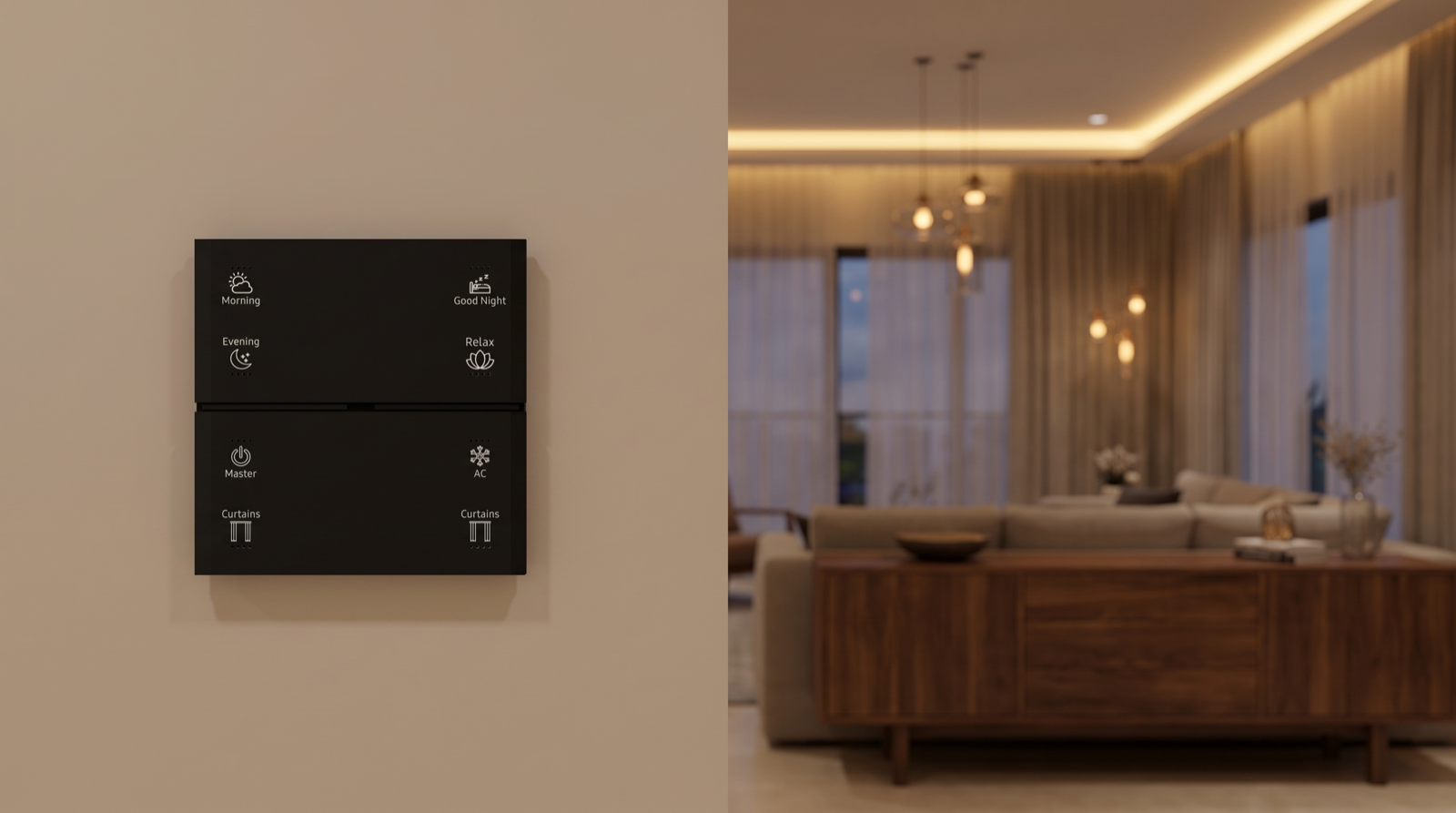
Pert’s Stella keypads, tunable and dimmable lighting, motorised curtains and security devices work together as one Zigbee system through the Pert gateway. Because we design and install the system rather than selling a kit, these precedence rules are decided with you at the planning stage, not discovered after move-in. We ask how each room is used, who sits still in it, who moves through it at night, and what must always win. Those answers become written rules for scenes, schedules, modes and sensor behaviour, which we set up, test against the clashes above, and adjust after you have lived with the home for a few weeks.
Want a home that behaves the way you expect? We will design the scenes, schedules, sensors and override rules together, then install and tune the whole system. Request a consultation →
Frequently asked questions
What happens if I switch a light on manually when a schedule says it should be off?
In a well-designed system your manual press wins for now. The schedule acts at the moment it fires, for example at 11pm, and does not keep fighting you afterwards. So if the 11pm routine has already run and you then turn a light on, it stays on until the next trigger, such as a sensor timeout or the next scheduled event. What should be agreed at design stage is how long a manual choice is respected for each room.
Why do my motion-sensor lights switch off while I am still in the room?
Usually the hold time is too short, or the sensor cannot see you. A person sitting still, reading or working, may not trigger a motion sensor for several minutes. Hold times should be set per room: short in corridors and bathrooms, long in living rooms and studies, and in rooms where people sit still the lights should not depend on motion alone. A wall keypad press can also be set to cancel the motion timer for that room.
Can a security alert override my Good Night scene?
Yes, and it should. Safety and security events sit at the top of the priority order. If a door sensor opens while the home is in Night mode, the system can turn on the entrance and passage lights and send an alert regardless of what the Good Night scene or a schedule says. Comfort automations give way to safety ones, never the other way round.
How do we stop automations from fighting each other?
Decide the rules on paper before programming: which trigger wins, how long a manual choice is respected, what conditions block a sensor rule, and how long each room waits before an automation can act again. Then test the clashes deliberately at handover. This is part of how Pert designs and installs a system rather than leaving it to trial and error.