
In this guide
- Two different questions: house presence and room occupancy
- The signals a smart home can use, and how each one fails
- Motion vs presence sensors: PIR, microwave and mmWave
- Combining signals: timeouts, door logic and confidence
- Worked examples for a Hyderabad home
- Privacy, and seven presence-detection mistakes
- How Pert delivers it (designed, not DIY)
- FAQs
This article is part of our wider coverage of home automation in Hyderabad. It goes one level below sensor-triggered automation: triggers, conditions and actions and how home automation modes work: those posts use presence as an input; here, working out presence is the subject.
Two different questions: house presence and room occupancy
"Presence detection" is used for two problems that need different signals and different designs. Mixing them up is the root of most frustrating automations.
| House presence | Room occupancy | |
|---|---|---|
| The question | Is anybody home at all? | Is someone in this particular room right now? |
| What it drives | Away mode, all-off, door and motion alerts, presence simulation, arrival welcome | Lights on and off, path lighting at night, keeping a room's scene while it is in use |
| Speed needed | Minutes are fine; being right matters far more than being quick | Under a second to switch on; tens of seconds to minutes to switch off |
| Cost of a mistake | High: switching the house to Away with a grandparent inside, or never arming it at all | Low to medium: a light that goes off on someone, or stays on in an empty room |
| Best signals | Keypad Leave/Arrive buttons, main-door contact and lock events, motion anywhere in the house, phone location as a hint | Motion and presence sensors, door contacts on that room, keypad presses in that room |
The rule that follows: room occupancy can be fully automatic; house presence should be automatic only as a safety net behind a deliberate action, because the consequences of getting it wrong are so much bigger.
The signals a smart home can use, and how each one fails
No single signal is reliable for everything. The useful skill is knowing exactly how each one lies.
| Signal | What it really tells you | How it fails | Best used for |
|---|---|---|---|
| Keypad press (Leave, Arrive, Good Night) | A person was at that spot and made a deliberate choice | People forget to press it; it says nothing about who else is still home | The primary trigger for Away, Home and Night |
| Main-door contact sensor | The door opened or closed | Cannot tell arriving from leaving, or one person from three; a door left ajar looks like constant activity | Arrival lighting, alerts in Away and Night, the "door closed then silence" test below |
| Smart lock events | Unlocked from outside with a fingerprint, PIN or app, or locked from inside | Shared PINs hide who it was; a door locked from inside means someone is home, not that they left | Strong evidence of an arrival, and of which household member arrived where users are set up separately |
| PIR motion sensor | A warm body moved across its view | Misses people sitting still; can be triggered by pets, and slowly by sunlight heating a surface | Passages, staircases, utility areas, toilets; any "someone is in the house" check |
| Presence sensor (microwave or mmWave radar) | Something is moving, including very small movements like breathing | Sees through thin partitions, glass and curtains; ceiling fans and swaying curtains can keep it "occupied" | Rooms where people sit or lie still: study, living area, dressing room |
| Phone geofencing | A phone that has the app, permissions and battery crossed a boundary | Reports minutes late, misses people without smartphones, fails when the phone is off or the internet is down | Hints and conveniences: "everyone seems to have left, set Away?", pre-cooling as you approach |
| Camera person detection | Something shaped like a person appeared in view | Covers only where cameras look; usually outside or at the door, not inside living spaces | Doorstep and gate alerts, recording; rarely the right tool for lighting |
Why phone location is a hint, not a fact, in Indian homes
Geofencing looks perfect in a demo: everyone's phone leaves a 200–300 metre circle around the home and the house switches to Away. Real households are less tidy. Phone GPS inside a concrete building is often off by 20–50 metres or more; Android and iOS deliberately delay location updates to save battery, so a "left home" event can arrive several minutes late; and the circle has to be wide enough that walking to the gated community's clubhouse or the shop in the next block does not count as leaving. Most importantly, a typical Hyderabad home has people who are not in the app at all — a cook or housekeeper, a driver, elderly parents with a basic phone, children. A house that switches to Away because the two working adults' phones left would switch off lights on all of them. For that reason we treat geofencing as a prompt to a human, never as the final word. How to manage smart home access for family, staff and guests covers who should be in the app in the first place.
Motion vs presence sensors: PIR, microwave and mmWave
The sensor technology decides whether a room's lights behave or annoy.
- PIR (passive infrared) sensors watch for a change in the heat pattern across segments of their lens. Walking across the view triggers them quickly and reliably; walking straight towards the sensor triggers them later, because the heat does not cross segments. Sitting still triggers nothing. A typical ceiling PIR covers a circle of roughly 5–7 metres at normal ceiling heights, and wall-mounted units cover a fan of around 90–110 degrees. They are low-power, which is why battery PIR sensors on a Zigbee network can last a year or more.
- Microwave (Doppler) sensors, common in Indian corridor and staircase fittings, send out a radio signal and detect movement from the reflection. They are more sensitive than PIR and notice smaller movements, but their field passes through doors and thin walls, so a sensor in the passage can be triggered by someone moving in the bedroom beyond it.
- mmWave presence sensors use higher-frequency radar and can detect very small motions, including the chest movement of someone breathing while sitting or lying still. That makes them the right tool for "is the room still in use?". They are usually mains-powered rather than battery, need careful aiming, and need tuning: a ceiling fan at speed 3, a curtain moving in the breeze from an open balcony door or a large aquarium pump can all look like a person.
Placement matters as much as technology. Put a PIR where people walk across its view, not towards it. Keep any sensor out of direct view of a window, AC louvre or sunlit floor. In a room with a ceiling fan, aim a presence sensor away from the blades or limit its range in configuration. Staircases and long passages are the most common sensor locations in Hyderabad homes, and how to plan staircase and corridor lighting with motion sensors works through those layouts in detail.
Combining signals: timeouts, door logic and confidence
Reliable presence detection comes from combining weak signals into a strong conclusion. Three techniques do most of the work.
1. Timeouts sized to the room, not one number for the house
A timeout is how long the system waits after the last detection before deciding a room is empty. One house-wide number is always wrong somewhere. Typical starting points: 60–90 seconds for a passage, 2–3 minutes for a staircase, 5 minutes for a utility or store room, 10–15 minutes for a toilet with only a PIR, and no automatic off at all for a living room that is controlled by scenes. Many systems also support a short "grace" step — dimming to 30% for 20 seconds before switching off — so anyone still there can wave a hand before the room goes dark.
2. Door logic: "door closed, then movement" means still inside
For rooms with one door, a contact sensor on the door adds the information a motion sensor lacks. If the door closed and motion was detected after it closed, someone is inside, and they stay "inside" until the door opens again — however still they sit. If the door opens and no motion follows within a minute or two, the room is empty. This is the most reliable way to stop bathroom and powder-room lights switching off on people, and it works with an inexpensive PIR.
3. House presence from several votes, with a human in the loop
For "is anybody home?", the gateway can weigh several signals: no motion anywhere inside for, say, 30–45 minutes, the main door closed and locked from outside, and all app users' phones outside the geofence. When all three agree, the system should not silently arm Away; it should send one notification — "The house looks empty. Set Away?" — or, if the family prefers, set an "Empty" state that only does the low-risk things (switch off forgotten lights, close west-facing curtains on a hot afternoon) while leaving security arming to the Leave button. That one design choice avoids nearly every geofencing horror story.
Worked examples for a Hyderabad home
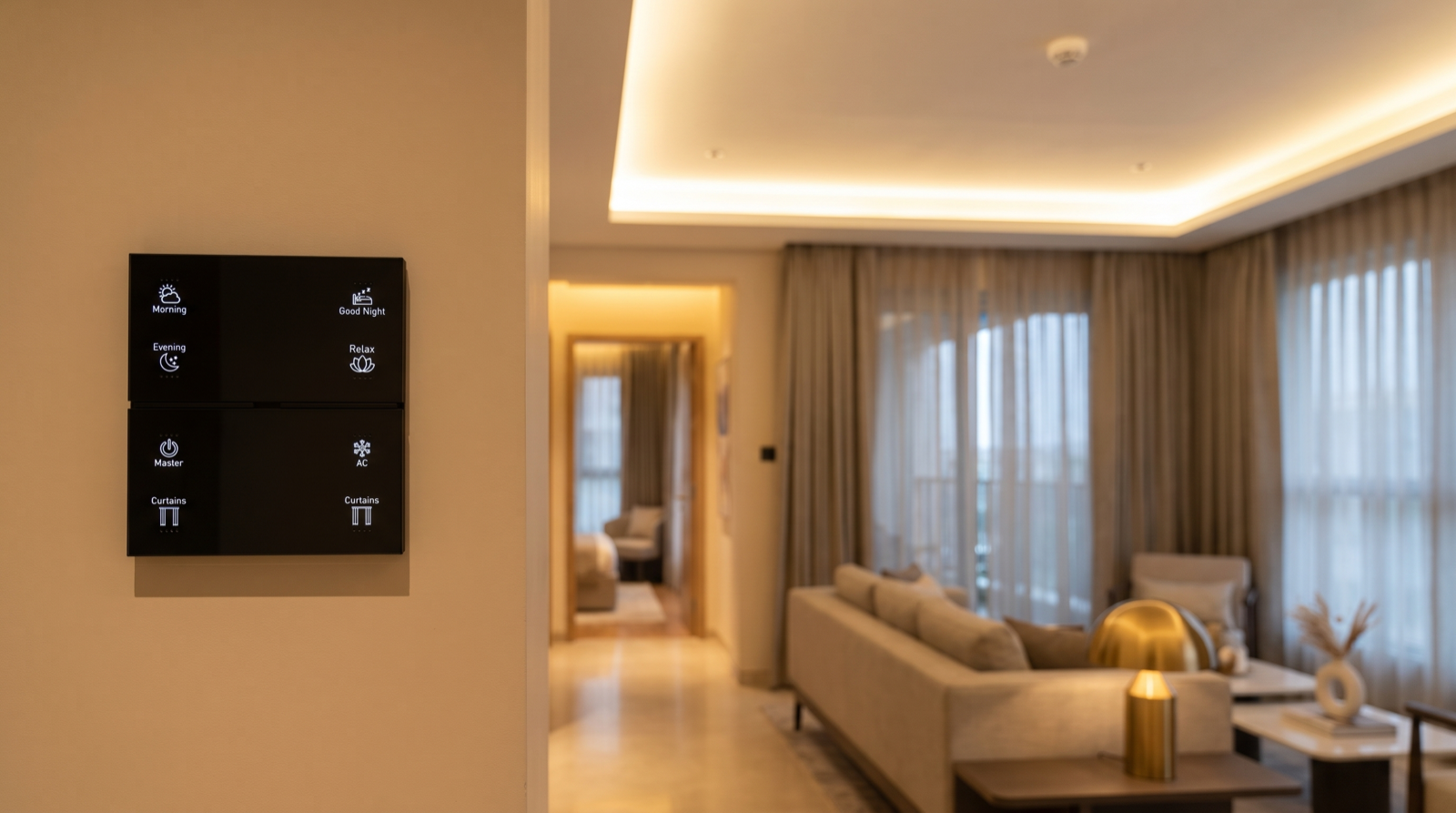
Here is how the techniques combine in a 3BHK flat with Stella keypads at the entrance and bedsides, tunable and dimmable lighting, motorised living-room curtains, and a smart lock and door contact on the main door.
| Situation | Signals used | Logic | What the family experiences |
|---|---|---|---|
| Passage at night | Ceiling PIR, Night mode | Motion + dark + Night → floor-level path light 10–15% warm; off 90 sec after last motion | A soft guiding light, never a glare, that is gone before anyone is back in bed |
| Common bathroom | PIR + door contact | Door closed and motion after it → occupied until the door opens; door opened and no motion for 60 sec → off | Lights never go off on someone in the shower; never left on after they leave |
| Living room, evening | Keypad scene, presence sensor as backstop only | Scenes rule; if the presence sensor sees nobody for 20 min after 11pm, dim to 20%, then off after 5 more | No lights switching off during a film; lights left on by mistake still get caught |
| Home office | mmWave presence sensor aimed at the desk | Presence held while seated; off 5 min after the person leaves | Lights stay on through a two-hour call without anyone waving at the ceiling |
| Coming home | Lock unlocked from outside + door contact + time of day | Unlock from outside after sunset → entrance and passage lights on, Arrive scene offered on the entrance keypad | Walk into a lit home; one press for the full welcome scene |
| Everyone leaves for work | Leave button; backstop: no motion 45 min + door locked + phones away | Button → Away and all-off. Backstop → notification "House looks empty. Set Away?" | Deliberate leaving is one press; forgetting is caught without ever locking out the housekeeper |
Notice how often the keypad appears. Buttons are presence detection too — the most accurate kind, because a person chose to press them. A good design lets sensors handle the spaces people pass through and lets buttons handle decisions. When the family travels for longer, the same signals feed presence simulation and alerts; how to plan away mode when you travel covers that end of it.
Privacy, and seven presence-detection mistakes
Presence data is personal: a log of when each person comes and goes and which rooms are in use. Two principles keep it in proportion. First, keep the logic local — in a hub-based system the sensors talk to the gateway over Zigbee inside the home, and room-level occupancy never needs to leave the house. Second, decide at design stage who in the family can see arrival history and location, and keep cameras pointed at doors and gates rather than inside living spaces. Is home automation safe from hacking? covers the security side, and our security devices are planned with the same boundaries.
- Motion sensors controlling rooms where people sit. The single most common complaint. Living rooms, bedrooms and studies need scenes, presence sensors or door logic — not a PIR with a 5-minute timer.
- One timeout for the whole house. A passage and a toilet need completely different numbers.
- Geofencing that arms Away on its own. It will eventually switch off the house on someone who does not carry the app.
- Forgetting pets. Indoor dogs and cats will trigger PIR sensors. Use pet-tolerant placement, presence rules that ignore low-level motion in Away mode, or door and lock signals instead. Our guide to home automation for pet owners goes deeper.
- Radar aimed at fans and curtains. A presence sensor that sees a ceiling fan will keep a room "occupied" all night.
- No visible state. If the family cannot see whether the house thinks it is empty, every odd behaviour looks like a fault.
- No manual override window. When someone presses a button in a room, sensors should leave that room alone for 30–60 minutes. Otherwise the house fights the people living in it.
When comparing installers, ask how they decide whether a room is occupied and whether the house is empty, and what happens to those decisions when the internet is down. The answers separate designed systems from boxes of sensors. Our guide to the best home automation companies in Hyderabad lists more questions worth asking.
How Pert delivers it — a designed solution, not a DIY kit
Pert's Stella keypads, tunable and dimmable lighting, motorised curtains and sensors and security devices work together as one Zigbee system through the Pert gateway. We do not sell a box of sensors and leave you to tune them. At the consultation we walk through how each room is used and who is at home when — including staff, parents and children who may never open the app — and decide room by room whether a space should be controlled by a scene, a motion sensor, door logic or a presence sensor. Sensor positions are marked on the drawings before the false ceiling is closed, timeouts are set per room, and the Leave and Arrive buttons are planned and engraved on the entrance keypad. At handover we test every occupancy rule by sitting still, walking in from each door and leaving the house, including with the internet disconnected, and we fine-tune timeouts in the first weeks as the family settles in.
Want a home that knows when rooms are in use — without switching off on you? We design and install the whole system — keypads, lighting, curtains, sensors and security — for Hyderabad flats and villas, and tune presence detection to how your family actually lives. Request a consultation →
Frequently asked questions
Why do motion-sensor lights switch off when I am sitting still?
Most motion sensors are PIR sensors: they detect a warm body moving, not a person who is present. Someone reading, working or watching TV may not move enough for minutes at a time, so the timeout runs out. The fix is design rather than a longer timeout — use motion sensors in spaces people pass through, and in rooms where people sit use a presence sensor, door logic or simply a keypad scene with no sensor control.
Is phone geofencing reliable enough to arm Away mode?
On its own, usually not in Indian homes. It only knows where phones with the app are, reports late because of battery saving, and cannot see staff, parents or children without a smartphone. Use it as a hint — "everyone seems to have left, set Away?" or pre-cooling as you approach — and let a Leave button or an app confirmation make the decision.
What is the difference between a motion sensor and a presence sensor?
A motion sensor, usually PIR, detects a warm body moving and is good at noticing someone walking in. A presence sensor, usually microwave or mmWave radar, detects much smaller movements such as breathing, so it can tell a room is still occupied. Presence sensors suit rooms where people sit, but need careful placement because radar passes through thin partitions and can be disturbed by fans and moving curtains.
Does presence detection keep working without the internet?
Sensor-based detection does, in a hub-based system where the logic runs on the gateway in the home: sensors, door contacts and keypads talk to the gateway over the local Zigbee network. Phone geofencing depends on the phone, the app and the internet, so it pauses during an outage — another reason to base important decisions on in-home signals.