
In this guide
- What automation can and cannot do for child safety
- Night path lighting: the automation every family uses
- Balcony, utility and main doors: sensors, windows and modes
- Cord-free curtains and safer windows
- What a child should be able to press, and what they should not
- Routines for the school day, homework and bedtime
- Arrival alerts and check-ins for working parents
- Designing a system that grows up with the children
- How Pert delivers it (designed, not DIY)
- FAQs
This article is part of our wider coverage of home automation in Hyderabad. It applies the logic explained in sensor-triggered automation: triggers, conditions and actions and how to design smart home notifications and alerts to one specific household: a family with children roughly between two and twelve. For the lighting design of the child's own room — study lux, flicker and night tiers — see how to plan kids' room lighting and automation.
What automation can and cannot do for child safety
It is worth being honest about this before anything else, because a smart home is sometimes sold as if it were a babysitter. It is not. Automation is very good at three things, and powerless at a fourth:
| Automation is good at | Example | But it cannot |
|---|---|---|
| Lighting the way | Motion in the corridor at night → path lights at a low warm level, so no child walks or falls in the dark | Stop a child from climbing, running or falling |
| Awareness | Balcony door opens after 9pm → a parent's phone and a chime in the living room | Hold a door shut. A sensor reports an opening; grilles, latches and locks prevent it |
| Removing hazards | Motorised curtains on ceiling tracks replace looped pull cords and chains | Make an unsafe window, railing or furniture layout safe |
| Predictable routines | The same wind-down every school night: lights dim, curtains close, the AC settles | Replace a parent's attention |
So the design rule is simple: physical safety measures first — balcony grilles or mesh, window restrictors, high latches on utility and terrace doors, socket covers — and automation on top, to add light, awareness and calm. Every automation below assumes the physical basics are already in place.
Night path lighting: the automation every family uses
The most-used automation in almost every family home we design is not a scene at all; it is the low light that comes on by itself when someone moves at night. A child who wakes up thirsty, a parent carrying a sleeping toddler, an older sibling heading to the bathroom — none of them should have to find a switch, and none of them should be hit by full ceiling lights at 2am.
A worked rule
| Part | Setting | Why |
|---|---|---|
| Trigger | Motion in the child's room doorway, the corridor or the bathroom entrance | Catch the first step, not the middle of the journey |
| Condition | House is in Night mode (set by the Good Night button), or the time is between 10:30pm and 6:00am | No automatic lights while the family is up and about |
| Action | Corridor and bathroom path lights to 10–15%, warm (around 2700K on tunable lights); bathroom mirror light to 20% | Enough to see the floor and the door, low enough not to wake anyone fully |
| Timeout | 3–5 minutes after the last motion, longer in the bathroom | A child who stops moving should not be plunged into darkness |
| Override | Pressing any keypad button cancels the automation for that room until morning | A parent dealing with a sick child wants full control, not a rule |
Two details matter more in a family home than anywhere else. First, the route: map the actual journeys — child's room to bathroom, child's room to parents' room — and make sure every leg has coverage; a lit corridor that ends in a dark doorway is worse than nothing. Second, behaviour in a power cut: path lights, the gateway and the Wi-Fi router should sit on the inverter circuit so the night lighting works when the grid does not. Pert's motion and microwave sensors and dimmable, tunable lighting are typically paired for exactly this. If you want the room-by-room detail, our guide to sensor-triggered automation covers timeouts and re-triggering.
Balcony, utility and main doors: sensors, windows and modes
A door contact sensor is a small two-part magnet and sensor that reports whenever a door or window opens. In a family home the question is never "should this door have a sensor?" but "when does an opening on this door matter, and who needs to know?". Answer that per door and the alerts stay useful.
| Door | When an opening matters | Action |
|---|---|---|
| Balcony door (especially above the ground floor) | Any time the house is in Night mode; during the day only if it stays open longer than, say, 5 minutes while no adult is on the balcony | Chime on the living-room speaker or keypad area plus a notification to both parents; balcony light on |
| Utility / service door | After the domestic help leaves, and at night | Notification to the parent at home; logged otherwise |
| Main door | Between bedtime and morning; or whenever the house is in Away mode | Notification to both parents; entrance and foyer lights on |
| Terrace or roof-access door (villas) | Any opening unless an adult has set the house to Day mode | Notification and a chime; terrace lights on after sunset |
| Pool or water-feature gate (villas) | Any opening | Immediate chime and notification to every adult at home |
Three design choices keep these alerts trustworthy:
- Modes, not times alone. Bedtime moves; a Good Night button that puts the house into Night mode is more reliable than a fixed 9pm rule, and it matches what the family actually did.
- A local chime as well as a phone alert. A parent in the kitchen may not see a phone in time; a sound in the home reaches them immediately. The phone alert is the backup, and it is what reaches a parent who is out.
- Few alerts, sent to the right adult. The notifications guide explains the critical / actionable / informational tiers. In a family home, a balcony opening at night is critical; the main door opening at 4pm on a school day is informational.
Door and motion sensors are part of Pert's home security range, and they work alongside cameras and the video door phone at the entrance.
Cord-free curtains and safer windows
Looped pull cords and bead chains on manual curtains and blinds have been a recognised strangulation hazard for young children for decades; child-safety organisations around the world advise removing them or keeping them well out of reach. A motorised curtain on a ceiling track has no hanging loop at all — it is operated from a keypad, the app, a schedule or a scene. In a home with toddlers, that alone is a reason to motorise the children's rooms and the living room.
A few further points for a family home:
- Ask about obstruction behaviour. Ask the installer how the chosen motor behaves if the curtain meets resistance, and see it demonstrated, rather than assuming.
- Schedule around play. Avoid curtains moving on a timer at times when small children are usually playing near the window; tie the evening close to the Evening scene rather than a fixed time if the window is in a play area.
- Keep climbable furniture away from windows. A curtain that closes on its own is no protection against a child climbing onto a window seat. Window restrictors and grilles still do that job.
- Blackout for naps. A Nap button on the child's keypad that closes the blackout layer and dims the room to 10% turns an afternoon nap into one press — useful in Hyderabad's bright afternoons.
What a child should be able to press, and what they should not
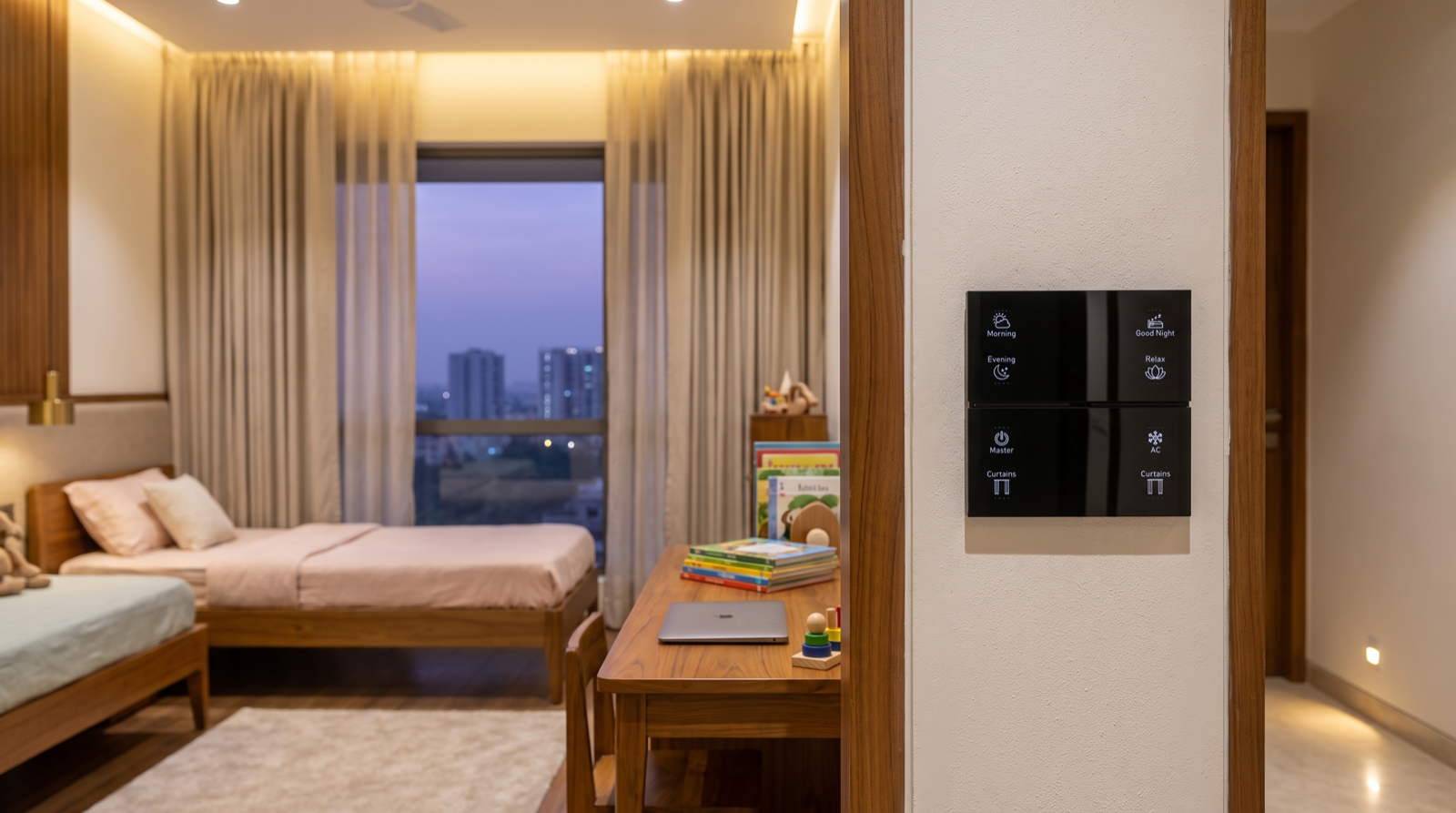
Children love buttons. That is an advantage — a five-year-old who can press Reading will happily put themselves into a calmer room — but it means the keypad layout needs more thought than in an adult's room. Because Pert's wall keypads are mapped in software, the decisions below are about design, not wiring, and can be changed later.
| Within a child's reach | On adult keypads or in the app only |
|---|---|
| Their own room's scenes: Study, Play, Reading, Night | Master Off and Away for the whole house |
| Their own room's curtains (open / close) | Whole-house curtain groups |
| The AC in their room, if the family is comfortable with that | Security modes, door alerts and camera controls |
| A bathroom light button they can find in the dark (backlit) | Outdoor, terrace and pool lighting |
- Height. For a child's room, a keypad at around 1.0–1.2 m (rather than the usual adult height) is easy to reach for a primary-school child and still comfortable for adults. Decide it before the wall is finished; how to plan keypad layouts and engraving covers button counts and labels.
- Labels and icons, not numbers. Engraved words with a small icon are readable by a child who is just learning to read, and backlighting makes them findable at night.
- One button, many devices. A Night button that dims the room, closes the curtains and sets the AC is easier for a child than three separate controls — see how group and multi-way control works.
- Nothing that cannot be undone from the wall. If a child can switch something off, an adult should be able to switch it back on from the nearest keypad without opening the app.
Routines for the school day, homework and bedtime
Young children thrive on routine, and so do the parents running it. Automation is good at making the same thing happen at the same point each day, so that the environment does part of the nudging. A typical weekday in a Hyderabad home with school-going children might look like this:
| When | Trigger | What happens |
|---|---|---|
| 6:15am, school days | Schedule (weekdays only, skipped in Holiday mode) | Children's room curtains open part-way; lights rise slowly to 40% over 10 minutes at a cooler white |
| 7:10am | Schedule | Entrance and foyer lights on for the school-bag rush; a gentle chime five minutes before the bus |
| After school | Study button on the child's keypad | Desk light to full, ambient light to 60%, neutral white, curtains adjusted for glare |
| 7:30pm | Schedule | Living-room lights shift warmer and dim to 60% — the signal that the evening is winding down |
| Bedtime | Good Night button (child's room) | Room lights fade to 5% over 2 minutes and then off; blackout curtains close; AC set to the night temperature; house enters Night mode for that zone |
| Weekends and holidays | Holiday mode on the adult keypad | School-day schedules are skipped; night rules stay on |
The detail that makes this work is the Holiday (or Weekend) mode: the routines should be easy to suspend for a sick day, summer holidays or a long weekend with one press, rather than having to edit times in an app. The fade timings matter too — a 2-minute fade at bedtime gives a child time to settle; an instant switch-off feels like a punishment.
Arrival alerts and check-ins for working parents
Once children are old enough to come home from school with a grandparent, a driver or on their own, the most valued automation for working parents is a quiet confirmation that they have arrived. A worked example:
- Trigger: main door opens.
- Condition: weekday, between 3:30pm and 5:00pm, house not in Holiday mode.
- Action: entrance and living-room lights on if it is dim; one notification to each parent — "Main door opened at 4:12pm".
- Escalation: if the main door has not opened by 5:15pm on a school day, one notification to the parents, so the absence of an event is noticed too.
Pair this with the video door phone or an entrance camera if the family wants to see who arrived. A note on privacy: cameras belong at entrances, gates and shared outdoor areas, not in children's bedrooms or bathrooms, and older children should know where cameras are. The aim is reassurance, not surveillance. For homes that also care for grandparents, our guide to home automation for elderly parents covers check-in routines that work in the same way.
Designing a system that grows up with the children
The toddler who needs a night path light today will need a study scene in five years and a room that feels like their own in ten. The good news is that in a designed system almost everything that changes is software:
- Scenes and labels change from Nap and Play to Study and Gaming; keypads can be re-mapped and, if needed, re-engraved.
- Night rules relax: the balcony alert that suits a three-year-old can be narrowed or removed for a twelve-year-old.
- Permissions grow: an older child can be added as an app user with access to their own room only.
What does not change easily is the wiring. So at the construction or renovation stage, leave the provisions for the room's future: a neutral at every switch position, a point for a study desk light, the curtain-motor power point at the pelmet, and a sensor position at the door. The rest can follow the children.
How Pert delivers it — a designed solution, not a DIY kit
A family home is exactly where a DIY bundle of app-controlled gadgets struggles: the rules interact, the alerts need tuning, and the people pressing the buttons range from a three-year-old to a grandparent. Pert designs and installs the whole system as one: keypads, tunable and dimmable lighting, motorised curtains and sensors and security, working together over Zigbee through the Pert gateway, with scenes, schedules and automations running locally in the home. We start by walking through the family's day — the night journeys, the school-day timings, which doors worry you — and turn that into a keypad layout, a sensor plan and a short list of alerts. After commissioning we test every night route and door rule with you, and in the first weeks we tune timeouts and notifications as the family settles in. When school timings change or a child moves rooms, we adjust it with you rather than leaving you to rebuild it in an app. If you are still choosing an installer, our guide to the best home automation companies in Hyderabad lists the questions to ask.
Planning a home for a young family in Hyderabad? We will design the night lighting, door alerts, curtains, keypads and routines around how your children actually live — and show you every rule working before handover. Request a consultation →
Frequently asked questions
Can home automation make a home safer for young children?
It helps with specific risks, not all of them. Automation lights the way at night, tells a parent when a balcony or main door opens at a time it should not, removes looped curtain cords by replacing them with motorised curtains, and runs predictable routines. It does not physically stop a child: a door sensor reports that a balcony door opened, it does not hold it shut. Grilles, latches, window restrictors and adult supervision remain the first line of safety; automation adds awareness and convenience on top.
Should children be able to use the wall keypads?
Yes, for their own room and the everyday scenes, and no for whole-house controls. A child's keypad should carry simple, clearly labelled buttons such as Study, Play, Reading and Night, at a height they can reach. Master Off, Away, whole-house curtain groups and anything tied to security belong on adult keypads or in the app. Because buttons are mapped in software, they can be changed later without rewiring.
Are motorised curtains safer than corded curtains for children?
They remove one well-known hazard: the looped pull cords and chains on manual curtains and blinds, which child-safety bodies have long warned can pose a strangulation risk to young children. A motorised curtain on a ceiling track has no hanging loop. It is still worth asking how the motor behaves if the curtain meets an obstruction, keeping climbable furniture away from windows, and scheduling curtains so they are not moving while toddlers play nearby.
Will I get an alert every time my child opens a door?
Not if the alerts are designed properly. Door sensors can report every opening, but a good design notifies only when an opening matters: a balcony door after bedtime, the main door during the night, or confirmation that a child has arrived home from school within an expected window. Everything else is logged quietly. Time windows, modes such as Night and Away, and sending each alert to the right adult keep notifications useful rather than noisy.