
In this guide
- The network: how devices talk to each other
- Control logic: scenes, groups, routines and automations
- Devices and wiring: keypads, relays, neutrals and sensors
- System behaviour: local control, latency and what happens after a power cut
- Security terms: arming, zones and delays
- Putting the words to work: eight questions for any installer
- How Pert delivers it (designed, not DIY)
- FAQs
This article is part of our wider coverage of home automation in Hyderabad. Each section links to a deeper guide if you want the full story behind a term. Pert's own system is built on Zigbee, with keypads, lighting, curtains and sensors working through the Pert gateway, so the examples below use that kind of system, but the definitions apply to any professionally designed smart home.
The network: how devices talk to each other
Before a keypad can switch a light, the two need a way to talk. These terms describe that invisible layer, which decides reliability more than any finish or app screen does.
| Term | What it means | Why it matters to you |
|---|---|---|
| Protocol | The radio or wired "language" devices use to communicate: Zigbee, Wi-Fi, Bluetooth SIG Mesh, Thread, KNX, RS-485. | It decides range through concrete walls, how many devices the system can carry, whether sensors run on small batteries and what works offline. |
| Zigbee | A low-power 2.4GHz mesh protocol designed for home control: switches, lights, curtains and sensors. Maintained by the Connectivity Standards Alliance. | Built for many small devices sending short messages reliably, with battery sensors lasting a year or more. It is the protocol Pert's system uses. |
| Mesh network | A network where devices relay messages for each other instead of every device talking directly to one central point. | A command can hop around an RCC wall or a long corridor, so coverage grows as you add mains-powered devices. |
| Gateway / hub | The device that forms and manages the mesh, stores scenes and schedules, and bridges the system to your Wi-Fi router, app and voice assistants. | Where the gateway sits and whether it is on backup power affect the whole home. See what does a smart home gateway do. |
| Coordinator | The Zigbee term for the one device that starts the network and admits new devices to it. In practice this role lives inside the gateway. | There is one per network; replacing it is a planned job, not a casual swap, which is why gateway backup matters. |
| Router (Zigbee) | A mains-powered device, such as a switch module or curtain motor controller, that also relays messages for others. Not the same as your Wi-Fi router. | Routers are the backbone of the mesh. A villa with few mains-powered devices in one wing may need a planned repeater there. |
| End device | A device, usually battery-powered, that talks to the network but does not relay for others: door sensors, motion sensors, wireless remotes. | End devices sleep to save battery, so they rely on a nearby router. Placing sensors far from any router is a common cause of drop-outs. |
| Repeater | A device added mainly to extend the mesh into an area with weak coverage. | Needed less often in a well-planned home, but useful for terraces, servant rooms and detached areas. |
| Signal quality (LQI / RSSI) | Numbers the system uses to describe how strong and clean the radio link is between two devices. | Installers check these during commissioning; weak links show up here long before a homeowner notices lag. |
| 2.4GHz congestion | Crowding on the radio band shared by Zigbee, Wi-Fi, Bluetooth and many neighbours' routers in an apartment tower. | Choosing a clear Zigbee channel and planning Wi-Fi channels together avoids interference; see how a Zigbee mesh network works. |
| Thread and border router | Thread is an IP-based low-power mesh on a similar radio to Zigbee; a border router connects it to your home network. | Mostly relevant if you plan to add Matter-over-Thread devices. |
| Matter | A cross-brand standard that describes devices in a common way so different platforms can control them locally. Runs over Wi-Fi, Thread and Ethernet. | Promising for mixing brands over time; ask how a system connects to other platforms today rather than waiting. Compared fairly in Zigbee vs Wi-Fi vs Bluetooth Mesh vs Matter. |
| Multi-admin | A Matter feature that lets the same device be controlled from more than one platform at once. | Useful if different family members prefer different voice assistants. |
| Wired bus (KNX, RS-485) | Systems that run a dedicated control cable to every keypad and controller instead of using radio. | No radio interference, but the cabling must be planned before plastering and changes later need new cable. |
Control logic: scenes, groups, routines and automations
These are the words that describe what the home does. They are where most of the design effort goes, and where most of the confusion lives, because different brands use the same word for different things.
| Term | What it means | Why it matters to you |
|---|---|---|
| Scene | A saved set of device states run on request: Good Night switches off living-room lights, closes curtains and dims the bedroom. | Scenes are how a family actually uses a smart home. A home with six well-designed scenes beats one with sixty switches in an app. |
| Group | Several devices addressed as one, so a single message reaches all of them at once. | Groups make thirty lights go off together instead of in a visible ripple. See how group and multi-way control works. |
| Multi-way control | Controlling the same light or curtain from several places, such as both ends of a corridor or the bedside and the door. | No more walking back across a dark room; and no extra wiring between switch points. |
| Binding | A direct link between a control and a device on a Zigbee network, so the command does not have to pass through the gateway. | Keeps basic switching fast and working even if the gateway restarts. |
| Routine / schedule | Something that runs at a set time or day: curtains open at 6:30 am on weekdays, garden lights off at 11 pm. | Routines remove daily chores, but too many fixed times feel rigid; mixing in sunrise and sunset helps. |
| Astronomical (sunrise/sunset) timing | Schedules tied to sunrise or sunset for your location, with an offset such as "15 minutes before sunset". | Balcony and facade lights follow the season automatically. Explained in how to schedule home automation. |
| Automation | A rule that runs when something happens in the home, rather than at a time or on a button press. | Automations make the home respond without being asked: a passage light at night, an alert when a door opens. |
| Trigger | The event that starts an automation: motion detected, door opened, button pressed, time reached. | Choosing the right trigger, such as a door contact rather than motion, is the biggest factor in avoiding false actions. |
| Condition | A check that must be true before the automation acts: only after sunset, only in Night mode, only if the room is dark. | Conditions are what stop the passage light blazing at full brightness at 2 pm. |
| Action | What the automation does: switch a light to 10 percent, close a curtain, run a scene, send a notification. | Good actions are gentle and reversible; the full pattern is in sensor-triggered automation explained. |
| Mode | A home-wide state such as Home, Away, Night or Guest that changes how scenes and automations behave. | Lets the same sensor light the way at night but raise an alert when you are travelling. |
| Override | A manual action that takes priority over an automation, usually for a set time. | If you switch a light on by hand, the motion timer should not switch it off on you mid-conversation. |
| Timer / auto-off | A delay after which a device returns to a set state, such as lights off five minutes after the last motion. | Too short and lights go off on people sitting still; too long and they waste power. |
| Priority / conflict rule | The rule that decides which instruction wins when two collide, for example a schedule and a manual override. | Most "why did my smart home do that?" moments are unplanned conflicts. See how home automation resolves conflicts. |
Devices and wiring: keypads, relays, neutrals and sensors
These are the physical parts, and the electrical words that come with them. Most of them are decided at the wiring stage, which is why they come up so early in a project.
| Term | What it means | Why it matters to you |
|---|---|---|
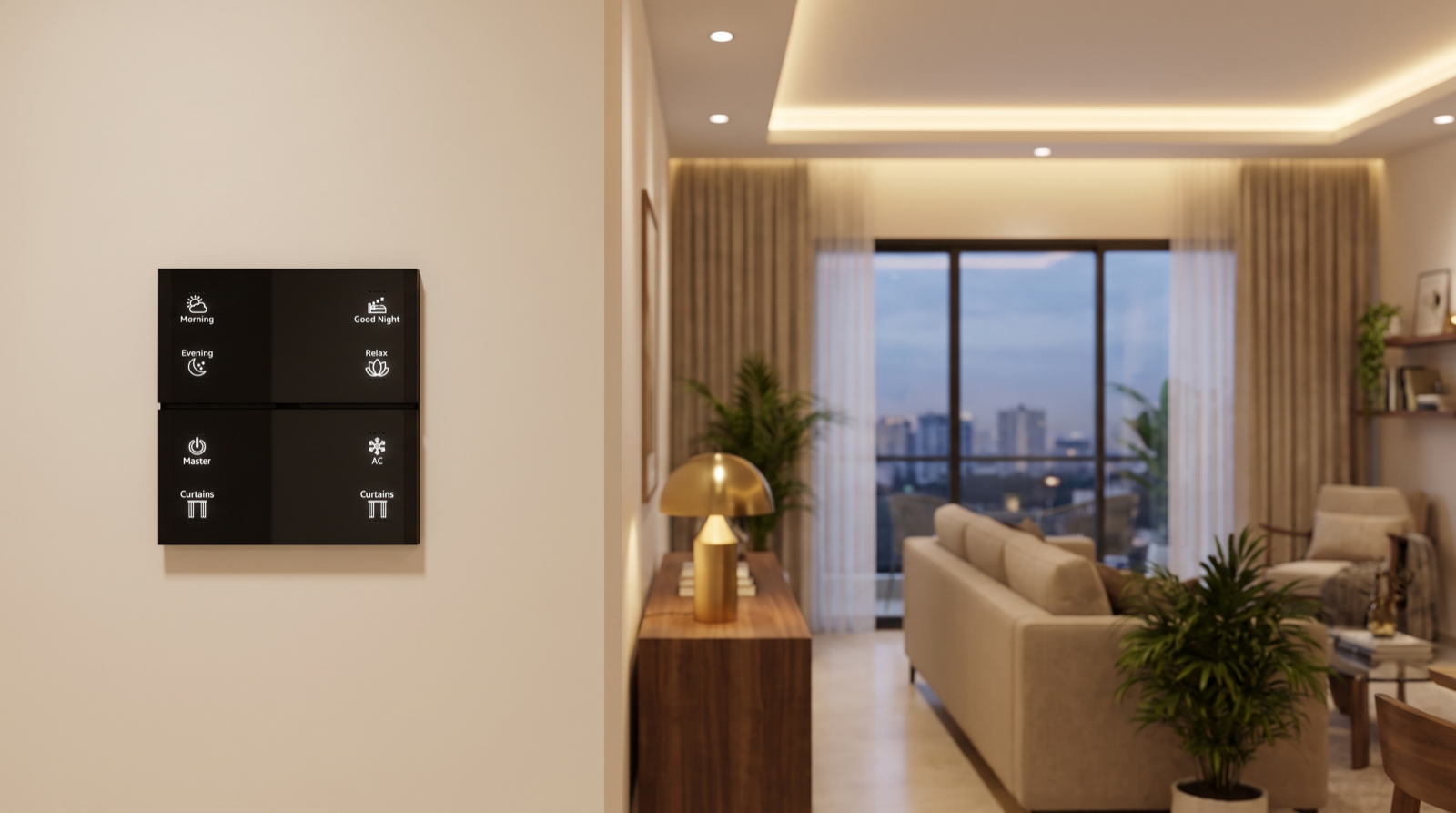
| Keypad / scene keypad | A wall control whose buttons run scenes or control devices, rather than mechanically breaking a circuit. Pert's Stella keypads carry engraved scene labels such as Morning, Good Night and Master. | The keypad is the part every family member and guest uses daily, so its layout and labels deserve real thought. |
| Toggle, long-press and hold-to-dim | Different button behaviours: a press switches on and off, a long press runs a second action, holding ramps brightness. | Agree these at design time so everyone in the family uses buttons the same way; see how smart keypad buttons work. |
| Relay / switch module | A small electronic switch, controlled by the network, that turns a circuit on or off. | Relays handle on/off loads such as fans, exhausts or non-dimmable lights. |
| Dimmer | A module that varies the power to a light to change brightness. | The dimmer must match the light's driver, or you get flicker and buzzing. |
| Load | Whatever a circuit powers: a set of downlights, a fan, a curtain motor. | Each module has a rated load; large or mixed loads are split across channels. |
| Channel | One independently controllable output: one channel can dim the cove while another dims the downlights. | The number of channels decides how flexible your scenes can be; see how to plan dimmer channels and lighting loads. |
| Neutral wire | The return conductor in a circuit. Traditional switches only break the live wire, so many switchboards have no neutral. | Smart modules need to stay powered while the light is off, so a neutral at the switchboard gives them a stable supply. Check early; it is on every good electrical points checklist. |
| Curtain motor and track | A motor that drives a curtain along a ceiling or wall track, controlled from keypads, scenes and the app. | Track length, fabric weight and motor choice are planned together; see Pert motorised curtains. |
| Limit positions | The fully-open and fully-closed points a curtain motor learns, plus any favourite position in between. | Correct limits stop curtains straining at the ends and let scenes use "half open". |
| IR blaster | A device that sends infrared remote-control signals, so the system can operate an AC or TV like its own remote. | Lets the AC join scenes without changing the AC; it cannot read the AC's real state, which affects feedback. |
| Door / window contact | A two-part magnetic sensor that reports open or closed. | The most reliable trigger in the home for security and "door left open" alerts. |
| Motion (PIR) sensor | Detects movement through changes in body heat. | Good for passages and stairs; it can miss someone sitting still. |
| Microwave / presence sensor | Detects very small movements using radio waves, so it can tell a room is still occupied. | Better for rooms where people sit still, such as a study, but needs careful placement so it does not see through thin walls. |
System behaviour: local control, latency and what happens after a power cut
These words describe how the system behaves on a bad day. They rarely appear in brochures, but they decide whether a smart home feels dependable after the first year.
| Term | What it means | Why it matters to you |
|---|---|---|
| Local control | Commands travel only inside the home, between devices and the gateway. | Fast, and keeps keypads, scenes and automations working when the broadband is down. |
| Cloud control | Commands go out to a manufacturer's server on the internet and back. | Depends on your broadband and on that server; common with budget Wi-Fi devices. |
| Local-first | A design where everyday control is local and the internet is used only for things that leave the house: phone alerts, remote access, voice assistants. | The pattern to ask for. Detailed in do smart homes work during power cuts and internet outages. |
| Latency | The delay between pressing a button and the device responding. | Anything over about half a second feels broken; groups and local control keep it low. |
| State feedback / sync | How the keypad LEDs and the app learn the real state of each device, including changes made elsewhere. | Without good feedback, the app says a light is on when it is off, and trust drops. |
| Power-on behaviour | What a device does when mains power returns: stay off, restore the last state, or turn on. | Decides whether every light in the house comes on at 3 am after a power cut. See what happens when power returns. |
| Commissioning | Pairing every device, naming it, programming scenes and testing the whole system on site. | This is where a designed system is made reliable; it should end in a documented test. |
| Firmware / OTA update | The software inside each device, and updating it over the air. | Updates fix bugs and security issues, but should be planned rather than run at random. |
| Configuration backup | A saved copy of the network, device names, scenes and automations. | Makes replacing a failed gateway a short visit instead of reprogramming the whole home. |
Security terms: arming, zones and delays
When security devices join the system, a small set of alarm terms comes with them. Pert's security range works over the same network as keypads, lights and curtains, so these words often appear in the same design meeting.
| Term | What it means | Why it matters to you |
|---|---|---|
| Armed / disarmed | Whether security sensors are allowed to raise an alarm, usually in states such as Home, Night and Away. | Arming should ride on scenes the family already uses, such as Good Night and Master, or it will be forgotten. |
| Zone | A group of sensors treated the same way: perimeter doors and windows, interior motion, 24-hour sensors. | Zoning decides which sensors are live in which state, and is the main tool against false alarms. |
| Exit and entry delay | Time to leave after arming, and time to disarm after coming in, applied only to the normal entry route. | Too short causes accidental alarms; too long gives an intruder free time. |
| Escalation | Repeating an alert to more people if nobody responds in time. | Covers the case where the first phone is on silent. |
| Presence simulation | Lights and curtains following a lived-in pattern while you are away. | Makes an empty home look occupied in the evenings. |
How these fit together, with a worked 2 am example, is in how smart home security automation works.
Putting the words to work: eight questions for any installer
A glossary is only useful if it helps you ask better questions. With the terms above, these eight questions will tell you more about an installer than any brochure:
- Which protocol do you use, and why? Listen for a clear reason linked to range, battery sensors and offline behaviour, not just "it's the latest".
- Where will the gateway sit, and is it on backup power? The answer should name a location and the inverter or UPS circuit.
- Do my scenes use groups? If not, ask how thirty lights will switch together.
- What works locally if the internet goes down? Keypads, scenes, schedules and sensor automations should all be on the list.
- Do my switchboards need neutrals, and who checks that? This should be answered during design, not discovered during installation.
- What is the power-on behaviour after a power cut? "Lights stay off" is usually the right answer for a home.
- How are overrides and conflicts handled? Ask what happens when someone switches a light by hand while a motion timer is running.
- Is the configuration backed up, and who holds it? You want a copy referenced in your handover document.
These sit well alongside the commercial questions in how to read a home automation quotation.
How Pert delivers it — a designed solution, not a DIY kit
You should never have to become an engineer to live in a smart home. The reason these terms exist is so that someone makes each decision deliberately. Pert designs and installs the whole system: keypads, tunable and dimmable lighting, motorised curtains and security devices, working together over Zigbee through the Pert gateway. During design we translate your daily routine into scenes, groups, schedules and automations, and agree every keypad label with you. Before wiring we confirm neutrals, channels and loads at each switchboard. During commissioning we pair and name every device, check the mesh, set power-on behaviour, test what works offline and record it all in your handover document. You get the outcome in plain language; the jargon stays with us.
Planning home automation for a Hyderabad flat or villa? We will design the keypads, scenes, lighting, curtains and security as one system and explain every decision in plain English, not jargon. Request a consultation →
Comparing installers? Use the questions above alongside the wider checklist in best home automation companies in Hyderabad.
Frequently asked questions
What is the difference between a scene, a routine and an automation?
A scene is a saved set of device states that runs when someone asks for it, for example pressing Good Night on a keypad switches off the living-room lights, closes the curtains and sets the bedroom to a dim level. A routine, or schedule, runs at a set time or at sunrise or sunset without anyone pressing anything. An automation runs when something happens in the home, such as a door opening or motion in a passage, and usually checks a condition first, such as only after sunset. In a well-designed home the three work together: routines and automations often simply run scenes.
What does a smart home gateway or hub actually do?
The gateway is the brain and the translator of the system. In a Zigbee home it forms and manages the wireless mesh that keypads, lights, curtains and sensors join, stores the scenes, schedules and automations so they can run inside the home, and connects the system to your Wi-Fi router so the app, remote access and voice assistants can reach it. Without a gateway, Zigbee devices have nothing to coordinate them.
What is the difference between local control and cloud control?
With local control, a command from a keypad, sensor or schedule travels only inside your home, from device to gateway to device, so it is fast and keeps working when the internet is down. With cloud control, the command goes out to a manufacturer's server and back, so it depends on your broadband and on that server. Most good systems are local-first: everyday control runs locally, and the internet is only needed for things that leave the house, such as phone notifications and control from outside.
Why do installers ask whether there is a neutral wire at the switchboard?
A conventional switch only breaks the live wire, so many older switchboards have no neutral. A smart switch module or relay is a small electronic device that has to stay powered even when the light is off, so it can listen for commands. A neutral at the switchboard gives it a stable supply. Checking for neutrals early, or running them during wiring, avoids surprises and compromises later, which is why it appears on any good electrical checklist for a smart home.