
In this guide
- The four arming states: Disarmed, Home, Night and Away
- Zones: perimeter, interior and 24-hour sensors
- Exit delays and entry delays: how long, and on which doors
- What happens when a sensor trips: the staged response
- Keeping false alarms close to zero
- A worked example: a balcony door at 2 am
- What still works without internet
- How Pert delivers it (designed, not DIY)
- FAQs
This article is part of our wider coverage of home automation in Hyderabad. For the devices themselves, locks, cameras and video doorbells, see smart home security in Hyderabad, and for where to mount them, how to plan CCTV camera and sensor placement. This guide is about the rules that decide what those devices do.
The four arming states: Disarmed, Home, Night and Away
A security system does not judge each sensor event on its own. It first asks one question: what state is the home in? The same door opening means very different things depending on the answer. Most well-designed homes need only four states:
| State | When it is used | Sensors that can raise an alarm | Typical response |
|---|---|---|---|
| Disarmed | Daytime, family and staff moving freely | None (sensors still run comfort automations) | Passage lights on motion, curtain and AC rules as normal |
| Home | Evenings with the family in, or only a parent at home | Selected doors only, such as the main door or terrace door | A soft notification or chime, never a full alarm |
| Night | After the Good Night scene | Perimeter: main door, balcony and terrace doors, ground-floor windows | Immediate alert, lights on, camera clip; bedroom and passage motion ignored |
| Away | Nobody home, day trips or travel | Every security sensor, perimeter and interior | Full staged response with escalation to more than one phone |
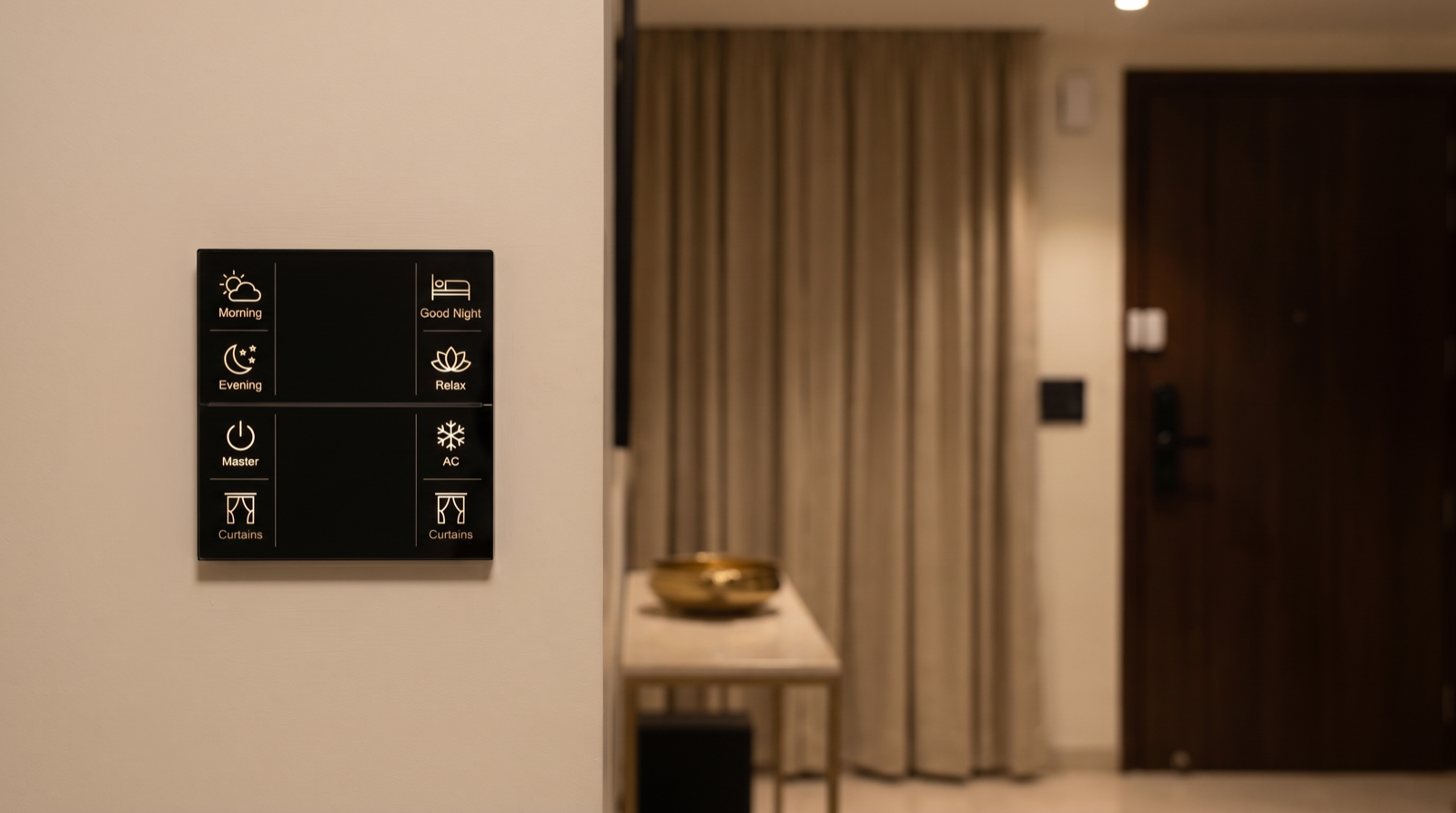
The key design point is that arming should ride on things the family already does, not on a separate ritual. Pressing Good Night on a Stella keypad can set Night arming at the same time as it switches off the lights and closes the curtains. Pressing Master at the door on the way out can set Away. Nobody has to remember a separate alarm panel, which is the main reason home alarms in India so often end up switched off permanently. How these states fit into the wider home, guest and holiday modes is covered in how home automation modes work.
Zones: perimeter, interior and 24-hour sensors
Every sensor in the home is assigned to a zone, and the arming state decides which zones are live. Pert's accessories include door sensors, motion sensors and microwave sensors that connect over Zigbee through the Pert gateway, and each one is placed in exactly one zone:
- Perimeter zone. Door sensors on the main door, balcony and terrace doors, utility-area doors and accessible windows. These are the first line: if one opens while armed, someone has entered. In a high-rise flat the perimeter is usually just the main door and balconies; in a villa or independent house it includes every ground-floor door and window, the terrace door and often the servant-room entrance.
- Interior zone. Motion and microwave sensors in the living room, passage, staircase and study. These catch someone who got past the perimeter without opening a monitored door. They are armed in Away only, never in Night, because the family is moving around.
- Entry route. The specific sensors along the normal way in: the main door contact and, in a villa, the foyer motion sensor. These are the only sensors that get an entry delay.
- 24-hour sensors. Anything that should alert regardless of state, for example a door to a locker room, a study with documents, or a terrace door that should never be open at night. These are few and chosen carefully.
Two rules make zoning work. First, one sensor, one job: a passage motion sensor can drive both the night light and the Away intrusion check, but its zone membership must be explicit so nobody is surprised. Second, do not rely on motion where a door contact will do. Door sensors on the perimeter are far less prone to false alarms than motion sensors, which react to pets, curtains moving in an AC draught and sunlight sweeping across a floor. Choosing between motion and microwave sensing is covered in sensor-triggered automation explained.
Exit delays and entry delays: how long, and on which doors
Delays exist because the family uses the same door as an intruder would. Without them, arming Away and then walking out of the main door would trigger your own alarm, and so would coming home.
| Delay | What it does | Typical apartment | Typical villa |
|---|---|---|---|
| Exit delay | Time after arming Away during which the entry route is ignored, so you can leave | 30 to 45 seconds | 45 to 60 seconds (porch, gate, car) |
| Entry delay | Time after the entry-route door opens before the response starts, so you can disarm | 20 to 30 seconds | 30 to 45 seconds |
| Night entry | Delay on the main door in Night state | 0 to 15 seconds, or none | 0 to 15 seconds, or none |
| Other doors and windows | Balconies, terrace, windows, interior zones | No delay | No delay |
A few practical details matter more than the exact seconds:
- Disarming should be as easy as arriving. If the family unlocks the smart door lock with their own credential, that unlock can disarm the system automatically, so the entry delay simply never runs out. A guest or staff member without that credential still triggers the delay.
- The entry delay should be visible. When the main door opens in Away, the foyer lights come on and the keypad gives feedback, so the person walking in knows the system is waiting for them. A silent countdown leads to accidental alarms.
- Only the entry route gets a delay. If the balcony door gets a 30-second delay "to be safe", an intruder on that balcony gets 30 free seconds. Every non-entry sensor should respond immediately.
- Night is stricter than Away at the main door. At 2 am nobody should be walking in, so the main door in Night state can respond immediately or after a very short delay, while still letting the family open it from inside without an alarm when the lock reports an inside unlock.
What happens when a sensor trips: the staged response
A good alarm response is not a single action. It is a short sequence that escalates if nobody cancels it, so a genuine intrusion gets a strong reaction while a mistake can be stopped in seconds.
| Time | What the system does | Why |
|---|---|---|
| 0 seconds | Logs the event; if it is the entry route, starts the entry delay | Gives the family a chance to disarm |
| Delay expires (or 0 s for other sensors) | Push notification to the primary phones with the sensor name, such as "Balcony door, master bedroom, opened"; nearest camera records a clip | Clear, named alert with something to look at |
| +5 seconds | Lights in the affected area and the route to it switch on at full brightness; outdoor and foyer lights on | Lights are the strongest deterrent and help the camera see |
| +10 seconds | In Away, curtains on the street-facing side open | Makes the interior visible from outside; never done in Night, for privacy |
| +60 seconds, not cancelled | Escalation: alert repeated to secondary contacts, such as a parent or a neighbour who holds a key | Covers the case where the first phone is on silent |
Two cautions. First, the response should name the sensor and the room, because "Sensor 7 triggered" at 2 am helps nobody; this is why naming is planned up front, as described in how to name rooms, devices and scenes. Second, an audible siren is a separate decision. It is effective in a standalone villa but can be a nuisance in an apartment tower, and the family should agree on it during design rather than discover it at 3 am. Who should receive which alerts, and how to stop alert fatigue, is covered in how to design smart home notifications and alerts.
Keeping false alarms close to zero
False alarms are what kill home security. After the third one, the family stops arming the system, and from then on it protects nothing. Nearly every false alarm in a Hyderabad home comes from one of these, each with a design fix:
- House help, drivers and deliveries. Give the main door a schedule: between, say, 7 and 11 am on weekdays, a main-door opening in Home or Disarmed state is logged, not alarmed. Staff get their own lock credential where the lock supports it, so the log reads "Lakshmi, 8:05 am" instead of "Main door opened". Managing those credentials is covered in how to manage smart home access for family, staff and guests.
- Pets. Keep interior motion out of the rooms pets use while the home is armed, and rely on door and window sensors there instead.
- Curtains, fans and AC draughts. Motion sensors should not face a curtain line, a ceiling fan or an AC vane. Placement is fixed during design, not after the first false alarm.
- Doors that do not close fully. A balcony door that drifts open in the monsoon wind will trip its contact. The fix is a mechanical one (a latch or closer) plus an "arming blocked: balcony door open" warning when someone tries to arm with a door still open.
- Arming with a door open. The system should refuse to arm, or arm while bypassing that sensor with a clear warning on the phone. Silently arming with a door open guarantees an alarm later.
- Low batteries. A sensor with a dying battery can drop off the network and report strangely. Battery alerts well before failure prevent this, as explained in battery-powered smart home devices.
A useful target for a well-tuned home is no false alarm in a normal month. The first two weeks after handover are when this is tuned, by reviewing the event log with the family and adjusting zones and schedules.
A worked example: a balcony door at 2 am
Consider a 3BHK in a gated community in Gachibowli. At 11 pm the family presses Good Night on the bedroom keypad. That one press turns off the living-room and kitchen lights, closes the living-room curtains, sets the AC scene and sets the home to Night: the main door and the two balcony doors are armed, all motion sensors are ignored for security but the passage sensor still runs the dim night-light path.
- 1:15 am: a child walks to the kitchen. The passage motion sensor brings the path lights up to 10 percent. No alert, because interior motion is not armed in Night.
- 2:04 am: the living-room balcony door contact opens. It is perimeter, so there is no delay. Within a second, both parents' phones get "Living room balcony door opened (Night)". The living-room camera saves a clip.
- 2:04 am +5 s: living-room and passage lights go to full brightness; foyer lights on. Curtains stay closed, because this is Night, not Away.
- 2:04 am +20 s: the father checks the clip: it is the wind, the latch had not caught. He taps cancel in the app. Lights return to the night state. The event is logged.
- Next morning: the log review shows the cause, and the latch is fixed. If the door had been left unlatched, the system would also have warned "Balcony door open" when Good Night was pressed, which is the design fix that stops this happening again.
If nobody had cancelled within 60 seconds, the alert would have gone to the secondary contact as well. The same sensors behave completely differently when the family is on holiday, which is covered in how to plan away mode for a smart home.
What still works without internet
Because the sensors, keypads, lighting and curtains talk to each other over Zigbee inside the home, the local part of security automation does not depend on the internet:
- Works locally: arming and disarming from a keypad, the sensor zones and delays, lights switching on when a perimeter door opens, curtain responses, and the event log on the gateway.
- Needs internet: push notifications to phones, live camera view and clip review from outside, remote arming and disarming from the app, and escalation to secondary contacts.
This is why, in an armed home, the gateway, Wi-Fi router and fibre modem should be on inverter or UPS backup, and why an alert for the internet or power going down while the home is in Away is worth having. The broader picture is in do smart homes work during power cuts and internet outages.
How Pert delivers it — a designed solution, not a DIY kit
Pert designs and installs the whole system: keypads, tunable and dimmable lighting, motorised curtains and security devices, working together over Zigbee through the Pert gateway. Security logic is part of that design, not an app setting left for you to figure out. During design we walk through the home with you and agree which sensors belong to which zone, which door is the entry route and how long its delays are, what Good Night and Master should arm, what the lights and curtains do in each state, who receives alerts and in what order, and the schedules for staff and deliveries. During commissioning we test every sensor in every state, including a deliberate entry without disarming and a perimeter trip at night, and record the result in your handover document. In the first weeks after move-in we review the event log with you and tune out any false alarms.
Planning home automation for a Hyderabad flat or villa? We will design the keypads, scenes, lighting, curtains and security as one system, including arming states, zones, entry delays and what every room does when a sensor trips. Request a consultation →
Comparing installers? Ask each one how arming fits into your Good Night and leaving-home routines, which doors get an entry delay and how long, and how they will stop staff and pets from causing false alarms. Those questions sit alongside the wider checklist in best home automation companies in Hyderabad.
Frequently asked questions
What is the difference between Home, Night and Away arming in a smart home?
They decide which sensors are allowed to raise an alarm. In Away, every security sensor is active because nobody should be inside. In Night, the perimeter (main door, balcony doors, ground-floor windows) is armed but motion sensors in bedrooms and the passage to the kitchen are ignored so the family can move around. In Home, usually only selected doors are watched, and they produce a quiet notification or chime rather than an alarm. Disarmed means sensors still drive comfort automations, such as passage lights, but never raise a security alert.
How long should the entry delay be on a smart home alarm?
Long enough to walk in and disarm calmly, short enough that an intruder cannot do much before the response starts. For an apartment where the keypad or smart lock is right at the main door, 20 to 30 seconds is typical. For a villa where you enter through a gate, porch and foyer, 30 to 45 seconds is more realistic. Only the entry route gets a delay; balcony doors, windows and interior zones should trigger immediately when armed.
Will my pet or house help set off a smart home alarm?
Not if the zones and schedules are designed for them. Pets are handled by keeping motion sensors out of the rooms they use while the home is armed, or by relying on door and window sensors instead of motion in those areas. House help and drivers are handled with a time-bound schedule, for example the main door is not treated as an intrusion between 8 and 11 am on weekdays, and with their own lock credential, so their arrival is logged by name rather than raised as an alarm.
Does smart home security automation work without internet?
The local part does. Sensors, the gateway, keypads, lights and curtains talk over Zigbee inside the home, so arming from a keypad and the local response, such as switching on lights when a door opens at night, keep working without internet. What needs internet is anything that leaves the house: phone notifications, live camera view from outside and remote arming from the app. That is why the gateway, router and modem should be on backup power, and why an alert for the internet going down while the home is armed is worth designing.