
In this guide
- Which devices run on batteries, and which never should
- How battery devices fit into a Zigbee mesh
- How long batteries actually last, and what drains them
- Hyderabad heat, the monsoon and battery life
- Low-battery alerts and silent failures
- Smart locks: batteries on the front door
- A simple battery care routine
- How Pert delivers it (designed, not DIY)
- FAQs
This article is part of our wider coverage of home automation in Hyderabad. It follows on from how a Zigbee mesh network works, which explains why mains-powered devices carry the network, and sensor-triggered automation, which covers what sensors actually do once they report. Here the focus is the power source itself: the batteries most homeowners forget about until something stops working.
Which devices run on batteries, and which never should
The rule in a designed system is simple: anything that is used dozens of times a day, or that carries the network, is wired. Batteries are kept for small devices that have to sit somewhere without a wire, and that report rarely enough to last a long time on one cell.
| Device | Usual power source | Why |
|---|---|---|
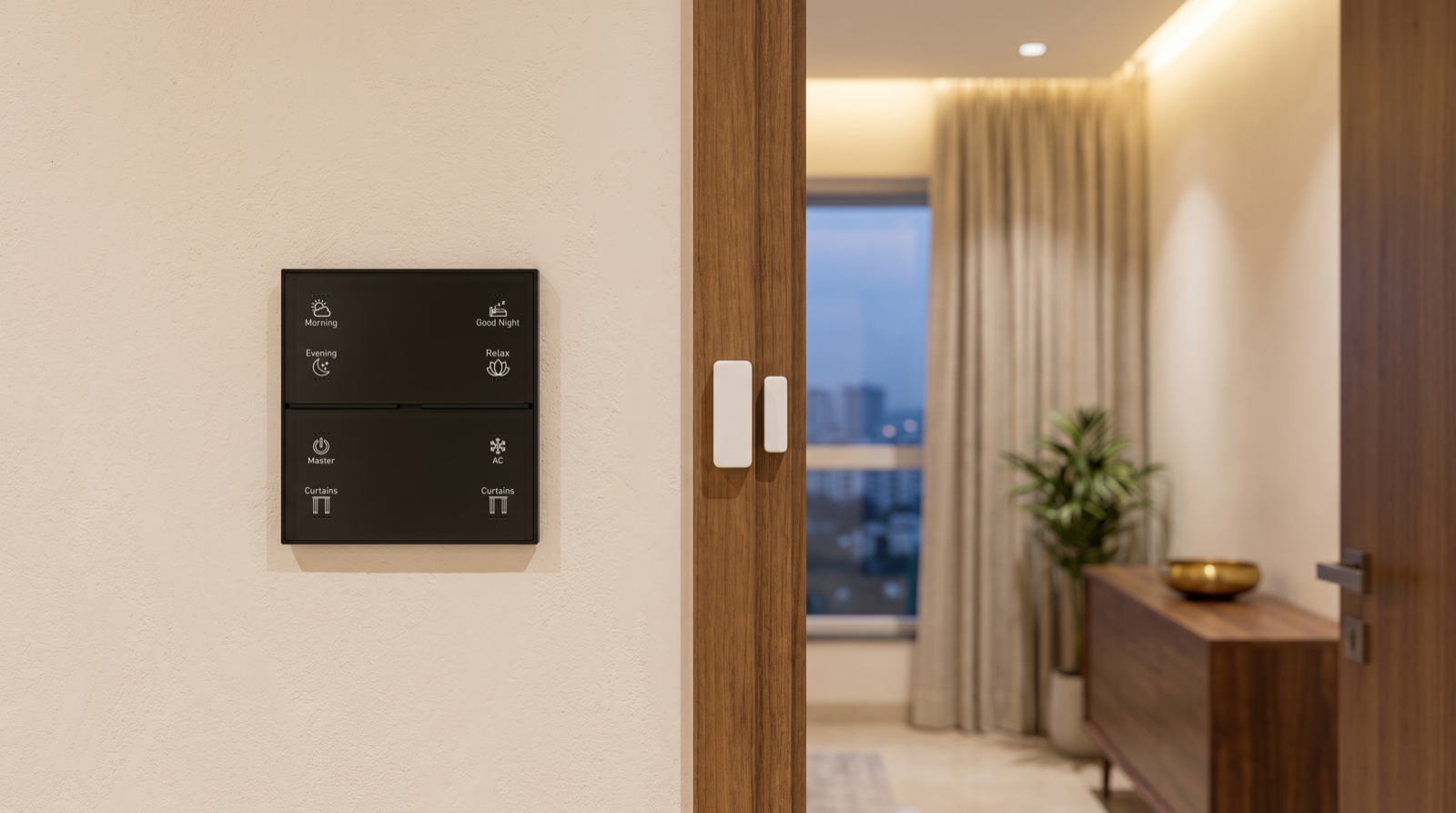
| Wall keypads | Mains, wired into the switch box | Used constantly, backlit, and act as mesh routers. A keypad should never need a battery change. |
| Light controllers and dimmers | Mains | They switch mains loads, so the power is already there; they also route mesh traffic. |
| Motorised curtain motors | Mains, from a point left in the pelmet or ceiling pocket | Moving heavy fabric every day drains batteries quickly; a wired motor is quieter and more consistent. |
| Gateway | Mains, ideally on the inverter or UPS | It coordinates the network and runs the automations. |
| Door and window contact sensors | Battery, usually a small coin cell | They sit on door frames and window shutters where no wire runs, and report only when opened or closed. |
| Motion (PIR) sensors | Battery | Fitted on ceilings and walls where a wire is inconvenient; passive infrared draws very little power. |
| Presence (microwave or radar) sensors | Usually mains or a USB adapter | Radar sensing draws far more power than PIR, so it is normally wired. That is a point to plan before the false ceiling closes. |
| Smart door lock | Battery pack inside the lock | A main door has no mains wiring at the lock body. The lock also has a mechanical key as a backup. |
| Wireless scene remotes and bedside buttons | Battery, usually a coin cell | Used where no switch box exists, such as a bedside table or a sofa arm. |
A useful test for any proposal: count the battery devices. A typical 3BHK might have eight to fifteen of them, mostly door and motion sensors plus the lock. If a quotation puts batteries in keypads or curtain motors to "avoid wiring", that is a DIY shortcut, and it shows up later as a household full of batteries to change.
How battery devices fit into a Zigbee mesh
Zigbee divides devices into roles. Mains-powered devices such as keypads, light controllers and curtain motors are routers: they stay awake all the time and pass messages along for their neighbours. Battery devices are end devices, often called "sleepy" devices. They spend almost all their time asleep, wake the instant something happens (a door opens, someone walks past), send a short message and go back to sleep. That is how a coin cell can last a year or more.
Three practical consequences follow:
- Battery devices do not extend the mesh. Adding ten door sensors adds no coverage. A sensor on a far balcony needs a mains-powered device nearby, such as a keypad or light controller in that room, to act as its parent.
- A weak signal drains the battery. When a sensor cannot reach its parent cleanly, it retries, and every retry costs power. A sensor with a poor route can last months instead of years. That is why placement is checked during commissioning, not guessed.
- Sleepy devices check in on a schedule. Most Zigbee sensors send a periodic "I'm still here" message along with their battery level. The gateway uses this to notice a device that has gone quiet, which is what makes silent failures detectable at all.
The smart home gateway keeps track of each device, its last check-in and its reported battery level. That record is the raw material for the alerts described below.
How long batteries actually last, and what drains them
Manufacturers quote battery life under ideal conditions: a strong signal, room temperature and a few triggers a day. Real homes are less tidy. The figures below are typical real-world ranges for good-quality devices; your installer should tell you the figures for the specific products in your home.
| Device | Common battery type | Typical real-world life | What shortens it |
|---|---|---|---|
| Door / window contact sensor | CR2032 or CR2450 coin cell | 1–2 years | A door opened 100+ times a day (main door, kitchen balcony), a weak route to its parent, heat |
| Motion (PIR) sensor | CR2450, CR123A or AAA cells | 1–2 years | Busy corridors and staircases with constant triggers, short reporting intervals, cold-to-hot swings near AC vents |
| Wireless scene remote / bedside button | CR2032 coin cell | 1–3 years | Heavy daily use; children pressing it repeatedly |
| Smart door lock | A pack of AA cells (often 4–8) | 6–12 months | Many unlocks a day, frequent app or remote unlocks, a large household with domestic staff, cheap cells |
The biggest factors are the same across all devices:
- How often it triggers. A sensor on a rarely used guest-room window may last years; the one on the kitchen balcony door, opened all day, may need a change in under a year.
- Signal quality. Retries are expensive. A sensor two rooms and a concrete wall away from its nearest router burns through its battery.
- Battery quality. Unbranded coin cells often deliver a fraction of their rated capacity. Use reputable brands, and lithium cells where the device allows them.
- Temperature. Covered in the next section, because in Hyderabad it matters more than most people expect.
Hyderabad heat, the monsoon and battery life
Batteries are chemistry, and chemistry is sensitive to heat. Hyderabad summers regularly reach 40–44°C in the shade, and surfaces in direct sun get much hotter. Battery devices that live outdoors or near hot surfaces have harder lives than those indoors.
- West-facing balconies and utility areas. A contact sensor on a balcony door frame in afternoon sun can sit far above air temperature. Heat speeds up self-discharge and ages cells faster. Where possible, mount sensors on the shaded side of the frame or inside the door rather than outside.
- Alkaline cells and heat. Alkaline AA and AAA cells are more likely to leak when they are hot and nearly flat, and a leak can corrode the device's contacts. Where the device supports them, lithium cells cope better with heat and keep a steadier voltage.
- Gates, car parks and terraces. Devices exposed to the weather need a suitable rating for outdoor use. An indoor sensor fitted outside fails early, and the battery is usually blamed.
- The monsoon. Humidity and wind-driven rain reach sensors on balcony doors and window frames. Corroded battery contacts cause intermittent reports, which look like a "flaky" sensor. A quick look inside the cover before and after the monsoon catches this early.
- Near AC outlets. Sensors directly in the cold air stream of a split AC see repeated cold-to-warm cycles, which do batteries no favours and can also cause false motion triggers. Keep them out of the direct airflow.
None of this means batteries are unreliable in Hyderabad. It means placement and battery choice are design decisions, and they are worth getting right before the sensors go up.
Low-battery alerts and silent failures
The real risk with batteries is not that they run down. It is that they run down quietly. When a passage motion sensor dies, the night-light automation simply stops. When a balcony door sensor dies, the "door left open at night" alert never fires, and nobody notices until the night they needed it.
Why "20% battery" can be misleading
Lithium coin cells hold an almost flat voltage for most of their life and then drop quickly at the end. A sensor can report a healthy level for a year and then fall from "low" to "dead" within weeks. Battery percentages on small sensors are estimates, not fuel gauges. A good alert design treats the first low-battery report as "change this soon", not "you have months".
What a good battery alert scheme looks like
| Alert | When it fires | Who gets it | Priority |
|---|---|---|---|
| Low battery: security device | A door or window contact on an entry point, or the main door lock, reports low battery | The owner, plus whoever manages the home day to day | High: repeat until the battery is changed |
| Low battery: comfort device | A passage motion sensor or bedside remote reports low battery | The person who manages maintenance | Normal: one alert, then a weekly reminder |
| Device not checking in | A sensor has missed several scheduled check-ins | The owner, and the installer if you have a support plan | High: a missing sensor is a failed sensor |
| Monthly battery summary | A short list of every battery device and its reported level | The owner | Information only |
The principle is the same as for every smart home alert: few, specific and sent to the person who can act. A family that receives a low-battery notification for a guest-room remote every day soon ignores all notifications, including the important ones. How to design smart home notifications and alerts covers this discipline in detail.
Designing automations that fail safely
- The wall always works. A sensor-triggered light must still be controllable from its keypad. If the sensor dies, the family loses convenience, not light.
- Security sensors get priority. Contacts on entry doors and accessible windows are the ones whose batteries should never be allowed to run flat; give them the high-priority alert and the shortest replacement cycle.
- Away mode checks its sensors. Before arming an away or night routine, a well-designed system can warn you if a security sensor is offline or low, so you are not relying on a dead device while travelling.
Smart locks: batteries on the front door
The smart lock is the battery device the family notices most, because it is the one they touch every day. Pert's smart door lock supports fingerprint, app, password, RFID and key unlocking, auto-relocks after each use, and keeps access logs. Like every electronic lock, it runs on batteries inside the lock body, so a few habits matter:
- Act on the first warning. Locks typically warn well in advance, with a beep or voice prompt at the door and a notification in the app. Change the batteries that week, not when the lock finally refuses to respond.
- Change the whole set together with fresh cells of the same brand and type. Mixing old and new cells shortens the life of the new ones.
- Know your backup. The mechanical key is the fallback if the batteries are ever completely flat. Keep it somewhere you can reach from outside the home, not on a hook inside. Many locks also have an emergency power input on the outside; ask your installer to show you whether yours does and how to use it.
- Usage drives battery life. A household with several family members, domestic staff and frequent deliveries can unlock the door fifty times a day. Expect a shorter replacement cycle than the box suggests.
For a wider look at locks, cameras and sensors working together, see smart home security in Hyderabad.
A simple battery care routine
Batteries are the one part of a smart home that needs regular attention from the household. The routine below takes a few minutes a quarter.
- Keep a battery list. At handover, ask for a list of every battery device: its room, battery type and date fitted. Stick a copy inside the utility cupboard.
- Keep spares. Keep a small stock of the exact battery types in your home, usually one or two coin-cell sizes and AAs for the lock, in a cool, dry drawer away from the kitchen and the balcony.
- Change on the first alert, especially for security sensors and the lock.
- After a change, test the device. Open the door or walk past the sensor and confirm the app shows the event. A Zigbee sensor normally keeps its network membership when the battery is swapped, so it should not need re-pairing. If it does not report after a change, contact your installer rather than resetting it yourself.
- Pre-monsoon check. In late May or early June, open the covers of balcony and window sensors, check for moisture or corrosion, and replace any battery that is close to its expected life.
- Before long trips, check the monthly summary and replace anything low, so your away mode is not relying on a dying sensor while you are out of town.
- Do not reset devices to "fix" a battery issue. A factory reset removes the device from the network and from every automation that uses it. Changing a battery should never require one.
If a device keeps draining batteries much faster than its neighbours, the cause is usually signal, placement or heat, not the battery. That is a job for your installer; what happens when a smart home device fails explains how diagnosis and replacement should work.
How Pert delivers it — a designed solution, not a DIY kit
Pert's keypads, tunable and dimmable lighting, motorised curtains and sensors and security devices work together as one Zigbee system through the Pert gateway. Because we design and install the whole system rather than selling a kit, batteries are planned rather than discovered. Keypads, lighting and curtain motors are wired, so they never need a battery change. Battery sensors are placed close to a mains-powered device in the same room, on the shaded side of frames and out of AC airflow. Points for presence sensors that need power are marked on the electrical drawing before the ceiling closes. During commissioning our team checks each battery device's route to the mesh, sets up low-battery and offline alerts by priority, and confirms who in the family receives them. At handover you get a list of every battery device, its battery type and its location. After handover we stay on call for anything that drains faster than it should.
Planning home automation for a Hyderabad flat or villa? We will design the whole system — keypads, lighting, curtains, sensors and security — so the devices that should be wired are wired, and the few on batteries tell you well before they run out. Request a consultation →
Comparing installers? Ask each one how many battery devices their design uses and how low-battery alerts are handled. That question sits alongside the wider checklist in best home automation companies in Hyderabad.
Frequently asked questions
Do smart home keypads and switches need batteries?
Not in a professionally designed system. Wall keypads, light controllers and curtain motors are wired to mains power in the switch box or ceiling, so they never need a battery change, and they also act as routers that carry the Zigbee mesh. Batteries are kept for small devices that have to sit where no wire runs: door and window contact sensors, PIR motion sensors, wireless remotes and the smart door lock.
How long do batteries last in smart home sensors?
Typically one to two years for door, window and PIR motion sensors on good-quality coin cells, and six to twelve months for a smart door lock running on AA cells. Real life depends on how often the device triggers, how strong its signal is, the battery quality and the temperature. A sensor on a busy balcony door in afternoon sun will need changes more often than one on a guest-room window.
What happens to my automations when a sensor battery dies?
The automations that depend on that sensor stop. A passage light will no longer switch on by motion, or a door-left-open alert will no longer fire. The lights themselves still work from the keypad. That is why a well-designed system sends low-battery alerts early, flags any sensor that stops checking in, and gives security sensors the highest priority.
Will I need to re-pair a sensor after changing its battery?
Normally no. A Zigbee sensor keeps its network membership when the battery is swapped and rejoins on its own; open the door or walk past it afterwards to confirm the app shows the event. Avoid factory-resetting a device to fix a battery problem, because a reset removes it from the network and from every automation that uses it. If a sensor does not report after a battery change, contact your installer.