
In this guide
- The three kinds of control in a well-run home
- 5:30–8:30am: waking up without a single switch
- 8:30–10am: leaving home and staff arriving
- 10am–5pm: the empty, hot middle of the day
- 5:30–10pm: sunset, arriving home and the evening
- 10pm–5:30am: Good Night and the night itself
- The whole day on one page
- How the day changes: seasons, weekends and holidays
- How Pert delivers it (designed, not DIY)
- FAQs
This article is part of our wider coverage of home automation in Hyderabad. It ties together several deeper explainers: how time, sunrise and sunset routines are scheduled, how sensor-triggered automations are built, and how Home, Away and Night modes work. Read this one first for the big picture, then go to those for the details.
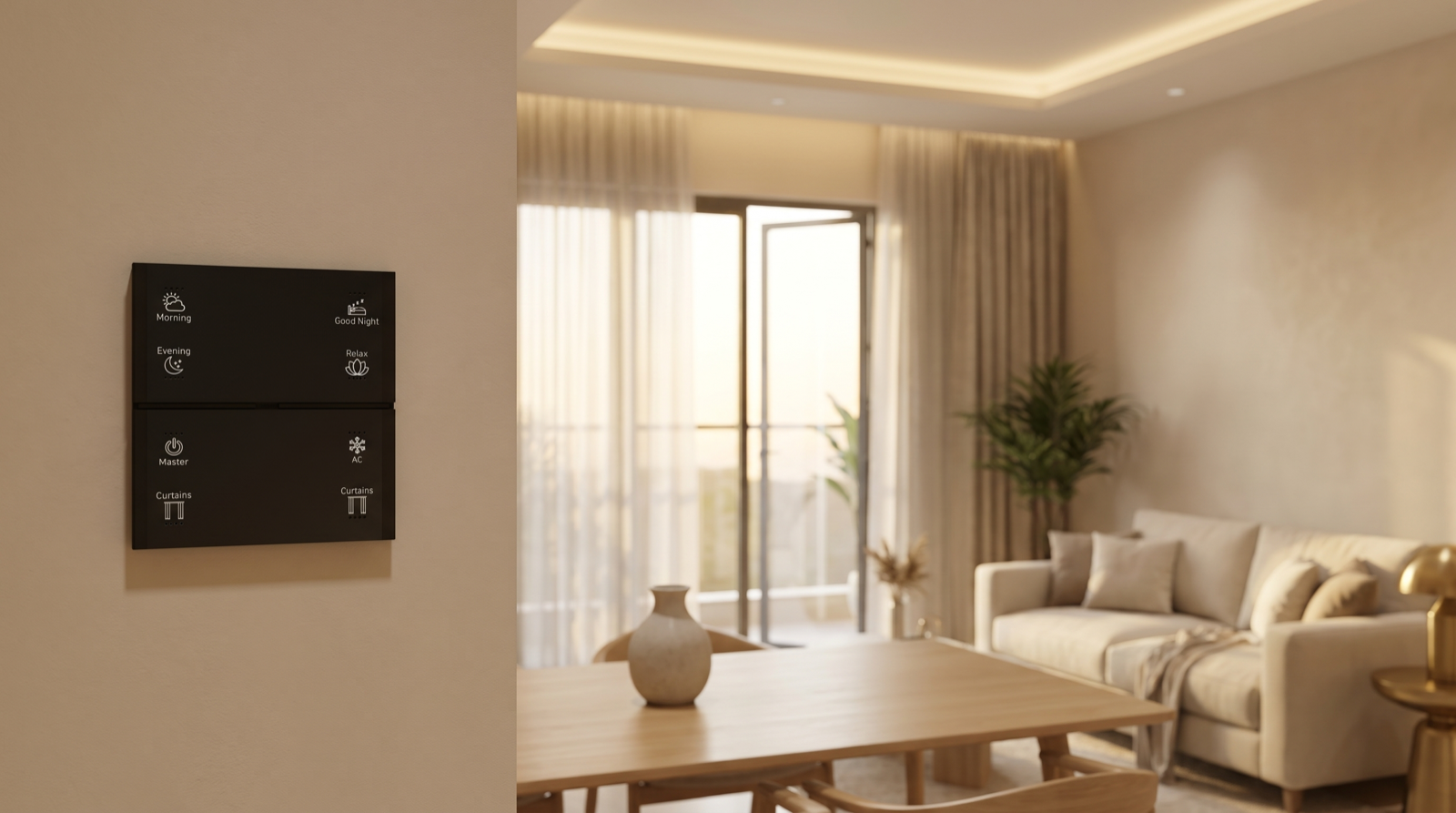
The example home: a 3-bedroom apartment in a gated community. Two working parents, one school-going child, a grandparent and a daytime house-help. The system has Stella keypads at the main door, in the living room and beside each bed, tunable and dimmable lighting, motorised curtains in the living room and master bedroom, ACs controlled by IR, door and motion sensors, and a smart door lock. Everything runs on one Zigbee network through the Pert gateway. Times are for November, when sunrise in Hyderabad is around 6:20am and sunset around 5:40pm.
The three kinds of control in a well-run home
Before walking through the day, it helps to know that a good design sorts every action into one of three groups. Getting this sorting right matters more than how many devices the home has.
| Kind of control | Use it when | Examples in this home |
|---|---|---|
| Fully automatic | The action is the same every day and nobody would ever want to do it by hand | Outdoor and balcony lights at sunset; west curtains closing in the afternoon heat; night path lights on motion; lights staying off when power returns at 3am |
| One button | The action is always the same, but when it happens depends on people | Morning, Leave (Master), Evening, Relax and Good Night on the Stella keypads |
| Manual | Only the person in the room knows what they want | A reading light, one bedroom AC, the study lamp, curtains in a room someone is resting in |
The most common mistake is pushing too much into the first group. A house that guesses wrongly even once a week loses the family’s trust; a house that does exactly what a labelled button says, every time, keeps it. We explain this trade-off in more detail in overrides, priorities and timers.
5:30–8:30am: waking up without a single switch
- 5:30am — the grandparent’s early start. A motion sensor in the passage turns on a low, warm path light (around 10–15%) between the bedroom and the bathroom and pooja area. Because it is before sunrise and the house is in Night mode, the light never jumps to full brightness. It switches off a few minutes after the last movement.
- 6:15am — sunrise, give or take. The living-room sheer curtains open on a schedule tied to sunrise rather than a fixed clock time, so in June the same rule runs closer to 5:45am. The heavier blackout layer stays closed. Outdoor balcony lights that ran overnight switch off.
- 6:30am — the parents’ wake-up. On weekdays only, the master-bedroom lights fade up over 15–20 minutes from very dim warm white towards a brighter, cooler white, and the curtains open part-way. Nobody presses anything. If someone is unwell and wants to sleep in, one press on the bedside keypad stops the sequence for that morning.
- 6:45am — the Morning button. Whoever reaches the living room first presses Morning. It switches the house out of Night mode, sets kitchen and dining lights to bright neutral white, opens the remaining curtains and turns off the motion-based night lighting. One press replaces seven or eight switches.
- 7:30am — the school rush. Nothing new is automated here. The house simply stays in a bright, practical state while people move around, which is exactly what is needed.
Wake-up sequences are worth designing carefully, because the wrong brightness or colour at 6am is the change families notice most. Our guide to wake-up and bedtime routines covers fade times and levels.
8:30–10am: leaving home and staff arriving
- 8:40am — Leave. The last person out presses Master on the Stella keypad at the main door. Every light in the house goes off, the ACs are switched off through IR, and the system checks the door and balcony sensors. If the balcony door is still open, the app says so before the family reaches the lift, rather than at night. Because the grandparent is still at home, the family uses the “everyone else has left” version, which skips the security arming.
- 9:30am — the house-help arrives. The house-help opens the smart lock with a personal code, so the entry is logged by name. That code is valid only during working hours. The kitchen and utility lights the job needs are on a keypad they can use; owner-level scenes and security settings are not available to them. How to set this up is explained in managing access for family, staff and guests.
The Leave button is usually the single most valuable button in the house. It replaces the walk around every room checking switches, and it is the moment where a door sensor earns its cost.
10am–5pm: the empty, hot middle of the day
For most of the day the house is quiet, and good automation is mostly invisible.
- 12:30pm — afternoon heat. West-facing living-room curtains close automatically between roughly 12:30pm and 4:30pm, keeping direct sun off the glass so the room is not baking when the family returns. In winter this rule can be relaxed or switched off; from March to June it does the most work.
- All day — nothing left running. Because Leave switched everything off, no light or AC is burning in an empty room. Rooms that are used during the day, like the grandparent’s bedroom, are controlled by hand.
- Deliveries and visitors. If a door sensor opens while the house is in Away mode, the owners get an alert straight away. While someone is home, the same event is simply logged. Only events that need a person to act should send a notification.
- If the internet drops at 2pm. Nothing in the daily routine changes. In a Zigbee system where the gateway runs the schedules locally, the curtains still close at 12:30pm and the sunset lights still come on. Only remote access and phone alerts pause until the connection returns. See what a smart home gateway does.
5:30–10pm: sunset, arriving home and the evening
- 5:40pm — sunset. Balcony, entrance-foyer and any façade lights come on with a sunset offset of about 10 minutes, so they come on at dusk, not in daylight. The afternoon curtain rule has already released the west curtains.
- 6:30pm — the first parent arrives. Opening the main door after sunset brings on the foyer and passage lights at a comfortable level, so nobody walks into a dark flat with shopping bags. Before sunset, the same door opening does nothing, because it would only waste energy.
- 7:00pm — Evening. One press of Evening on the living-room keypad sets warm white (around 3000K) at mid brightness across the living and dining areas, closes the sheers for privacy, and turns the living-room AC to a set temperature. The scene sets each light to a fixed level, so the room looks the same every evening.
- 8:30pm — dinner and homework. Manual adjustments take over: the study light, a brighter dining level, a fan. A designed system lets people override any part of a scene by hand without the automation fighting them.
- 9:30pm — Relax. Relax dims the living room to a low, warm level for television, with the cove lights on and the downlights over the screen off. Our worked scene examples show typical dim levels for scenes like this.
10pm–5:30am: Good Night and the night itself
- 10:45pm — Good Night. A press on the bedside or main-door keypad switches off every light except a low path light in the passage, closes all curtains including the blackout layer, sets the bedroom ACs to a sleep temperature, checks the main door is locked and puts the house in Night mode. If a balcony door is still open, the keypad or app shows it before the house settles.
- 11:30pm — outdoor lights off. The balcony and façade lights that came on at sunset switch off on a fixed time. Some families keep one low light on all night for security; that is a choice, not a default.
- 2:10am — a child gets up. In Night mode, the passage motion sensor brings the path light up to 10% warm white, never full brightness, and the bathroom light comes on at a low level. Everything returns to off a few minutes later.
- 3:00am — a power cut and restoration. When power comes back, lights return to off rather than switching on at full brightness in every room. This is a per-circuit setting decided at commissioning, and it is the one detail families are most grateful for. See what happens when the power comes back.
- Any time at night — a door opens. In Night mode, the main door or a balcony door opening is treated as important: a notification to the parents and, if the family chooses, the passage lights to full. How arming and alarm responses work is explained in how smart home security automation works.
The whole day on one page
Here is the same day as a table, showing what starts each action. In practice, about half the day is automatic and half is a single press, and almost nothing needs the phone.
| Time (November) | What happens | Started by | Devices involved |
|---|---|---|---|
| 5:30am | Low path light for early risers | Motion sensor + Night mode | Passage lighting, motion sensor |
| ~6:15am | Living-room sheers open; overnight outdoor lights off | Sunrise schedule | Motorised curtains, balcony lighting |
| 6:30am | Master bedroom wake-up fade; curtains part-open | Weekday time schedule | Tunable lighting, curtains |
| 6:45am | House to Home mode, bright kitchen and dining | Morning button | Stella keypad, lighting, curtains |
| 8:40am | Everything off; open doors reported | Master (Leave) button | Keypad, all lighting, AC via IR, door sensors |
| 9:30am | House-help entry logged | Personal lock code | Smart door lock |
| 12:30–4:30pm | West curtains closed against heat | Time window (seasonal) | Motorised curtains |
| ~5:50pm | Balcony, foyer and façade lights on | Sunset + 10 min | Outdoor and foyer lighting |
| 6:30pm | Arrival lighting at the door | Door sensor, only after sunset | Door sensor, foyer lighting |
| 7:00pm | Warm evening lighting, sheers closed, AC on | Evening button | Keypad, tunable lighting, curtains, AC |
| 9:30pm | Low TV lighting | Relax button | Keypad, cove and downlights |
| 10:45pm | All off except path light; curtains closed; door checked; Night mode | Good Night button | Keypad, lighting, curtains, AC, lock, sensors |
| 11:30pm | Outdoor lights off | Fixed time | Outdoor lighting |
| Night | Low path and bathroom light on movement | Motion sensor + Night mode | Passage and bathroom lighting |
| Power return | Lights stay off | Power-on setting | Lighting drivers and relays |
Notice what is missing: there is no automation that guesses whether someone is in the living room and switches the lights off on them, and no rule that changes the AC behind someone’s back. Those are the automations that sound clever on paper and annoy families in practice.
How the day changes: seasons, weekends and holidays
| Situation | What changes | How it is handled |
|---|---|---|
| Summer (March–June) | Sunrise near 5:45am, sunset near 6:50pm; afternoon heat is intense | Sun-tied schedules move by themselves; the afternoon curtain window is widened and may include the bedroom |
| Monsoon | Dark, overcast afternoons | Some families add an earlier evening lighting time on cloudy days, or just press Evening earlier |
| Winter (November–January) | Early sunset, cooler afternoons | Afternoon curtain rule relaxed; evening scenes start earlier |
| Weekends | Later wake-up, nobody leaves at 8:40am | Weekday-only wake-up schedule; weekend version starts later or not at all |
| Travel | House empty for days | Away mode with presence simulation, curtains closed in the day, sensors armed; see our Away mode guide |
| Guests or festivals | Late nights, more people | Good Night pressed later; a Guest mode or party scene if needed |
Most homes need a few adjustments in the first months as the family settles in: a wake-up a little later, a path light a little dimmer, an afternoon curtain time moved by half an hour. That tuning is a normal part of a designed installation, not a sign that something is wrong.
If you are comparing proposals, ask each company to walk you through a day like this for your home before quoting. The answer tells you quickly who has designed for how you live and who is just counting devices. Our guide to the best home automation companies in Hyderabad lists other questions worth asking.
How Pert delivers it — a designed solution, not a DIY kit
Pert designs and installs complete systems — Stella keypads, tunable and dimmable lighting, motorised curtains, scene automation and security devices — working together on one Zigbee network through the Pert gateway, with scenes and schedules running locally in the home. A day like the one above is not something you get by buying a set of smart devices and connecting them to an app. We start by asking how your household actually runs: who wakes first, who leaves last, when staff come, which rooms catch the afternoon sun and who is at home during the day. From that we decide what should be automatic, what should be one button and what should stay manual. We engrave the keypads to match, program and test every routine on site, and then adjust timings with you after the first few weeks of living in the home.
Want to see what a day in your own home could look like? We design and install lighting, curtains, keypads, scenes and security for apartments and villas across Hyderabad, planned around how your family actually lives. Request a consultation →
Frequently asked questions
What does home automation actually do in a normal day?
In a designed system, a handful of small, predictable actions: curtains open around sunrise, a wake-up scene sets soft bedroom light, one button at the door switches everything off and checks the doors when you leave, sun-facing curtains close in the afternoon, outdoor lights come on at sunset, Evening and Good Night scenes set the house with one press, and motion-triggered path lights help at night. Most of the day it does nothing visible, which is the point.
Should everything in a smart home be fully automatic?
No. The best homes mix three kinds of control: automatic for things that are the same every day, one button for things whose timing depends on people, and manual for things only the person in the room can decide. Making everything automatic tends to produce a house that surprises people, and that is the most common reason families stop trusting their automation.
Does the daily routine change with seasons and weekends?
It should. Sunrise and sunset in Hyderabad move by about an hour across the year, so curtain and outdoor-lighting routines are tied to the sun rather than fixed times. Afternoon curtain closing matters most from March to June. Weekends usually get a later wake-up and no leave-home routine, handled with weekday and weekend versions of the same schedules or with a mode.
What keeps working if the internet is down during the day?
In a Zigbee system where the gateway runs the rules locally, the whole daily routine: keypad scenes, schedules, sunrise and sunset timings and sensor rules. Remote access, phone alerts and voice assistants pause until the connection returns.