
In this guide
- What home automation does reliably well
- Limit 1: it can only control what it can reach
- Limit 2: sensors infer, they do not know
- Limit 3: what depends on the internet, and on power
- Limit 4: rules, not mind-reading
- Things a well-designed home should never do on its own
- An expectations checklist for your installer
- How Pert delivers it (designed, not DIY)
- FAQs
This article is part of our wider coverage of home automation in Hyderabad. If you are still deciding whether automation is for you at all, start with is home automation worth it?; this post is for the stage after that, when you want to know precisely what you are buying.
What home automation does reliably well
Start with the good news, because it is substantial. A properly designed, hub-based system is excellent at jobs that are repetitive, well defined and involve devices it controls directly.
| Job | Why automation is good at it | Example in a Hyderabad home |
|---|---|---|
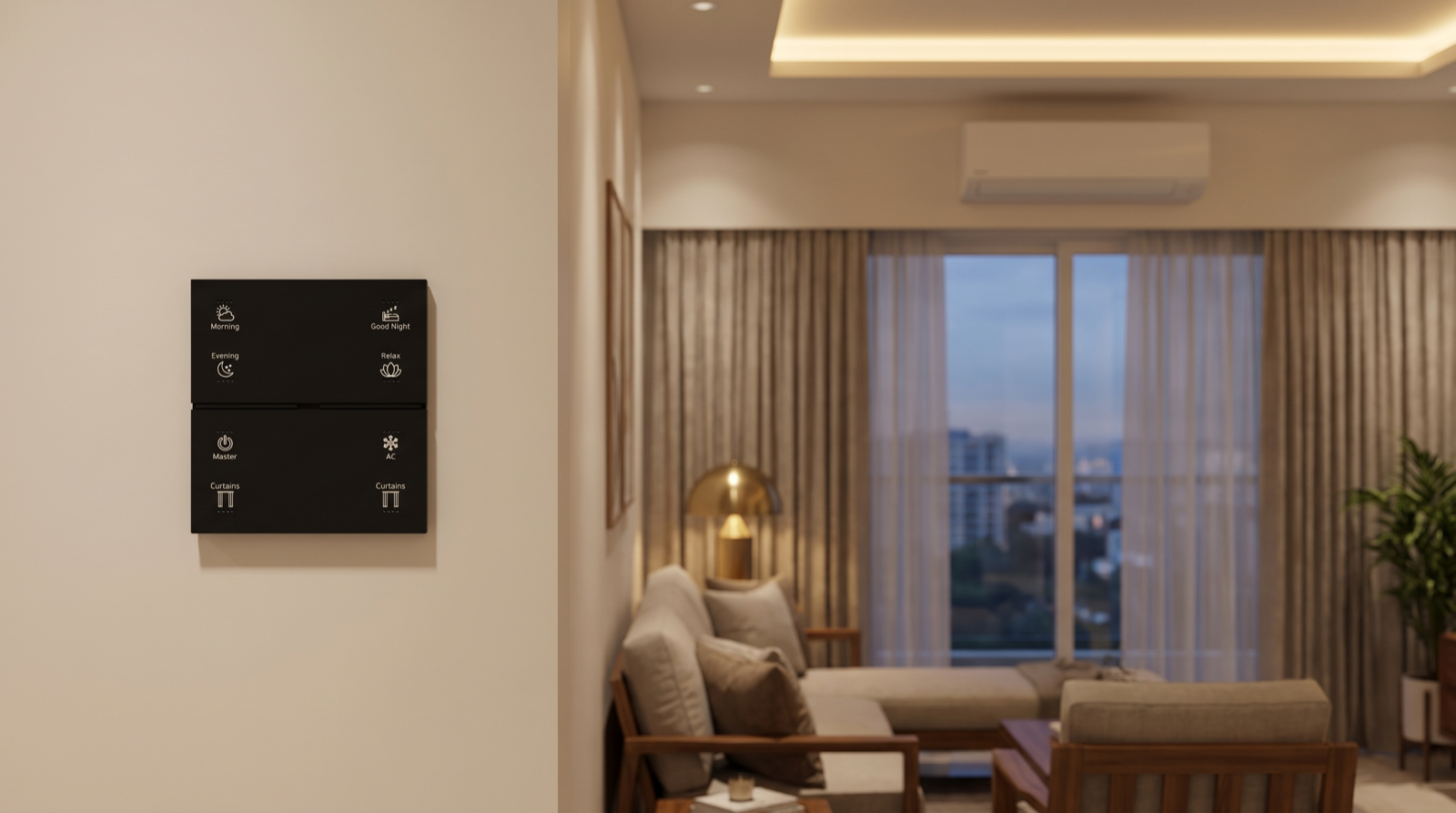
| Scenes | One press sets many devices to exact, repeatable levels and positions | Evening on a Stella keypad sets the living-room lights to warm and dimmed and closes the sheers |
| Group and all-off control | It never forgets a light in a room nobody is looking at | A Master button at the entrance switches off every light and closes curtains on the way out |
| Schedules | Clocks and sunset times are precise and never get tired | Balcony lights on at sunset, west-facing curtains closing before the afternoon heat |
| Simple sensor triggers in pass-through spaces | Movement in a passage is a clear, unambiguous signal | A soft path light in the passage at night, off 90 seconds after the last movement |
| Dimming and colour temperature | Exact levels set once and recalled every time | Tunable lighting that is cool and bright for mornings and warm for evenings |
| Status and alerts | It watches doors and devices constantly without attention | A notification if the main door opens while the house is set to Away, via the security devices |
Notice what these have in common: the system controls the device directly, the trigger is clear, and the right outcome is known in advance. When all three hold, automation is close to flawless. The limits below appear when one of them does not.
Limit 1: it can only control what it can reach
A home automation system controls devices through a connection: a wired relay or dimmer behind a circuit, a motor with its own controller, a Zigbee device on the mesh, or an infrared signal aimed at an appliance. The quality of control depends entirely on that connection, and it varies a lot.
| Device | How it is reached | What automation can do | What it cannot do |
|---|---|---|---|
| Lighting circuits | Relays and dimmers on the circuit, or smart lights on the mesh | On, off, dimming, colour temperature where the light supports it, with confirmed state | Dim a light whose driver is not dimmable; fix flicker caused by an unsuitable driver |
| Motorised curtains | A curtain motor on the network | Open, close, stop and set positions, as part of scenes and schedules | Move an ordinary manual curtain; the curtain must have a motor and track |
| Split ACs | Usually an infrared blaster, like the handheld remote | Send on, off, mode and temperature commands from scenes and schedules | Confirm the AC actually responded; IR is one-way, so the system knows what it sent, not what happened |
| Ceiling fans | Depends on the fan and its regulator | On and off on a suitable circuit; speed only with a fan-rated controller or a fan with its own remote | Dim a fan with a lighting dimmer — that is unsafe and noisy |
| Appliances with no remote or smart interface | Only by cutting power to the socket | Remove power at a set time | Start a programme, choose a setting or know what it is doing; cutting power is not control |
| Doors and locks | A smart lock and contact sensor, where fitted | Report locked, unlocked, open and closed; lock and unlock on deliberate commands | Lock an ordinary mechanical door, or close a door that was left open |
The AC is the most common surprise
Most split ACs in Indian homes are controlled by infrared. The blaster sends a command and the AC sends nothing back, so if a family member used the handheld remote in between, or a curtain moved in front of the blaster, the app's idea of the AC's state is simply a guess. A designed system narrows the gap: the blaster is placed with a clear line of sight to the indoor unit, scenes send complete commands (mode, temperature and fan speed together) rather than toggles that can drift out of step, and a room temperature reading can act as indirect confirmation that cooling has started. How AC automation works in a smart home covers the detail. What you should not expect is the same certainty you get from a light circuit.
Limit 2: sensors infer, they do not know
A smart home cannot see people or understand situations. It receives signals — movement detected, a door opened, a lock used, a button pressed — and draws conclusions from them. Each kind of sensor answers a narrower question than people expect:
- A PIR motion sensor knows that a warm body moved across its view. It does not know that you are still sitting on the sofa reading, which is why motion-controlled living-room lights switch off on people.
- A door contact knows the door opened or closed. It does not know whether someone came in or went out, or how many people did.
- A smart lock knows it was unlocked, and often by which method. It does not know who else is already home.
- Phone location knows where phones with the app are, reported minutes late to save battery. It knows nothing about the cook, the driver, grandparents or children without the app.
- A camera sees only where it points, and is rarely the right tool for running lights inside a home.
None of this makes sensors unreliable; it makes them specific. Good design uses each one for the question it can answer — motion in passages and staircases, door logic for bathrooms, a deliberate button for "we are leaving" — and does not ask a sensor to make judgements it cannot make. Our explainer on how presence detection works goes through each signal and how to combine them.
Limit 3: what depends on the internet, and on power
"Does it work without Wi-Fi?" has a precise answer, and it depends on where the logic runs. In Pert's system, keypads, lighting, curtains and sensors talk to the Pert gateway over a local Zigbee network, so the decisions are made inside the home. That splits features cleanly into three groups:
| Situation | Keeps working | Stops until it is restored |
|---|---|---|
| Internet down, power on | Keypads, scenes, schedules, sensor automations, modes, app control on the home network where supported | App control from outside the home, voice assistants, phone geofencing, push notifications to phones |
| Power cut, inverter covers the right circuits | Whatever is on backup: typically the gateway, router, keypads and selected lights | Anything not on the backup circuit, which simply has no power |
| Power cut, nothing on backup | Battery devices such as some sensors and locks, locally | Everything that needs mains power, including the gateway and the lights it controls |
Two related limits are physical rather than digital. Wireless signals weaken through thick RCC walls and slabs, so a mesh has to be planned with enough mains-powered devices to relay messages across a villa or a long flat — see how a Zigbee mesh network works. And anything going through the cloud, especially voice, adds a noticeable delay compared with a keypad press handled locally. Do smart homes work during power cuts and internet outages? covers backup planning in more depth.
Limit 4: rules, not mind-reading
A designed home automation system does what it was set up to do, every time. It does not quietly study the family and reinvent its behaviour, and most households would not want it to: a home that changes on its own is a home nobody trusts. When marketing talks about a home that "learns", it usually means one of three things — schedules based on sunrise and sunset, suggestions in an app that a person has to accept, or simply that someone tuned the settings after move-in.
The practical consequences are worth knowing in advance:
- Life changes need rule changes. A new school timing, a parent moving in, a work-from-home year or a new cook's schedule all mean a few automations should be adjusted. That is normal maintenance, not a fault.
- Rules can collide. A schedule, a sensor and a button can all want the same light at once; the system needs a designed priority order so the person pressing the button wins. How home automation resolves conflicts explains how.
- Voice is literal. Alexa and Google Home are good at named scenes and simple commands and poor at vague requests. They work best when scenes and rooms have short, distinct names, as covered in home automation with Alexa and Google Home.
- The first weeks are a tuning period. Timeouts, dim levels and curtain timings are set from a design, then adjusted once the family has lived with them.
Things a well-designed home should never do on its own
Some limits are not technical at all; they are deliberate design choices, because the cost of the system guessing wrong is too high. In our designs, automation can suggest, remind or prepare, but a person decides:
- Unlock the main door because a phone arrived. Location is approximate and phones get lost or borrowed. Unlocking stays a deliberate action at the lock.
- Arm Away silently because the house looks empty. Someone without the app may be inside. The system can ask "the house looks empty — set Away?"; it should not decide alone.
- Override a button somebody just pressed. When a person sets a room by hand, sensors and schedules should leave that room alone for a while.
- Plunge an occupied room into darkness. Automatic offs in rooms where people sit should dim first and give a chance to respond.
- Hide what it is doing. Keypad backlights, scene feedback and an app showing the current mode let the family see why the home is behaving as it is.
- Leave people without a manual way out. Every room needs a keypad or switch that works without the app, and curtains and doors must remain operable when the system is unavailable.
When an installer's demo shows the home doing one of these things automatically, ask what happens when the guess is wrong. The quality of that answer tells you a lot.
An expectations checklist for your installer
Before you sign a quotation, go through these questions with the company that will design and install the system. Clear answers mean the limits have been thought about; vague answers mean you will discover them after move-in.
- For each AC, fan and appliance on the list, how exactly is it controlled, and how will we know a command worked?
- Which rooms are controlled by sensors, which by scenes only, and why?
- What keeps working with the internet down, and what stops? Can you show us during handover?
- Which circuits need to be on the inverter for the system to work during a power cut?
- How many mains-powered devices will relay the mesh, and where, given our walls and floors?
- What will the system never do automatically, and how do we override anything it does?
- Who adjusts the rules when our routine changes, and is that part of support?
Our guide to the best home automation companies in Hyderabad lists further questions for comparing installers.
How Pert delivers it — a designed solution, not a DIY kit
Pert designs and installs complete systems — Stella keypads, tunable and dimmable lighting, motorised curtains, scene automation and security devices — working together on one Zigbee network through the Pert gateway. We are not a box of gadgets you configure yourself, and part of what a designed solution means is being straightforward about limits. At the consultation we go device by device through what will be automated and how, flag anything that can only be controlled one way (such as infrared ACs), and agree room by room whether a space is run by scenes, sensors or both. Backup circuits, mesh coverage and manual overrides are planned on the drawings. At handover we demonstrate what keeps working with the internet disconnected, and in the first weeks after move-in we fine-tune the rules to how your family actually lives.
Want a smart home that does exactly what it promises? We design and install lighting, curtains, keypads, scenes and security for Hyderabad flats and villas, and we tell you up front what each part will and won't do. Request a consultation →
Frequently asked questions
Can home automation control any appliance in my home?
No. It can switch, dim or position the loads it is wired to or can talk to — lighting circuits, motorised curtains, sensors, smart locks and, through an infrared blaster, most remote-controlled ACs. It cannot press the buttons on an appliance with no remote and no smart interface, and cutting power to such an appliance is not the same as controlling it. The useful question at design stage is what exactly the automation would do to each device, and how you would know it worked.
Why can't my smart home tell whether the AC actually switched on?
Most split ACs are controlled by infrared, like their handheld remote, and infrared is one-way: the system knows what it sent, not what happened. Good blaster placement, complete commands instead of toggles and a room temperature reading as indirect confirmation all help, but true two-way feedback needs an AC with its own network interface.
Does a smart home learn my habits by itself?
Mostly not, and that is usually a good thing. A designed system runs the scenes, schedules, sensor automations and modes set up for your family, and does exactly that every time, which is what makes it predictable. The practical way it "learns" is through fine-tuning: the installer adjusts timeouts, levels and schedules in the first weeks based on how the family uses the home.
What stops working in a smart home when the internet is down?
In a hub-based system with a local gateway, keypads, scenes, schedules and sensor automations keep working. What stops is anything that needs a server outside the home: remote app control, voice assistants, phone geofencing and push notifications. In a power cut, devices without power cannot work at all, so the gateway, network equipment and key lights should be on the inverter or backup circuit.