
In this guide
- Installation vs commissioning: why they are different jobs
- Stage 1–2: preparing the site and forming the network
- Stage 3: pairing — and why the order matters
- Stage 4–5: naming, button mapping and programming behaviour
- Stage 6–7: checking mesh health, firmware and backups
- What you should receive: the commissioning record
- How Pert delivers it (designed, not DIY)
- FAQs
This article is part of our wider coverage of home automation in Hyderabad. It sits between two others: how long a home automation installation takes, which places commissioning on the project calendar, and the handover and testing checklist, which covers how you sign the finished system off. Here we open up the day in between.
Installation vs commissioning: why they are different jobs
Installation is physical. Wires are pulled, back boxes are fixed, keypads and light controllers are mounted, curtain tracks and motors go up, sensors are placed and the Pert gateway is given a home and a power point. A good electrician can do much of this.
Commissioning is logical. It is everything that turns forty or eighty separate devices into one home that responds the way the family expects:
- a wireless network is formed and every device is joined to it;
- each device and circuit is identified, named and placed in a room;
- every keypad button is given a job;
- scenes, dimming ranges, curtain positions, schedules and sensor automations are programmed;
- the network's health is checked, firmware is brought up to date and the whole configuration is backed up.
The two jobs need different skills, and they fail in different ways. A badly installed device usually fails loudly on day one. A badly commissioned system fails quietly for years: a curtain that occasionally ignores a command, a scene that leaves one light on, a sensor that drops off every few weeks. Most of the "unreliable smart home" calls we attend trace back to commissioning, not hardware — our guide to why home automation becomes unreliable shows the pattern.
Stage 1–2: preparing the site and forming the network
Stage 1: Is the site ready to be commissioned?
Commissioning should start only when the home is close to finished. Before the first device is paired, a careful installer checks:
- Painting and false ceilings are complete, so no device will be removed again for touch-ups.
- Mains power is final, not a temporary construction supply, and circuits are on their permanent breakers.
- Furniture and curtains are in, or at least the curtain fabric is hung, because curtain limits and scene levels depend on them.
- The home network is live: the router is in its final place, so the gateway can be connected and the app set up on the family's phones.
- The design documents are on site: the circuit schedule, keypad layouts and the agreed scene list. Commissioning without them is guesswork.
Stage 2: Forming the Zigbee network
Pert's system runs on Zigbee. The gateway acts as the network's coordinator: it creates the network, chooses the radio channel it will use and holds the security key that every device must have before it can join. Two decisions here have long-lasting effects.
The channel. Zigbee uses sixteen narrow channels, numbered 11 to 26, in the same 2.4 GHz band as Wi-Fi. In most homes, Wi-Fi sits on channel 1, 6 or 11, and Zigbee channels 15, 20 and 25 fall in the gaps between them. The installer looks at the Wi-Fi around the home — your router and, in an apartment block, your neighbours' — and picks a Zigbee channel that stays clear. Changing channel later means every device has to move with it, so it is worth getting right on day one.
The gateway's position. The gateway is the heart of the mesh, so it should sit centrally, not in a metal DB enclosure or a corner cupboard, and a metre or two away from the Wi-Fi router so the two strong 2.4 GHz radios are not side by side. Our explainer on what a smart home gateway does covers its role in more detail.
Stage 3: pairing — and why the order matters
Pairing is the moment a device is let into the network. The gateway opens a short join window, the device is put into pairing mode, and it receives the network key. Simple enough for one device. For a whole home, the order makes a real difference, because Zigbee devices play different roles:
| Zigbee role | Typical devices | What it does in the mesh | When to pair |
|---|---|---|---|
| Coordinator | Gateway | Creates and secures the network; runs scenes and automations | First — it forms the network |
| Router | Mains-powered keypads, light controllers, curtain motors, smart plugs | Always on; relays messages for its neighbours, extending the mesh | Second, starting nearest the gateway and working outward, room by room |
| End device | Battery motion sensors, door and window sensors | Sleeps to save battery; attaches to one nearby router (its "parent") and talks through it | Last, in its final mounted position |
Routers first, from the centre outward. Each mains-powered device that joins becomes a stepping stone for the next. Pairing the living room before the far bedroom means the bedroom devices join through a mesh that already reaches them, rather than straining to reach the gateway directly. In a villa this extends floor by floor: ground floor first, then the staircase, then the upper floors.
Battery sensors last, on the wall, not on the bench. A battery sensor picks a parent router when it joins. If an installer pairs all the sensors on a table beside the gateway and then carries them to the bedrooms, each one may still be trying to use a parent that is now far away. Pairing a sensor where it will live means it attaches to a router that is genuinely close to it. Sensors usually find a better parent on their own if they lose the old one, but starting right avoids weeks of patchy behaviour. Our guide to how a Zigbee mesh network works explains routers and end devices in depth.
One device, one confirmation. As each device joins, the installer confirms it physically: toggling the circuit and seeing the right light respond, or running the curtain and watching it move. This is when "Living cove" and "Dining pendant" get matched to the real lights in the ceiling, not to a guess from the drawing.
Stage 4–5: naming, button mapping and programming behaviour
Stage 4: naming and placing every device
Every device and circuit is given a clear name and assigned to a room in the app. This sounds clerical, but it is what makes the app usable, the voice assistant reliable and every future service visit faster. Names should follow one pattern across the home and be easy to say aloud. Our guide on naming rooms, devices and scenes sets out a scheme that works.
Stage 5: giving every button and scene its behaviour
This is the longest part of the day, and where the home's personality is set.
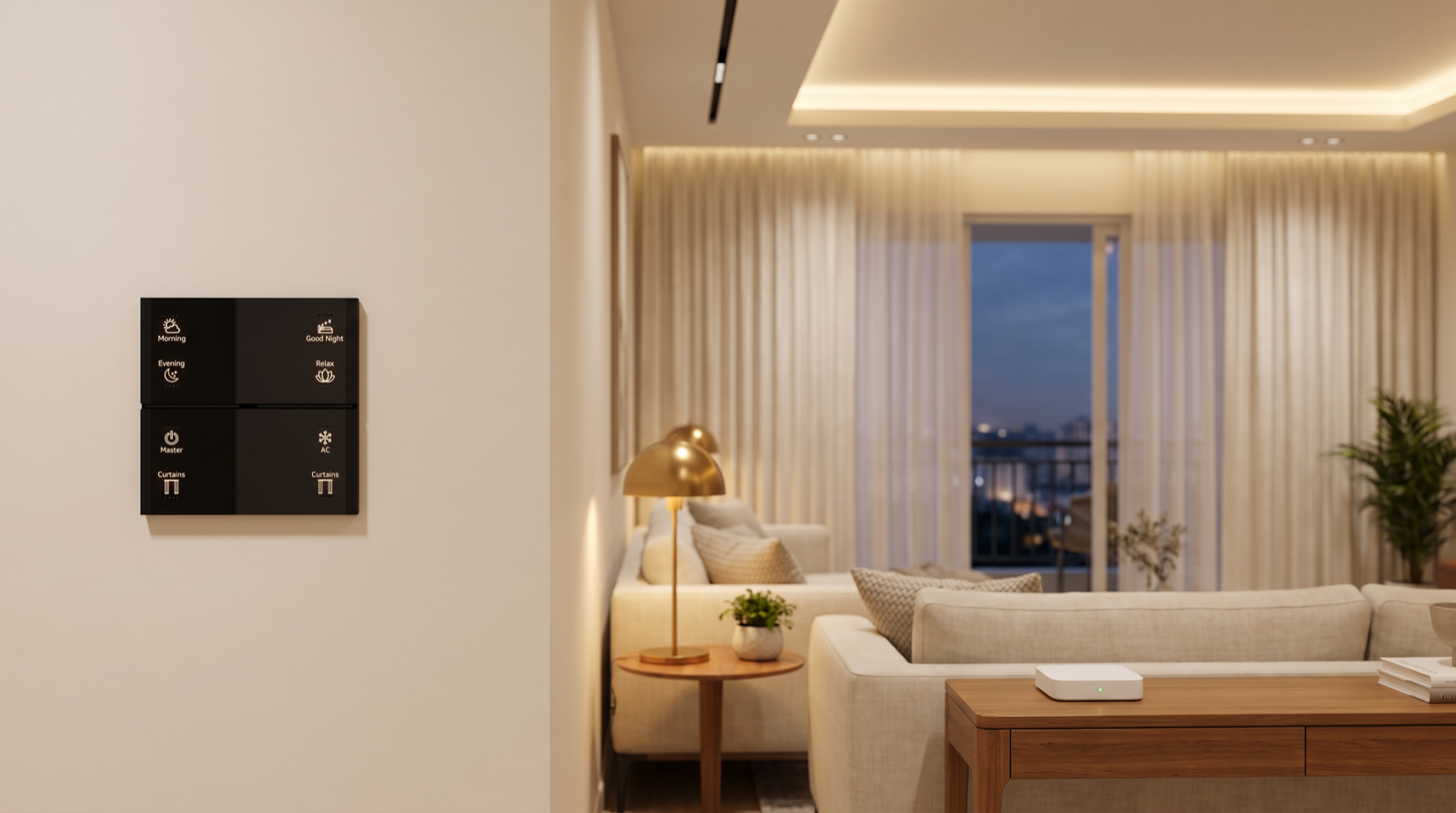
- Keypad button mapping. Each button on each keypad is linked to what its engraving promises: a single circuit, a group, a curtain or a scene. A Stella keypad engraved Morning, Evening, Good Night, Relax, Master, AC and Curtains is only as good as what sits behind each of those words. The installer also decides how each button behaves on a second press — does Relax toggle off, or stay on? — and whether its backlight shows the scene as active. Engraving is planned earlier, in keypad layouts and engraving; commissioning makes it true.
- Grouping. Lights that should always change together are grouped, so a scene sends one command to the group rather than ten separate commands. The visible difference is that all the lights in a room change at the same instant instead of one after another.
- Dimming ranges. For each dimmable circuit, the lowest usable level is set so that the light does not flicker or switch off at the bottom of the range, and the fade time is chosen so that scene changes feel smooth rather than abrupt.
- Curtain limits and positions. Each motor's fully open and fully closed points are set against the actual fabric, along with any in-between positions a scene needs — for example, sheers closed and blackout open for afternoon glare.
- Scenes. Levels for every circuit and curtain in each scene are set in the finished room, ideally in the evening, because a level that looks right on paper at noon rarely looks right at 9pm with the sofa in place. Our worked examples of scene design show how a living room's scenes are built.
- Schedules and sensor automations. Sunset scenes, corridor lights on motion at night, an alert when the main door opens in away mode — each is entered with its trigger, any conditions (time of day, mode) and its action, then tested by actually triggering it.
Stage 6–7: checking mesh health, firmware and backups
Stage 6: checking the mesh before anyone relies on it
A system that works while the installer stands next to the gateway can still have weak spots. Before handover, the network itself is checked:
- Every device is reporting and none shows as offline or intermittent.
- Signal quality is acceptable at the furthest devices — the end of a long corridor, a balcony, the top floor of a villa.
- The mesh has redundancy: important devices can be reached by more than one path, so one switched-off controller does not cut off a whole room.
- Response time is consistent: the same scene pressed ten times responds the same way ten times. A slow or missed response at this stage points to interference or a gap in the mesh, which is far cheaper to fix now than after the family moves in.
Stage 7: firmware and the configuration backup
Devices sometimes leave the factory on older firmware. Updating the gateway and devices during commissioning, rather than leaving it for later, means the home starts on a known, current version. Then the complete configuration — network, devices, names, groups, scenes, schedules and automations — is backed up. That backup is what turns a future gateway replacement into an hour's work rather than a full re-commissioning. Our guide to what happens when a smart home device fails explains how the backup is used.
What you should receive: the commissioning record
The commissioning day should end with documents, not just a working house. Ask for these by name:
| Document | What it contains | Why it matters later |
|---|---|---|
| Device and circuit list | Every device and circuit, its room, its name and where it physically is | Any technician can find and replace a device without opening every switchboard |
| Keypad map | What each button on each keypad does, including second-press behaviour | Settles "what is this button supposed to do?" instantly |
| Scene and automation sheet | Each scene's levels and curtain positions; each schedule and sensor rule with its trigger, conditions and action | Changes can be made deliberately instead of by trial and error |
| Network notes | The Zigbee channel in use, the gateway's location and its home-network details | Makes router or provider changes a planned job |
| Backup confirmation | When the configuration was backed up, and who holds it | The difference between a quick recovery and a rebuild |
Then comes the walk-through with the household and the formal tests in the handover checklist, followed by a revisit two to three weeks later to adjust scenes after the family has lived with them.
How Pert delivers it — a designed solution, not a DIY kit
With app-paired Wi-Fi gadgets, commissioning is whatever the homeowner manages on a Sunday afternoon: each device paired in whatever order it came out of its box, named whatever the app suggested, with no record of how anything was set up. Pert treats commissioning as an engineered stage of the project. Your keypads, smart lighting, motorised curtains and security devices are designed together, installed by our team, and then commissioned on a Zigbee network around the Pert gateway in a fixed sequence: site check, network formed on a channel chosen for your home, devices paired from the centre outward, every button and scene programmed against the agreed design, mesh health checked, configuration backed up and documented. Scenes are tuned in your furnished rooms in the evening, and we come back after a few weeks to adjust them. You can see a commissioned system working at Pert's experience centre in Begumpet.
If you are comparing installers, ask each one to describe their commissioning day and show you a sample commissioning record. Best home automation companies in Hyderabad lists other questions worth asking.
Want a smart home that works properly from the first day? Talk to us about design, installation and commissioning done as one job, with a full commissioning record at handover. Already have a system that never quite settled? We can review how it was commissioned. Talk to our team →
Frequently asked questions
What is the difference between installation and commissioning in home automation?
Installation is the physical work: wiring, mounting keypads, fitting light controllers, curtain tracks and motors, and placing sensors. Commissioning is what turns those separate devices into one system: forming the wireless network, pairing every device to the gateway, naming each circuit, mapping keypad buttons, programming scenes, dimming ranges and curtain limits, checking network health and backing up the configuration. A home can be fully installed and still do almost nothing useful until it is commissioned.
Why does the order in which Zigbee devices are paired matter?
In a Zigbee mesh, mains-powered devices such as keypads, light controllers and curtain motors act as routers that relay messages, while battery sensors are end devices that attach to one nearby router. Pairing the routers first, starting near the gateway and working outward, builds a strong mesh. Battery sensors paired last, in their final positions, then attach to a router that will actually be near them in daily use, instead of one that was close only on the installer's bench.
How long does commissioning take?
For a typical 3BHK flat, commissioning is about one full day on site once installation and painting are complete, followed by a revisit two to three weeks later to adjust scenes after the family has lived with them. A large villa with more circuits, curtain tracks, outdoor lighting and security devices usually needs longer. Scene levels are best set in the evening, in the finished and furnished rooms.
What should I receive from my installer at the end of commissioning?
At minimum: a list of every device and circuit with its room and name, a keypad map showing what each button does, a description of each scene and schedule, the network details the system depends on, and confirmation that a backup of the gateway configuration has been taken and where it is kept. With these, any future fault, device replacement or router change becomes a short job instead of a rebuild.