
In this guide
- Three kinds of NRI home, and what each one needs
- What you can do from abroad — and what you cannot
- Designing for months of absence: internet, power and the offline alert
- Alerts across time zones: who hears what, and when
- Access for the people on the ground
- Getting it designed and installed while you live abroad
- A ten-minute monthly remote health check
- How Pert delivers it (designed, not DIY)
- FAQs
This article is part of our wider coverage of home automation in Hyderabad. It brings together ideas from planning away mode for travel, designing notifications and alerts and managing access for family, staff and guests, and applies them to the hardest case of all: a home whose owner lives in another country.
Three kinds of NRI home, and what each one needs
"NRI home" covers very different situations, and the automation plan changes with each. Before choosing a single device, we ask which of these describes the home — and whether it will change in the next few years.
| Situation | The main risk | What the system must do | What matters less |
|---|---|---|---|
| Locked and vacant (owners visit once or twice a year) | Break-ins, a door left unlocked by a visitor, an outage nobody notices for weeks | Security alerts, presence simulation, curtains protecting interiors from sun, an alert when the home goes offline | Daily comfort scenes, bedside controls |
| Parents living there | A fall, a missed routine, a parent struggling with technology | Simple keypads with large engraved labels, night paths, gentle activity alerts to you and a local relative | App-heavy features the parents will never open |
| Rented or caretaker-managed | Unknown visitors, appliances left running, a tenant changing settings | Per-person door access you can grant and revoke, a master-off at the door, a clear split between what the occupant controls and what you control | Fine-grained scenes tuned to your own taste |
Many homes move between these. A flat that is vacant today may be where your parents move next year, or where you return in five years. That is a strong argument for a wireless, programmable system: the same keypads, lights and curtains can be re-programmed for a new situation without opening walls. If parents are part of the picture, read home automation for elderly parents in Hyderabad alongside this guide.
What you can do from abroad — and what you cannot
How a command from abroad reaches your home
When you tap a scene in the app in Toronto, the command travels over the internet to the Pert gateway in your Hyderabad home, and the gateway passes it over Zigbee to the keypads, lights, curtain motors and sensors. The gateway is the brain; the internet is only the road between your phone and that brain. This matters because it means everything that runs inside the home — schedules, scenes, sensor automations — keeps working even when the road is closed. Our explainer on what a smart home gateway does goes deeper into this.
The remote-control reality check
| Task | From abroad? | Notes |
|---|---|---|
| See whether lights and curtains are on, off, open or closed | Yes | Zigbee devices report their state back, so the app shows the truth |
| Run a scene, switch a light, open or close curtains | Yes | Useful for presence simulation and for letting light in before a visit |
| Answer the door and talk to a visitor | Yes | Pert's video doorbell sends alerts to your phone with real-time video and two-way talk |
| Let someone in | Yes, with a smart lock | Pert's smart door lock can be locked and unlocked from the app and access can be shared with trusted people |
| Check cameras | Yes | Real-time monitoring and motion alerts on your phone; recordings stored on an SD card in the camera |
| Change schedules, scenes or who has access | Partly | Simple changes from the app; larger re-programming is better done with your installer |
| Reset a tripped breaker, restart a router with no power, replace a dead sensor battery or a failed device | No | Physical tasks always need a person at the home |
| Anything at all when the home's internet is down | No | Local automations continue; you lose visibility until the connection returns |
The honest summary: from abroad you get eyes, ears and a remote control. You do not get hands. Every good NRI plan therefore includes a named person in Hyderabad and a support arrangement with the installer, so that the alerts you receive can turn into action.
Designing for months of absence: internet, power and the offline alert
A home where someone lives gets small problems noticed within hours. A locked flat can sit with a dead router for three weeks before anyone knows. Resilience is therefore not an optional extra for an NRI home; it is the foundation everything else depends on.
Keep the critical chain on backup power
For remote visibility to survive a power cut, every link in the chain has to stay up: the broadband modem or ONT, the Wi-Fi router, the Pert gateway and the cameras. In most Hyderabad apartments that means putting these on the home's inverter circuit, or on a small dedicated UPS near the network rack. Check this at the electrical-drawing stage — the most common gap we find is a fibre ONT plugged into a socket that is not on the inverter, so the whole system goes dark the moment power fails.
Consider a second internet path
Fibre broadband in Hyderabad is generally reliable, but outages of a day or two after roadworks or monsoon damage are not unusual, and nobody is home to call the provider. For homes left empty for long periods, a router with a 4G/5G SIM as automatic backup is worth considering. It needs only a low-cost data plan, because a smart home's remote traffic is small — camera viewing is the one heavy user.
Decide what every device does when power returns
After an outage, each light and load comes back in a configured power-on state. In a vacant home the right answer is almost always "off", except for anything presence simulation depends on, which the next scheduled scene will set anyway. A home that comes back with every light blazing at 3 am is a home that tells the street nobody is managing it.
The alert you need most: "home is offline"
The single most useful notification for an NRI home is the one that tells you the home has stopped talking. If the gateway goes offline for more than a set period — often 30 to 60 minutes, to ride out brief power blips — you and your local contact should know. Without it, silence looks exactly like "everything is fine". Our guide to smart homes during power cuts and internet outages covers what keeps working during each kind of failure.
Alerts across time zones: who hears what, and when
Schedules and automations run in Indian time at the home. Your phone does not. A door opening at 11 pm in Hyderabad reaches you at 12:30 pm in Dallas in summer, 6:30 pm in London and 9:30 pm in Dubai. That is helpful for some alerts and useless for others, so we design the alert plan around who can act, not who owns the home.
| Event | You (abroad) | Local contact in Hyderabad | Why |
|---|---|---|---|
| Main door opened while the home is in away mode | Yes, immediately | Yes, immediately | Someone may need to go there; you can check the camera |
| Home offline for 60 minutes | Yes | Yes | Only a local person can check the power and the router |
| Visitor at the door (video doorbell) | Yes | Optional | You can talk to them and decide whether to let them in |
| Caretaker unlocks and locks up as expected | Weekly summary only | No | Routine events should not wake anyone |
| Motion inside while away | Yes, with camera link | Yes, if not explained by a scheduled visit | Check the camera first, then decide whether to send someone |
| Parent's morning routine not seen by 10 am (parents' home) | Yes | Yes, a relative nearby | A gentle nudge to call, not an alarm |
Two rules keep this calm. First, every alert must have an obvious next step; an alert you cannot act on just teaches you to ignore the app. Second, routine events become summaries, not notifications. If your phone lights up every time the cleaner arrives, you will miss the one alert that matters.
Access for the people on the ground
An NRI home is managed by a small cast: a parent or relative, a caretaker or housekeeper, perhaps a tenant, building security, and your installer's support team. Each needs a different level of access, and you need to be able to change it from abroad.
- Door access per person. Pert's smart door lock supports fingerprint, app, password, RFID and key, and access can be shared with trusted family and friends. Give each regular visitor their own credential rather than sharing one code, so you can see who came in and revoke one person without changing everyone else's.
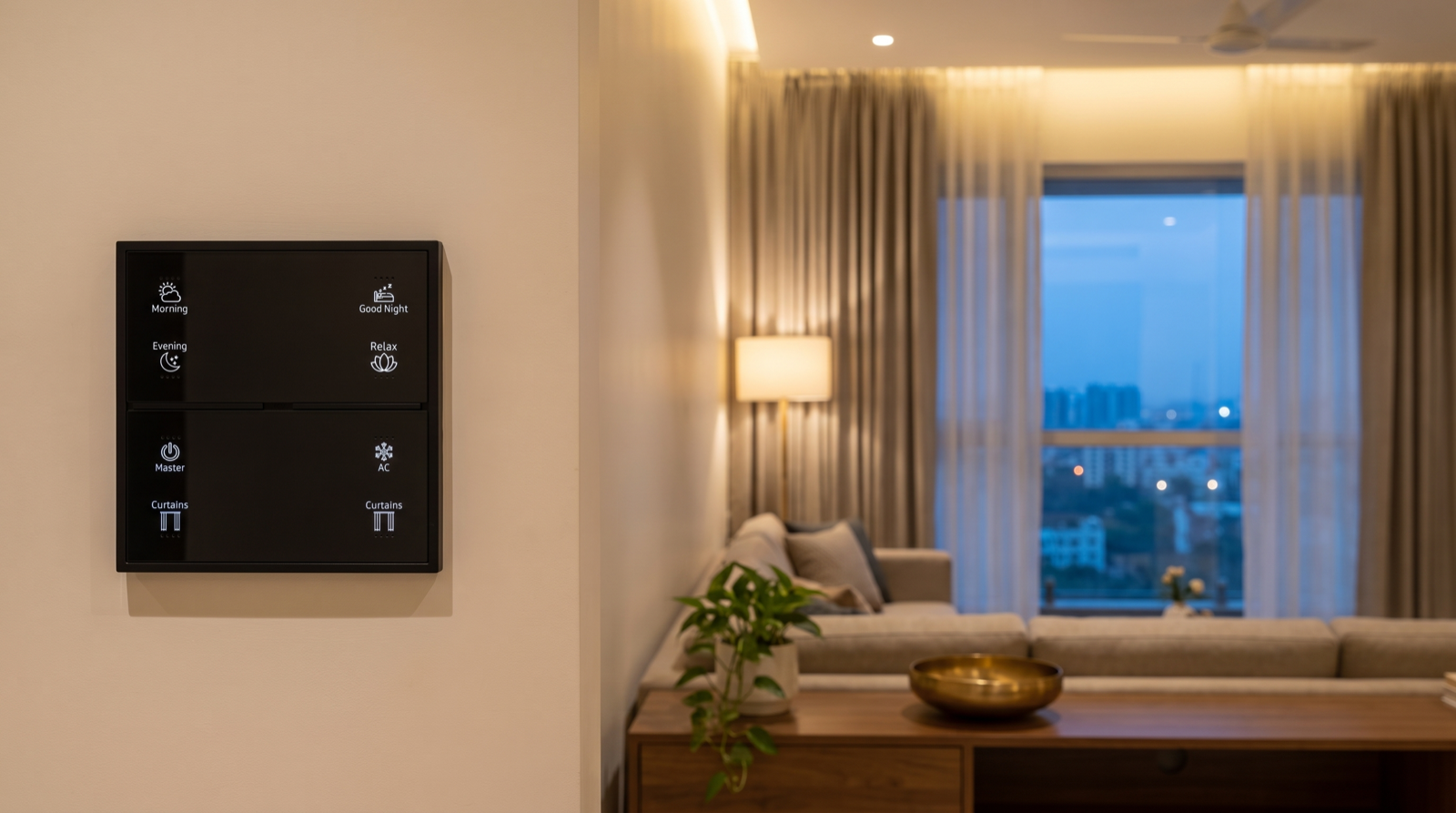
- A simple keypad, not the app, for helpers. A caretaker should never need your phone or your login. An engraved Stella keypad by the door with a Master button — everything off, curtains to their away position — means the home is left in the right state even if they forget individual rooms. See keypad layouts and engraving for how we label buttons for people who did not choose them.
- Separate app users, not shared passwords. A parent or relative who manages the home gets their own app access with only the rooms and functions they need. When a tenant moves in, they get control of lights, curtains and scenes in the rooms they live in, while security and access settings stay with you.
- Scheduled visits as expected events. If the housekeeper comes on Tuesdays and Fridays at 10 am, the system can treat a door opening in that window as expected and send you only a summary.
Getting it designed and installed while you live abroad
Most NRI owners plan their smart home during an interior project they are also managing remotely. The automation does not need you on a flight for every decision, but it does need a clear process. This is the sequence we follow:
| Stage | What happens | Your involvement from abroad |
|---|---|---|
| 1. Brief and site review | Floor plan, electrical drawings and a video walkthrough of the site; we discuss who lives there now and in five years | One video call; share drawings by email |
| 2. Design | Keypad positions and labels, scene list, curtain tracks, sensors, cameras, lock and the alert plan above | Review and approve the marked-up plan and quotation |
| 3. First-fix coordination | Wiring, boxes and power points agreed with your electrician and interior contractor before walls and ceilings close | Your local contact or site supervisor attends; photos shared with you |
| 4. Installation and commissioning | Devices installed, paired to the gateway, scenes and automations programmed | None, until testing |
| 5. Remote handover | Every scene, curtain, sensor and alert tested on a video call while someone at home confirms each result; app access set up for you and your local contacts | One longer video call; you receive alerts on your own phone during the test |
| 6. First visit home | Fine-tuning of scene levels, timings and alert rules once you have lived with it | A short session when you are next in Hyderabad |
The remote handover is the step most often skipped, and the one that matters most. An NRI owner who first discovers that the door alert goes only to the installer's test phone, six months after handover, has not really received a working system.
A ten-minute monthly remote health check
Systems drift. Batteries run down, a camera's SD card fills or fails, a schedule stops making sense when the seasons change. Once a month, from wherever you are, run through this list:
- Gateway online and every device reporting in the app; anything showing offline is a job for your local contact or a support visit.
- Sensor batteries — check levels on door and motion sensors where the app shows them, and replace any that are low before they die.
- Run one test scene and watch it on a camera: lights change, curtains move. This proves the whole chain from your phone to the device.
- Camera recording — open a recent clip to confirm the SD card is still recording.
- Door access log — do the entries match who you expected to visit? Remove anyone who no longer needs access.
- Presence-simulation timings — Hyderabad's sunset moves by more than an hour between June and December; check that evening scenes still look natural.
- Test one alert — ask your local contact to open the door during away mode and confirm that both of you receive it.
Annual preventive maintenance by your installer covers the rest. Our guide to home automation maintenance and support in Hyderabad explains what a good support plan should include.
How Pert delivers it — a designed solution, not a DIY kit
A box of Wi-Fi gadgets set up by a relative over a weekend gives you an app full of devices. It does not give you a home that tells you the truth when you are in another country. On NRI projects our team starts by understanding who lives in the home now and who will in the future; designs the keypads, smart lighting, motorised curtains, security devices and sensors as one system around the Pert gateway; marks which points must be on inverter or UPS power; writes the alert plan with you, including who in Hyderabad receives each alert; sets up separate access for each person on the ground; commissions and tests every scene and alert on a remote handover call; and stays reachable through our Hyderabad support team so that an alert on your phone can become a visit at the home. Pert's experience centre is in Begumpet, and our design team can work with you over video calls wherever you live.
If you are comparing who should design and install yours, best home automation companies in Hyderabad sets out what to ask — and for an NRI owner, add one question: "How will you hand this over to me if I am not in the country?"
Own a home in Hyderabad but live abroad? We will review your floor plan over a video call, design a system that keeps your home secure and looked-after while you are away, and hand it over to you remotely. Request a consultation →
Frequently asked questions
Can I control my Hyderabad home from the US, UK or Gulf?
Yes, as long as the home has a working internet connection. The app sends your command over the internet to the gateway at home, and the gateway passes it to the lights, curtains and other devices. From abroad you can check status, run scenes, open or close curtains, view cameras, answer the video doorbell and lock or unlock a smart door lock for a visitor. What you cannot do remotely is anything physical: reset a tripped breaker, restart a router that has lost power, or replace a failed device. That is why a remote home also needs a trusted person and a support arrangement on the ground.
What happens to a smart home during a long power cut or internet outage when nobody is there?
A well-designed system degrades gracefully. During an internet outage, keypads, schedules and sensor automations keep running locally between the gateway and the Zigbee devices; you simply lose remote access and notifications until the connection returns. During a power cut, devices return to their configured power-on state when power comes back and the gateway rejoins the network on its own. For homes left empty for months, we put the gateway, router and cameras on an inverter or UPS, consider a backup internet connection, and set up an alert so you know when the home goes offline.
Can a home automation system be designed and installed while I am living abroad?
Yes. Most of the design work can be done over video calls using your floor plan, electrical drawings and a walkthrough of the site. You approve the keypad layout, scenes and device list remotely, and a local point of contact such as a parent, relative or site supervisor is present for key site visits. At handover, the system is tested scene by scene on a video call while someone at home confirms each result, and you receive app access before the installation team leaves.
Who should receive alerts from a Hyderabad home if I live in another time zone?
Split alerts by who can act on them. Urgent alerts that need someone to go to the home, such as a door opening during away mode or the gateway going offline, should reach a local person in Hyderabad as well as you. Informational alerts, such as a visitor at the door or a weekly summary, can come only to you. Schedules run in Indian time at the home, so a 2 am event in Hyderabad may reach you in the afternoon in the US or in the evening in the UK; plan who needs to be woken and who does not.