
In this guide
This article is part of our wider coverage of home automation in Hyderabad. If your children are younger, our guide to home automation for families with young children covers safety automations and night routines; this one picks up where that leaves off.
What changes when children become teenagers
| With young children | With teenagers | What it means for the system |
|---|---|---|
| Parents decide bedtime lighting | The teen decides when their room goes dark | Bedtime scenes move from a schedule to the teen’s own button |
| Children are always accompanied | Teens arrive home alone, sometimes late | Personal lock codes, arrival lighting, agreed notifications |
| Safety first: sensors and alerts | Privacy matters as much as safety | No cameras in or facing their room; clear rules on what parents see |
| Parents hold all the controls | Teens want their own app access | Room-scoped permissions, not admin |
| Home by evening | Tuition, sports and friends at all hours | Arming and Master routines that work when they are last out or last in |
Their room: what a teenager should control
Give a teenager real control of their own space; it is the single best way to make them like the system rather than work around it. A typical setup:
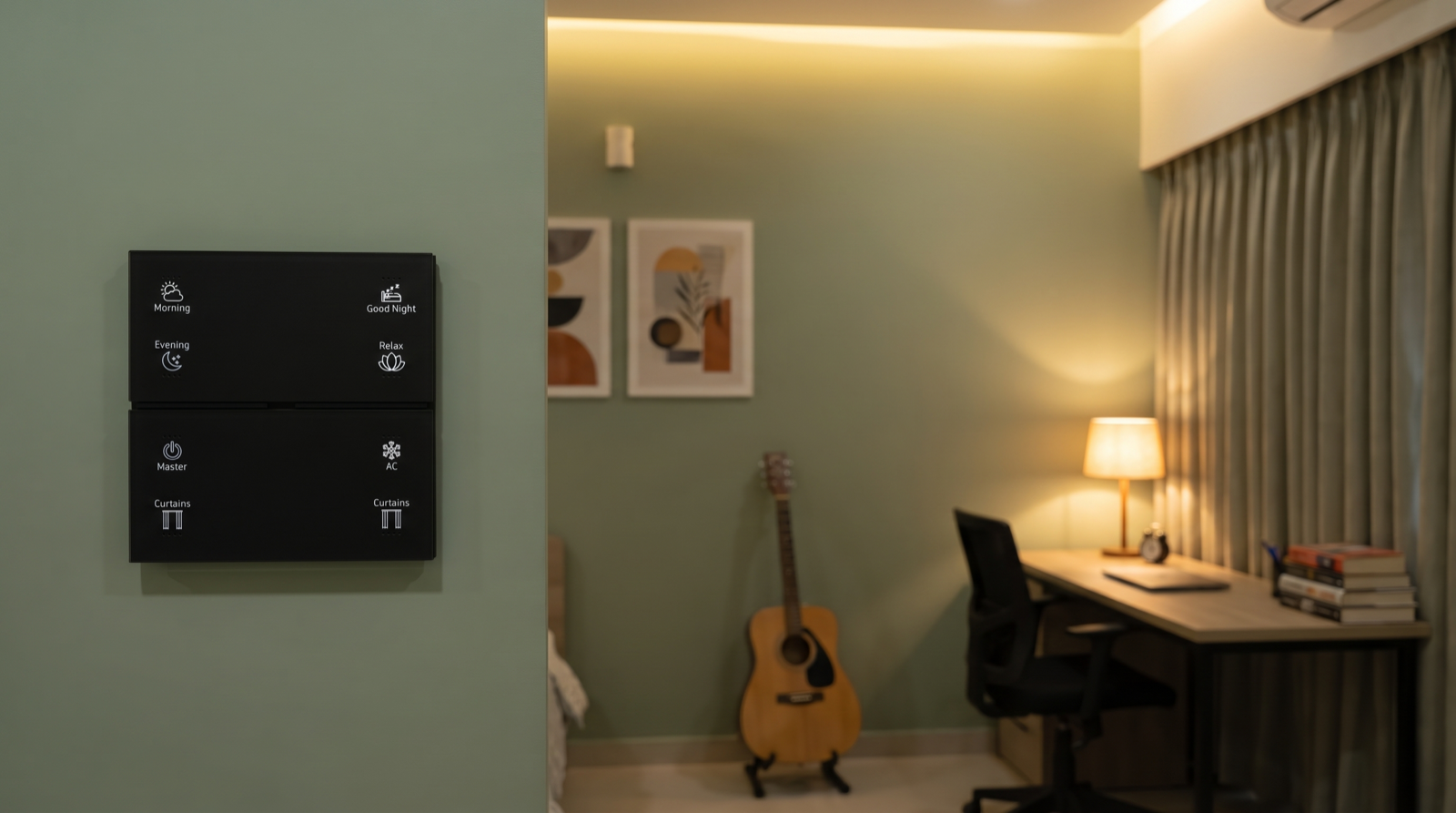
- A keypad by the door and one by the bed, with scenes they choose the names and settings for, for example a bright, cool study scene, a relaxed evening scene and their own night scene.
- Curtains on a button, with any morning schedule set to their school or college days only.
- AC on a button, plus an automatic off when the room has been empty for 30 minutes.
- Permission to edit their own room’s scenes in the app, within limits, so they can change the evening light level without asking anyone.
What they should not be able to change: other rooms, house-wide Master and Good Night scenes, security settings and the lock’s user list.
App permissions: member, not admin
Most systems have at least two levels of user: an owner or admin who can add users, change automations and security settings, and members who can control devices. Some also let you restrict a member to certain rooms. For teenagers:
| Capability | Parents (admin) | Teenager (member) |
|---|---|---|
| Control lights, curtains, AC in their own room | Yes | Yes |
| Control shared rooms | Yes | Yes, usually |
| Edit scenes | All rooms | Their own room, if the system allows room-scoped editing |
| Arm and disarm security | Yes | Yes, with their own code, so it is logged |
| Add or remove users, lock codes | Yes | No |
| Change automations and notifications | Yes | No |
| View indoor cameras | As agreed | As agreed |
Our guide to managing smart home access for family, staff and guests explains roles and access logs in more detail.
Lock codes and late arrivals
A smart door lock is where teenagers gain the most independence, and where parents most want reassurance. Set it up so both happen:
- A personal code or fingerprint for each teen. Never a shared family code; personal codes mean the lock log shows who came in, and one code can be changed without changing everyone’s.
- An arrival light. After sunset, the door opening turns on the foyer and passage at a comfortable level, so nobody comes home to a dark house.
- Agreed arrival notifications. A notification to parents when the teen’s code is used after, say, 9 pm is reassuring. Agree it openly; a teenager who knows about a notification accepts it far more readily than one who discovers it.
- A “not home yet” reminder instead of constant tracking: if the house is set to Night and the teen’s code has not been used since the afternoon, parents get one message.
- Security that does not trap them. If the home is armed at night, their code should disarm the entry route, with an entry delay at the door.
Which events deserve a notification at all is covered in our guide to designing smart home notifications and alerts.
Study, sleep and the empty-room problem
Study
A study scene with bright, cooler light on the desk and curtains set against glare helps during exam season. If tuition is online in the evening, a scene that keeps the face lit evenly for video calls is popular.
Sleep
Resist the temptation to force lights off at a fixed time; teenagers simply find a way around it. A softer approach works better: at an agreed hour, the room’s light shifts warmer and a little dimmer, and their own night scene is one press away.
The empty room
The most common parent complaint is the AC and lights running all afternoon in an empty room. An empty-room rule (no motion for 30 minutes, then lights and AC off, any button press restarting the timer) solves it without arguments. Leaving the house is covered by Master at the main door: whoever is last out presses it.
A fair parent-teen agreement
The systems that work best come with a short, explicit agreement. Write it down together:
| Topic | A common, fair arrangement |
|---|---|
| Room control | The teen controls their own room’s lights, curtains, AC and scenes |
| Cameras | None in or facing their room; indoor cameras only active in Away mode |
| Arrival alerts | Parents notified only when the teen’s code is used after an agreed hour |
| Lock code | Personal, never shared with friends; changed if it is |
| Leaving the house | Last one out presses Master |
| Energy | Empty-room rule stays on; no arguments about it |
| Changes | Teens can ask for changes to their room’s scenes at any time |
For getting everyone comfortable with the buttons and the app in the first place, see how to teach family, guests and staff to use a smart home.
How Pert delivers it — a designed solution, not a DIY kit
Pert designs the home for the family you have now and the one you will have in a few years. We plan Stella keypads by the door and bed in each teen’s room, scenes for study and evenings on tunable and dimmable lighting, motorised curtains on their own schedules, and smart locks and sensors with personal codes and agreed alerts. Everything runs on one Zigbee network through the Pert gateway, with scenes and schedules running locally, and we set up user permissions so each person controls what they should. Our team installs, commissions and adjusts it as the family’s routines change. When you compare installers, our guide to the best home automation companies in Hyderabad lists what to ask.
Setting up a smart home for a family with teenagers? We design and install lighting, curtains, keypads, scenes and security for apartments and villas across Hyderabad, with permissions and routines that work for every generation. Request a consultation →
Frequently asked questions
Should my teenager have admin access to the smart home app?
Usually not. Give them member access so they can control lights, curtains and AC and arm or disarm security with their own code, and, where the system supports it, edit the scenes in their own room. Keep adding users, changing lock codes, editing automations and security settings with the parents as admins.
How can I know my teenager got home safely without tracking them?
Use the smart lock rather than location tracking. Give each teenager a personal code or fingerprint so the lock log shows who came in, and set a notification to parents only when that code is used after an agreed hour, or a single reminder if the house goes into Night mode and they have not come in. Agree these alerts openly with your teenager.
Should there be cameras in a teenager's room?
No. Keep indoor cameras out of bedrooms and bathrooms and pointed at entrances, and consider making them active only in Away mode. Agreeing clearly what parents can and cannot see makes teenagers far more willing to use the system rather than work around it.
How do I stop lights and AC running in my teenager's empty room?
Add an empty-room rule: when the room's motion sensor sees no movement for about 30 minutes, the lights and AC switch off, and any keypad press restarts the timer. It saves power without anyone having to nag, and it does not switch things off while someone is quietly studying, because the delay is long.