
In this guide
This article is part of our wider coverage of home automation in Hyderabad. If your home is larger, see our guide to home automation for 2BHK and 3BHK flats.
Why small homes suit automation
- One room does several jobs. The living area is a work desk in the morning, a dining room at night and a guest space at weekends. Scenes switch the whole room between those uses with one press.
- Distances are short. A Zigbee mesh in a compact flat is simple to plan; one well-placed gateway near the router reaches every room, with mains-powered devices strengthening the mesh.
- The device count is low, so the cost is concentrated on the things you touch every day rather than spread thin across rooms you rarely use.
- Living alone or as a couple, you are often the only person who can switch things off. Away mode and a single “everything off” at the door matter more, not less.
What to automate first, and what to skip
| Item | Value in a small home | Why |
|---|---|---|
| Main lighting with dimming | High | Lets one room feel like a workspace, a dining room or a lounge |
| Entrance keypad with an all-off scene | High | One press when leaving; no walking back to check switches |
| Bedroom keypad with Good Night | High | Turns off the whole flat from bed |
| Motorised curtains on the main window | Medium to high | Privacy in close-set apartment towers, morning light, heat control |
| AC in scenes | Medium | Cool the bedroom before bedtime; off with All Off |
| Door sensor and smart lock | Medium | Know the door is shut and locked when you are away |
| Motion sensors in every room | Low | In a small home you are rarely far from a keypad |
| Bathroom and utility automation | Low | Short visits; a simple switch is often enough |
A sample device plan for a 1BHK
This is a typical starting point; your survey decides the final count based on circuits, windows and how you live.
| Space | Controls | Automated loads |
|---|---|---|
| Entrance | 1 keypad: Welcome, All Off, Away | Foyer and living lights |
| Living and dining | 1 keypad: Morning, Evening, Dinner, Relax | Ceiling lights (dimmable), cove or accent circuit, main curtain, living AC |
| Kitchen | Normal switch or the living keypad | Kitchen ceiling light on the living scenes if open plan |
| Bedroom | 1 keypad by the door, 1 by the bed | Ceiling and bedside lights, bedroom curtain, bedroom AC |
| Main door | Door sensor, optional smart lock | Away mode and alerts |
| Whole home | Gateway near the router, app | Schedules, modes, remote control |
That is four or five keypads, two curtains, a gateway and a handful of sensors: a compact system that still covers every daily moment. Our guide to what devices you actually need explains each category in more detail.
Five scenes that do most of the work
- Morning: bedroom curtain opens, living lights at a bright cool-neutral level, AC off.
- Work: living lights bright and even, sheer curtain closed to cut glare on screens.
- Evening: warm, dimmed living lights, accent circuit on, curtains closed for privacy.
- Good Night: everything off except a low bedside light; bedroom AC on its night setting.
- Away: every light and AC off, curtains to a set position, door alerts on.
Five well-designed scenes beat twenty half-used ones. Our worked examples of scene design show how to set levels and avoid clashes.
Studio apartments: one room, many modes
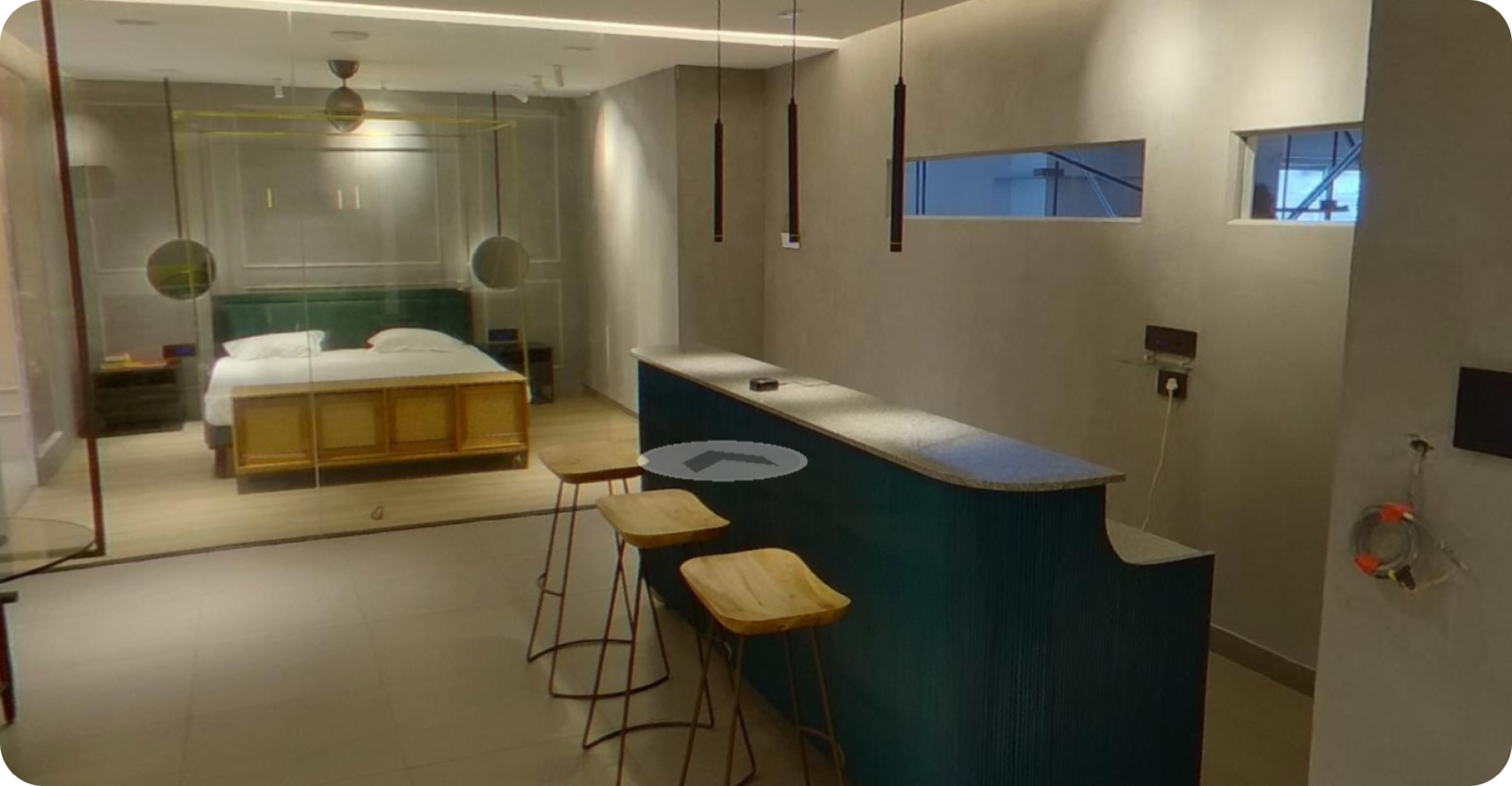
In a studio, the bed, desk, sofa and kitchen share one space, so lighting circuits should be split by zone rather than by fitting type. Ask for at least three separately controllable zones: the sleeping corner, the living and desk area, and the kitchenette. Then scenes can do what walls would do in a larger home:
- Sleep zone only: low light at the bed while the kitchen is dark.
- Guest over: the sleeping corner dims to near-off so the room reads as a lounge.
- Late work: desk area bright, the rest low.
Place the main keypad at the entrance and a second within reach of the bed. In a studio, two keypads usually cover everything.
Keeping it expandable
Many small-home owners move up to a larger home in a few years, or add rooms to the plan over time. Keep that path open:
- Plan neutral wires and box depths at every switch point, even where you keep ordinary switches for now.
- Keep the gateway central and on a stable router, so new devices join the same network later.
- If you rent, agree in writing with the landlord what can be installed and what must be restored. See home automation for rented apartments.
- Know what travels with you. Sensors, the gateway and some controls can move; wall keypads usually stay. Our guide to moving house with a smart home covers this.
How Pert delivers it — a designed solution, not a DIY kit
Pert designs a small home with the same care as a large one. We survey the flat, decide which circuits to split into zones, place a compact set of Stella keypads, add tunable and dimmable lighting, motorised curtains and security devices where they earn their place, and commission everything on one Zigbee network through the Pert gateway. Our own team installs, programmes the scenes and fine-tunes them once you have lived with them. When you compare installers, our guide to the best home automation companies in Hyderabad lists what to ask.
Living in a 1BHK or studio in Hyderabad? We design and install compact, expandable automation for lighting, curtains, keypads, scenes and security. Request a consultation →
Frequently asked questions
Is home automation worth it for a 1BHK apartment?
Yes, if it is focused. A small home does not need every room automated; a few keypads with good scenes, dimmable main lighting, one or two motorised curtains and an all-off at the door cover most daily moments. Because the device count is low, the cost goes into the things you use every day.
How many keypads does a 1BHK need?
Typically four or five: one at the entrance, one in the living and dining area, and one by the bedroom door plus one by the bed. A studio often needs only two, one at the entrance and one within reach of the bed. The final number depends on your circuits and layout.
Do I need a gateway for a small apartment?
Yes. The gateway runs the Zigbee network, stores scenes and schedules, and connects the system to the app. In a compact flat one gateway placed near the router comfortably covers the whole home, with mains-powered devices strengthening the mesh.
Can I expand a small smart home later?
Yes, if the first installation is planned for it. Keep neutral wires and suitable box depths at switch points, place the gateway centrally, and use one system so new keypads, curtains or sensors can join the same network and scenes later.