
In this guide
- What stays with the house — and what belongs to you
- The five layers to hand over, one by one
- Transfer, don't factory reset: why it matters
- Selling vs renting out: two different handovers
- The handover pack for the next occupant
- A timeline from listing to key handover
- How Pert delivers it (designed, not DIY)
- FAQs
This article is part of our wider coverage of home automation in Hyderabad. It builds on how to manage smart home access for family, staff and guests, which covers day-to-day users, and on the home automation handover and testing checklist, which covers the day an installer hands a new system to you. Here we deal with the reverse: you handing the system on to someone else.
What stays with the house — and what belongs to you
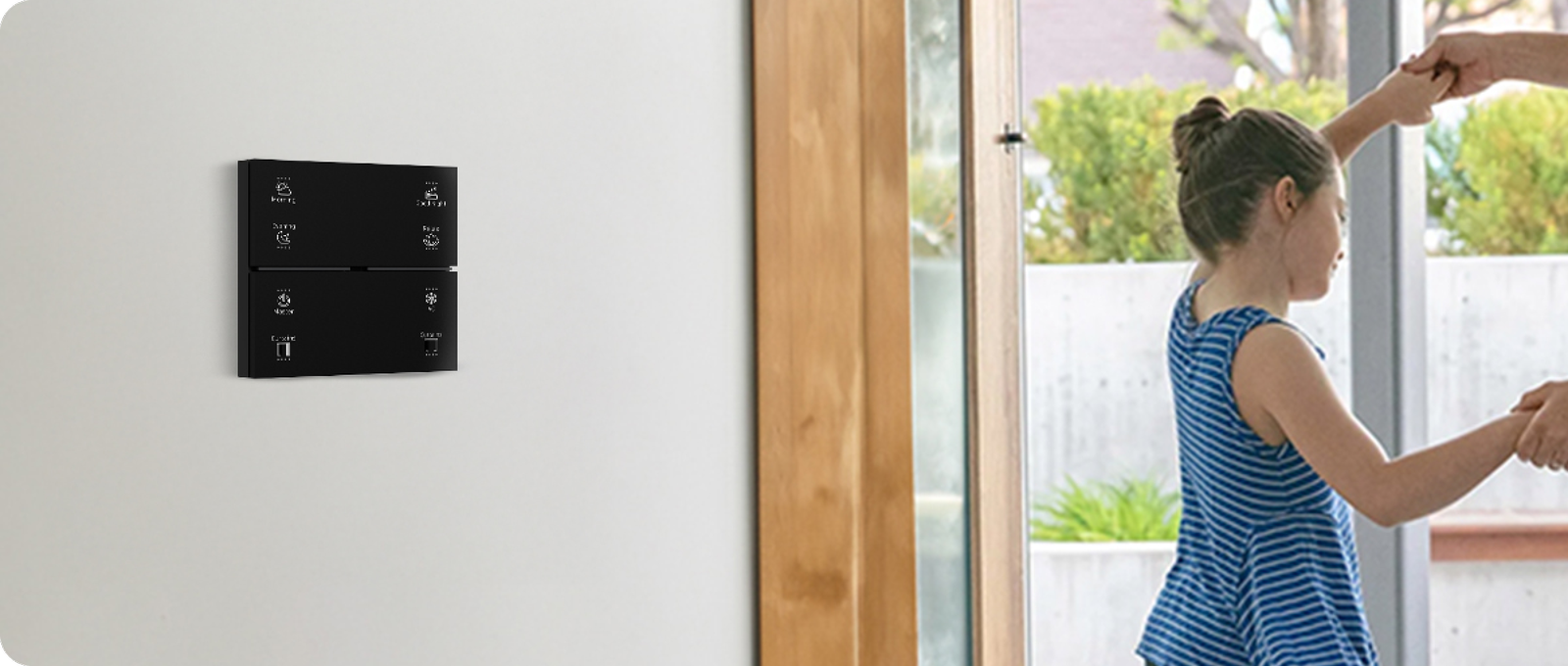
The first question a buyer's agent or a tenant asks is "does the smart home come with it?" The honest answer is that a designed system is mostly part of the building, but its accounts and data are personal. Settle the physical side first, in writing, in the sale or lease agreement.
| Item | Normally | Why | What to do before handover |
|---|---|---|---|
| Wall keypads and the controllers behind them | Stays | Wired into the switchboard and back-boxes; removing them leaves bare wiring | Check every button runs its scene; clean the glass |
| Built-in smart lighting and dimming channels | Stays | Fixed into the false ceiling and circuits | Note any failed fittings; replace or disclose |
| Curtain motors and tracks | Stays | Fixed to the ceiling or pelmet; sized to those windows | Fabric is often negotiable — agree it explicitly |
| Gateway | Stays | The keypads, lights and curtains are paired to it; without it the scenes stop | Leave it powered and in place; transfer its account (below) |
| Wired sensors, door contacts, smart main-door lock | Stays | Fixed to doors, frames and ceilings | Clear all codes, fingerprints and cards |
| Wi-Fi cameras and video doorbell | Agree in writing | Some are fixed and wired, some are plug-in | Delete recordings and cloud history; remove from your account |
| Smart plugs, portable IR blasters, voice speakers | Usually goes with you | Plug-in, not part of the building | Remove from the system so they don't show as "offline" for the next occupant |
| Wi-Fi router and internet line | Goes with you (it is your connection) | The account is in your name | Plan the gateway's move to the new occupant's network |
The one item people forget is the gateway. Because it is a small box on a shelf, it sometimes gets packed with the router. Without it, every keypad in the house still lights up but no longer runs its scenes — the single fastest way to turn a selling point into a complaint. Whether automation adds value at sale depends heavily on the buyer finding it working on day one, as we explain in does home automation increase property value?
The five layers to hand over, one by one
A Zigbee smart home has several layers, and each one is handed over differently. Working through them in this order avoids the most common mistake: removing your own access before the new owner's is in place, and locking everyone out.
1. The admin (owner) account
Every system has one account with full rights: it can add and delete devices, change scenes and schedules, and add or remove other users. In a sale, these rights should move to the buyer. In a rental, they normally stay with you or your property manager. How admin rights are transferred depends on the platform, so ask your installer to do it or to talk you through it — and do it while both of you can still sign in. The new admin should confirm they can see every room before you remove yourself.
2. User accounts
Spouse, children, parents, the driver's limited access, the housekeeper's lock code, the interior designer who was never removed — a lived-in home collects users. List every one, then remove all of them except the new admin. This is also the moment to remove any shared or "family" phone that was signed in.
3. The main door lock
Treat the lock as its own job, because it controls physical access. Delete every PIN, fingerprint, RFID card and app key, including old staff codes. The new occupant should enrol their own codes and fingerprints on handover day, with you or the installer present, and test them from outside with the door shut. If the lock has a mechanical override key, all copies should change hands.
4. Cameras, doorbell and recordings
Camera history is the most sensitive data in a smart home: it shows when you came and went, who visited and what the inside of the house looked like. Delete local recordings on the memory card or recorder, delete cloud clips, and remove each camera from your account. If cameras stay, the new occupant adds them to their own account on their own Wi-Fi. Our guide to smart home cybersecurity explains why old accounts left attached to cameras are a genuine risk.
5. Voice assistants and other links
If Alexa or Google Home was linked to the system, unlink the skill from your voice account; otherwise you could still switch the new owner's lights from your speaker in another city. The new occupant links their own account later. Do the same for any other service that was connected, such as notifications to your phone number or email.
Wi-Fi sits underneath all of this. Your router leaves with you, so the gateway, cameras and doorbell need to join the new occupant's network. The scenes on the keypads keep working in the gap, because they run between the gateway and the Zigbee devices without the internet; only app control, voice and camera viewing pause until the new network is set up.
Transfer, don't factory reset: why it matters
The instinct when leaving is to "wipe everything". For a phone that is right; for a designed smart home it is usually wrong. A factory reset of the gateway or keypads removes the pairings, room names, scene programming and schedules that took the installer days to set up and fine-tune. The buyer is left with keypads that do nothing and a bill to recommission the house.
| What you want | Factory reset | Transfer and clean up |
|---|---|---|
| Your personal data removed | Yes | Yes — users, codes, recordings and links are deleted individually |
| Keypad scenes still work for the buyer | No — needs full re-programming | Yes, unchanged |
| Room names, schedules, sunset routines kept | No | Yes |
| New owner has full control | Only after recommissioning | Yes, once admin rights move |
| Time on handover day | Minutes, plus days of re-setup later | One to three hours |
There are two exceptions. A plug-in device you are taking with you should be removed from the system and, if you will use it elsewhere, reset. And a device that is actually faulty should be replaced or disclosed rather than left half-working; a faulty keypad or controller can usually be replaced like-for-like without re-programming the rest of the house.
Selling vs renting out: two different handovers
| Selling | Renting out | |
|---|---|---|
| Who holds admin rights | The buyer | You or your property manager |
| Occupant's access level | Full | User: scenes, lights, curtains, AC; no deleting devices or editing the system |
| Cameras | Move to the buyer's account | Tenant's account only while they live there; the owner should not keep live access to indoor cameras |
| Door lock | All codes re-enrolled by the buyer | Tenant sets their own codes; agree in the lease whether an owner code exists and when it may be used |
| Schedules and sensor automations | Buyer adjusts to their routine | Agree which ones the tenant may change (e.g. wake-up time) and which stay (e.g. outdoor lights at sunset) |
| Support and maintenance | Buyer contacts the installer directly | Agree whether the tenant calls the installer or calls you first |
| At the end | Done | Repeat the clean-up when the tenant leaves: remove their users, codes, recordings and voice links |
For a rental, two points deserve a clause in the lease. First, privacy: an owner who can watch indoor cameras or see when the door is unlocked has far more visibility than tenants expect, so indoor camera access should belong to the tenant alone. Second, changes: a tenant can sensibly adjust scenes and timings, but should not remove devices or add their own Wi-Fi gadgets to the system without agreement.
The handover pack for the next occupant
A buyer who understands the system values it; one who doesn't calls it "too complicated" and stops using it. A short pack, printed and also shared as a PDF, makes the difference:
- Keypad guide — one line per button, room by room: "Living room, Relax: cove lights 40%, curtains half-closed, AC unchanged."
- Device list — every keypad, lighting channel, curtain, sensor and camera, by room, with the names used in the app.
- Scenes, schedules and automations — what runs automatically and when, e.g. "Balcony lights on at sunset, off at 11 pm", "Corridor lights on with motion between 11 pm and 6 am at 10%".
- Power notes — which circuits and sockets are on inverter backup, and where the gateway is.
- Lock and camera instructions — how to enrol codes and fingerprints, the battery type for the lock, where any recorder or memory card sits.
- Warranty and support — installation date, warranty terms and the installer's support contact.
Never put passwords, Wi-Fi keys or lock codes in the pack. They are set fresh by the new occupant. If your installer gave you a handover document when the system was commissioned, most of this already exists — update it rather than starting from scratch.
A timeline from listing to key handover
| When | Step |
|---|---|
| When you list the home | Walk every room and test every keypad button, curtain and sensor. Fix or disclose anything faulty. Decide which items are included and put it in the agreement. |
| Before viewings | Set a simple "viewing" scene — lights on at a welcoming level, curtains open — and pause indoor cameras or switch them to privacy mode while strangers walk through. |
| One to two weeks before handover | Tell your installer the date. Prepare the handover pack. Download any recordings you want to keep. |
| On handover day (in order) | 1. New occupant installs the app and creates their account. 2. Admin rights moved (sale) or user access added (rental). 3. Gateway, cameras and doorbell joined to their Wi-Fi. 4. Lock codes and fingerprints enrolled and tested. 5. Ten-minute walk-through with the keypad guide. |
| After you leave | Remove your own account and your family's, unlink your voice assistant, delete remaining recordings, and confirm with the new occupant that everything still works. |
The order matters: add the new person first, remove yourself last. Reversing it is how homes end up with no working admin and a call-out to recommission the gateway.
How Pert delivers it — a designed solution, not a DIY kit
A home assembled from separate Wi-Fi gadgets, each on a different app and a different person's account, is hard to hand over: nobody knows which phone owns which device, and the buyer inherits a drawer of half-working apps. Pert designs the opposite way. Your keypads, smart lighting, motorised curtains, sensors and security devices are designed and installed as one system around the Pert gateway, documented at handover, and supported by our team in Hyderabad. When you sell, rent out or move, we can transfer admin access, clear your users, codes and links, connect the system to the new occupant's network and walk them through the keypads — so the automation you invested in keeps working for the next family. Pert's experience centre is in Begumpet, where buyers and owners can see how the system works before they commit.
If you are buying a home that already has automation and want to know whether the installer is worth staying with, best home automation companies in Hyderabad lists the questions to ask about support and service.
Selling, renting out or moving out of a smart home? Tell us your handover date and we will help transfer access, clear your personal data and get the next occupant set up. Buying a home with automation already installed? We can inspect it and take it over. Talk to our team →
Frequently asked questions
Should I factory reset my smart home before selling the house?
Usually not the whole system. Resetting the gateway or the keypads wipes the scenes, room names and pairings that make the home work, and the buyer then has to pay for it to be programmed again. The better approach is to transfer the system's admin rights to the new owner, remove your own and your family's user accounts, delete your lock codes and fingerprints, clear camera recordings and unlink your voice assistant. The keypads, lights and curtains keep working throughout.
Can a tenant use my smart home without having full control of it?
Yes, and that is usually the right set-up for a rental. The owner, or a property manager, keeps the admin account, and the tenant is added as a user who can run scenes, control lights, curtains and AC, and see their own cameras, but cannot delete devices or change the system's configuration. The tenant should have their own lock codes and Wi-Fi password, and camera access should be the tenant's alone while they live there.
Which smart home devices can I take with me when I move?
Anything wired into the walls and ceiling normally stays: keypads, light controllers, built-in lighting, curtain motors and tracks, and the main door lock. Plug-in and free-standing items such as smart plugs, a portable IR blaster or a stand-alone camera can usually go with you. The safest rule is to list exactly what is included in the sale or lease agreement, so there are no surprises on handover day.
What should a smart home handover pack include for a buyer or tenant?
A one-page guide to what each keypad button does, a room-by-room list of devices, the scenes and schedules currently programmed, which sockets and circuits are on inverter backup, warranty details, the installer's support contact, and instructions for the main door lock and cameras. Passwords and lock codes should never be written into the pack; they are set fresh by the new occupant on handover day.