
In this guide
This article is part of our wider coverage of home automation in Hyderabad. It picks up where the home automation handover and testing checklist ends: the handover proves the system works; tuning makes it fit the people living in it.
Why a new smart home needs tuning
Every automation is a set of guesses written down as rules: at this time, when this happens, set this to that level. At design stage those guesses are educated ones. They come from the consultation, the room layout and experience with similar homes. But three things are only known after move-in:
- Real timings. When people actually wake, leave, come home, eat and sleep, on weekdays and weekends. School terms, work-from-home days and visiting parents all shift these.
- Real perception. A 70% light level that looked right during a daytime handover can feel glaring at 11pm. A curtain that closes in 20 seconds can feel slow when the afternoon sun is on the sofa.
- Real movement. Motion sensors are placed from a drawing. How long someone actually stands at the wardrobe, or sits still reading in the study, only shows up in daily use.
Most of the work in tuning is adjusting numbers: times, levels, durations and thresholds. The structure of the system — which keypad controls which room, which scenes exist, which sensors trigger what — rarely needs to change if it was planned properly. That distinction matters, because changing numbers is quick and low-risk, while changing structure needs care. How to design home automation scenes shows how that structure is planned in the first place.
Keep a friction log, not a complaint list
The most useful habit in the first month is a simple shared note on a family phone. Every time the home does something that feels wrong, write one line with four parts: when, where, what happened, what you expected.
| When | Where | What happened | What we expected |
|---|---|---|---|
| Tue 6:20am | Master bedroom | Pressed Morning; curtains fully opened, sun in our eyes | Sheers only, blackout stays shut until 7:30 |
| Tue 2:05am | Corridor | Night light went off while Dad was still in the kitchen | Stay on until he is back in his room |
| Wed 7:40pm | Living room | Evening scene too bright for TV | A dimmer TV setting, or a separate button |
| Thu 4:15pm | Everyone's phones | Doorbell alert on four phones during the school pickup | Only the person at home |
| Sat 9:30am | Master bedroom | Weekday wake-up schedule opened curtains on a Saturday | No automatic opening at weekends |
Two weeks of entries like these are worth more than any amount of fiddling with the app. Patterns show up quickly: three entries about the corridor light means the motion timeout is too short, not that the sensor is faulty. One entry about a scene being too bright is a single number to change. The log also stops one family member's preference from silently overriding everyone else's, because changes are discussed together before they are made.
The eight settings that usually need adjusting
Across homes, the same handful of settings account for most post-move-in changes. Here is what each one is, the typical starting point and the usual direction of change.
| Setting | What it controls | Typical first symptom | Usual fix |
|---|---|---|---|
| Scene light levels | How bright each light goes in a scene | Evening or Relax feels too bright at night | Lower ambient layers by 10–20 points; keep task lights unchanged |
| Scene colour temperature | Warm or cool white on tunable lights | Night scenes feel clinical | Warmer setting for Evening, Relax and Good Night |
| Schedule times | When timed routines run | Routines run before or after the family's real routine | Shift by 15–30 minutes; split weekday and weekend |
| Motion timeout | How long a light stays on after the last movement | Lights go off while someone is still in the room | Lengthen in places where people stand or sit still |
| Light-level (lux) condition | Whether a sensor turns lights on in daylight | Lights come on at noon, or stay off at dusk | Raise or lower the threshold per room |
| Curtain positions | Partial open/close points for motorised curtains | Full open lets in glare; full close is too dark | Add a partial position, or open sheers and blackouts separately |
| Alert recipients | Who gets which notification | Everyone gets everything, so everyone ignores it | One person per alert type; security alerts to two |
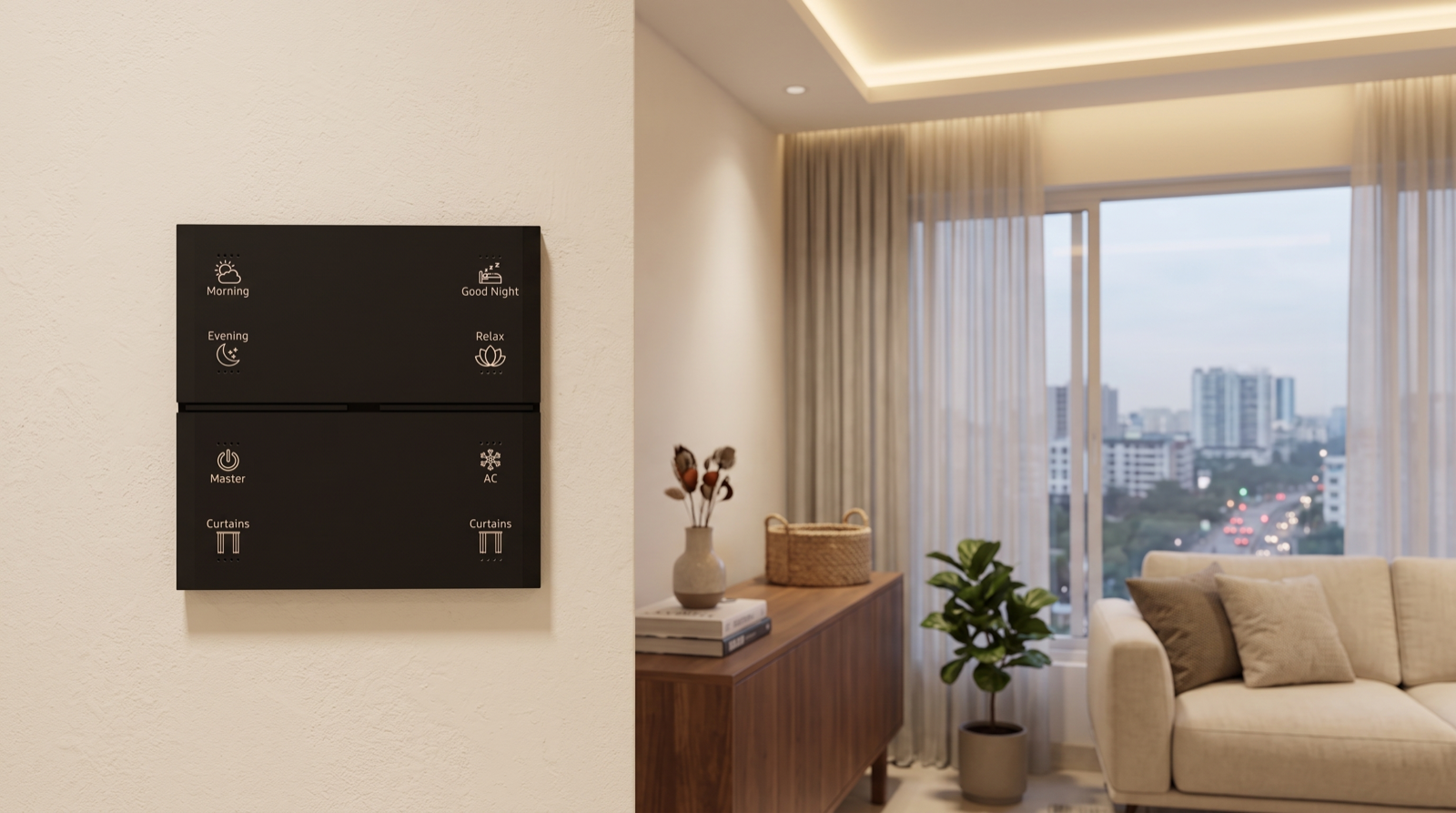
| Keypad button assignments | What each keypad button does | A button nobody uses; a scene everybody wants is only in the app | Reassign within the engraving, or plan a re-engraving |
Motion timeouts: the most common adjustment
Motion sensors detect movement, not presence. Someone reading on a sofa, standing at a counter or sitting on the toilet moves very little, and when the timeout ends the light goes off. Start points that work in many homes are about 1–2 minutes in passages and staircases, 5 minutes in a utility or store room, and 10–15 minutes in a bathroom, with study and walk-in wardrobe timeouts set from how the family uses them. Where a light keeps going off on someone, lengthen the timeout before moving the sensor; where it stays on in an empty space for too long, shorten it. Sensor-triggered home automation explains the trigger, condition and action logic these settings sit inside.
Night behaviour: tune it separately
Many complaints in the first month are about what happens after Good Night is pressed. A sensor that lifts a corridor light to full brightness at 2am is a design that has not been tuned for night. The usual fix is a time condition: between bedtime and morning, the same motion turns the corridor on at 5–10% warm white instead of the daytime level, and with a longer timeout so someone can get there and back. This is one automation with two sets of numbers, not two separate systems.
Alerts: fewer, better targeted
New owners often leave every notification on for every account. Within a fortnight, everyone has learned to ignore their phone, which defeats the point. Tuning here is mostly removal: keep the alerts that need action, send each to the person who will act, and leave routine events in the log. How to design smart home notifications and alerts covers this in detail.
A 90-day tuning plan, week by week
The best results come from a short, deliberate sequence rather than continuous changes. This is the rhythm we recommend:
| When | What to do | What not to do |
|---|---|---|
| Days 1–3 | Fix only what disrupts sleep or safety: a light that wakes someone, an automation that leaves a door area dark, an alert that fires all night. | Do not redesign scenes yet. Everyone is still learning the buttons. |
| Weeks 1–2 | Use the keypads for everything. Keep the friction log. Note which buttons nobody presses and which actions people keep doing from the app. | Do not change settings daily. You will not know which change fixed what. |
| End of week 2 | First tuning round: review the log together, batch the changes, make them in one go. Typical list: 5–15 items, mostly levels, times and timeouts. | Do not change sensor positions or keypad structure on the first pass. |
| Weeks 3–6 | Live with the changes. Check weekday versus weekend behaviour, guest visits and any work-from-home days. | Do not add new automations just because the app allows it. |
| Around week 6 | Second tuning round: smaller list. Now consider structural items: a button reassignment, an extra scene, a sensor that genuinely needs repositioning, a re-engraving. | Do not keep a setting just because the installer chose it. Change anything that still does not fit. |
| Day 90 | Write down the final settings: schedules, timeouts, alert recipients, scene levels. This becomes your baseline for seasonal changes and for any future troubleshooting. | Do not assume it is finished forever. Households and seasons change. |
The reason for batching is practical. If three people each change something on the same day and the hallway starts behaving oddly, nobody can tell which change caused it. Batching also makes it easy to undo: if the second round makes something worse, you know exactly what changed. How home automation resolves conflicts, overrides and timers explains why changing one rule can affect another.
Seasonal tuning for Hyderabad homes
Hyderabad's daylight and climate shift enough through the year that a schedule tuned in October will not be perfect in May. Across the year, sunrise and sunset each move by roughly an hour (sunrise from about 5:40am in June to about 6:50am in January), so a curtain that opens at a fixed 6:30am may open in darkness in winter and well after sunrise in summer.
| Season | What changes | What to review |
|---|---|---|
| Summer (March–June) | Early, strong sunrise; harsh west sun in the afternoon; heat | Earlier morning sheer opening; close west-facing curtains in the afternoon to cut heat gain; AC-related scenes |
| Monsoon (June–September) | Dark overcast days; sudden storms | Lower lux thresholds so sensor lighting comes on in grey daylight; daytime scene levels |
| Winter (November–February) | Later sunrise; earlier, cooler evenings | Later wake-up curtain timing; earlier outdoor and entrance lighting; warmer evening scenes |
The simplest way to reduce seasonal work is to anchor routines to sunrise and sunset rather than fixed clock times wherever it makes sense: outdoor lights, balcony lighting and evening curtain closing are the classic examples. Things tied to the family's routine, such as a weekday wake-up, should stay on the clock. How to schedule home automation with time, sunrise and sunset routines covers how to choose between the two. Even so, it is worth a ten-minute seasonal review at the start of summer, the monsoon and winter.
What not to change, and who should change what
Some settings are there for a reason that is not obvious from the app, and changing them can make a system less reliable rather than more comfortable:
- Network and gateway settings. The Zigbee channel, the gateway's position and how devices are paired are planned around your Wi-Fi and building layout. Moving the gateway or re-pairing devices to "tidy up" is a common cause of new dropouts. Why home automation becomes unreliable explains why.
- Groups. Lights that switch together are usually grouped so they respond as one. Replacing a group with a list of individual lights in a scene can make them switch one after another.
- Safety and security rules. Door-left-open alerts, entrance lighting on arrival at night and security sensor rules should only change after a conversation, not as a quick fix to a nuisance alert.
- Whole-house scenes. Master off and Good Night touch every room. A change made for one room changes the experience for everyone.
The cleanest arrangement is a clear split. The owner account makes small, single-room changes: a schedule time, a light level, an alert recipient. The installer handles anything that spans rooms, involves sensor logic, changes keypad assignments or touches security. Ask your installer at handover which changes they expect you to make yourself, and how to request the rest. That question belongs alongside the ones in best home automation companies in Hyderabad, because a company that plans for post-move-in tuning is a company that expects to support the home for years.
How Pert delivers it — a designed solution, not a DIY kit
Pert's Stella keypads, tunable and dimmable lighting, motorised curtains and smart locks, cameras and sensors work together as one Zigbee system through the Pert gateway. Because we design and install the whole system rather than selling a kit, we treat the first weeks after move-in as part of the project, not as after-sales. At handover we show the owner which settings they can comfortably change themselves, and we agree how the family will note anything that does not feel right. After the family has lived with the system, we review that list with them and make the batched changes — scene levels, schedules, sensor timeouts, curtain positions, alerts — so the home ends up behaving the way the household actually lives, rather than the way a drawing predicted. If the family changes later, with parents moving in, a new baby or a home office, the same process applies.
Planning home automation for a Hyderabad flat or villa? We design, install and tune the whole system — keypads, lighting, curtains, locks, cameras and scenes — so it fits how your family really lives, not just how it looked on handover day. Request a consultation →
Frequently asked questions
Is it normal to change smart home settings after handover?
Yes. Scenes, schedules and sensor settings are designed from a plan and a conversation, before anyone has lived in the home. Real routines are different: you wake up earlier than you said, a corridor light switches off while someone is still walking, the curtains open into the morning sun. Most well-planned homes need one or two rounds of small adjustments in the first two or three months. That is tuning, not a fault.
How long should we wait before changing automations?
Live with the system for one to two weeks before changing anything except obvious problems, such as a light that is far too bright or an automation that wakes someone up. Note every irritation with the time and room, then batch the changes. Changing settings daily makes it impossible to tell which change fixed what, and family members stop trusting a home that behaves differently every day.
Can we change scenes and schedules ourselves or do we need the installer?
Simple adjustments such as a schedule time or a light level are usually things the owner can change in the app once shown how. Changes that affect several rooms, sensor logic, keypad button assignments or whole-house scenes are better handled by the installer, because one change can have side effects elsewhere. A good arrangement is one owner account that makes small changes, and a written change request to the installer for anything bigger.
Do automations need to change with the seasons in Hyderabad?
Some do. Sunrise and sunset in Hyderabad each move by roughly an hour across the year, so fixed clock times drift against daylight. Summer afternoons bring strong west sun and heat, the monsoon brings dark daytime skies, and winter evenings fall earlier. Routines tied to sunrise and sunset adjust automatically; fixed-time curtain and lighting schedules, light-level thresholds on sensors and AC-related scenes are worth reviewing at the start of summer, the monsoon and winter.