
In this guide
- Why it matters: a system you cannot run is a liability
- Questions to ask before you sign
- The walkthrough test on your site visit
- Taking ownership on possession day
- Security and privacy: cameras, locks and cloud accounts
- What to budget time for, and red flags
- How Pert delivers it (designed, not DIY)
- Pre-purchase checklist
- FAQs
This article is part of our wider coverage of home automation in Hyderabad. If you are on the other side of the deal, selling or letting out a home with automation, read our guide on how to hand over a smart home when you sell or rent it out. This one is written for the person moving in.
Why it matters: a system you cannot run is a liability
Ordinary switches need no handover. An automated home does: behind every keypad press is a gateway, a list of paired devices, scenes, schedules and user accounts. Whoever holds the admin account decides what the house does. If that is still the previous owner, or an installer who no longer answers calls, you have bought a home you cannot fully control.
In practice, the problems buyers run into fall into three groups:
- Access problems. The previous owner, their family, old domestic staff or a past tenant can still open the smart lock with a code, see the camera feeds or switch things on remotely from the app. People usually just forget to remove themselves, but it is still a real gap.
- Control problems. You can press the keypads, but you cannot change a scene, add a family member to the app, adjust a schedule or replace a failed device, because you do not have admin rights and nobody knows the password.
- Support problems. The original installer has closed, the brand no longer sells in India, or the system relies on a cloud service that has been switched off. Parts can no longer be added or replaced to match.
None of these is a reason to walk away from a good home, only a reason to check before you agree on a price.
Questions to ask before you sign
Ask the seller or landlord these, ideally in writing, before you sign an agreement to sell or a lease.
About the installer and the system
- Who installed it, and when? Get the company name and a contact number. Call them. An installer who is still in business, recognises the address and is willing to support the new owner changes the picture completely.
- Which protocol and brand is it? Zigbee, Wi-Fi, Bluetooth mesh (SIG Mesh), wired, or a mix. One protocol through one gateway is far easier to take over than three brands with three apps.
- Where is the gateway or hub, and how is it powered? Many systems have a single gateway that runs scenes and schedules. You need to know where it is and whether it is on inverter backup.
- Is there a service contract or warranty, and does it transfer? Ask for the paperwork.
About documentation
A well-installed system should come with a set of documents. Ask for each one by name:
- Device list: every keypad, light, curtain, sensor, lock and camera, by room, with the brand and model where possible.
- Wiring and panel drawings: which circuits and MCBs feed which lights and curtains, and where any control modules sit behind panels or in the false ceiling.
- Scene and schedule list: what each keypad button does (for example, what Evening or Good Night sets in each room), and what runs at sunrise, sunset or fixed times.
- Admin credentials handover: a written commitment that on possession the admin account will be transferred to you, or the installer will do it, and all other users removed.
If the seller has none of this, ask the installer: a well-run company keeps these records and can usually send copies.
The walkthrough test on your site visit
Most buyers press one button, see a light come on and move on. Give the system twenty to thirty minutes instead, with the seller or agent present with the app, and follow this room-by-room test.
| Area or item | What to test | What a good result looks like | What to note if it fails |
|---|---|---|---|
| Every keypad | Press each button once, then press it again | Each button responds within a second or so; backlight and engraving are intact | Dead buttons, slow response, worn or wrong engraving |
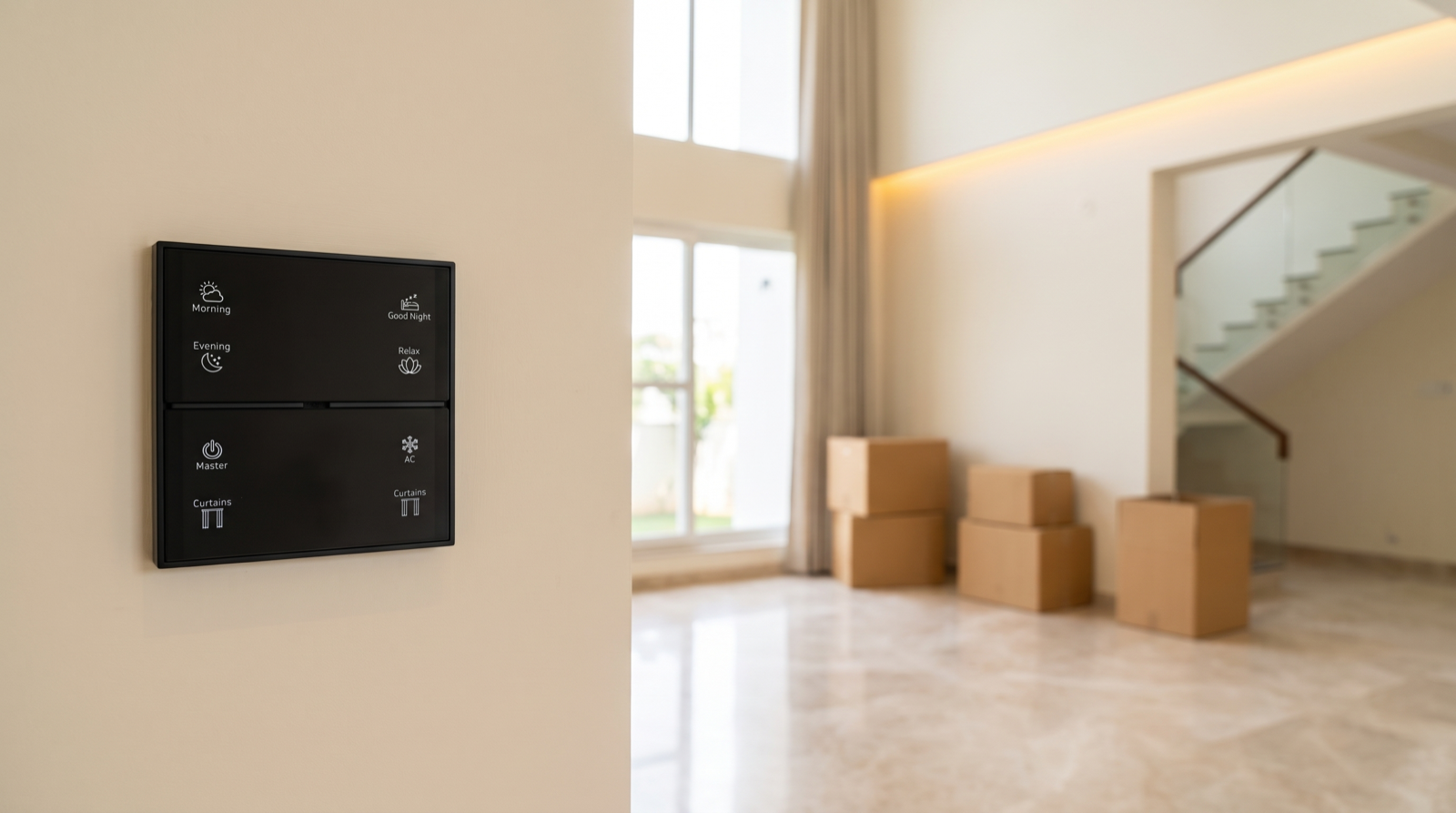
| Scenes | Press Morning, Evening, Relax and Good Night in turn | Each does what its label says, the same way every time, in the rooms it should | Labels that no longer match; scenes that do nothing or switch the wrong lights |
| Master / Leave | Press Master at the main door | All lights and ACs go off; open doors or windows are reported if sensors are fitted | Rooms that stay on; no feedback on open doors |
| Lighting | Dim each zone up and down; change colour temperature if tunable | Smooth dimming with no flicker or buzz at low levels | Flicker, humming drivers, lights that will not dim |
| Motorised curtains | Open fully, close fully, stop halfway, use the Curtains button | Smooth, quiet travel; curtain stops at both limits without straining | Jerky travel, over-running the limits, loud gears, fabric caught in the track |
| AC control | Press AC on the keypad, then change the temperature in the app | The AC responds to the keypad and the app | No response, or only works from the original remote |
| Door and motion sensors | Open a sensored door; walk past a motion sensor at night settings if possible | The event shows in the app; any linked light or alert triggers | Sensors offline, flat batteries, no events in the log |
| Smart door lock | Lock and unlock with the keypad, app and mechanical key | All methods work; the event appears in the lock log | No mechanical key available; lock offline; weak battery warning |
| Cameras | View each feed live in the app | Clear picture, recording works, you can see where footage is stored | Dead cameras, unknown cloud account, no access to recordings |
| Gateway | Ask to see it; check its location, ventilation and power source | Accessible, labelled, on a socket backed by the inverter, near the router | Hidden, unlabelled, on a switched socket, or nobody knows where it is |
| Power cut test | Turn off the MCB for one lighting circuit, wait a minute, turn it back on | Lights return to a sensible state (usually off) and keypads keep working | Every light comes on at full; devices drop off the network and need re-pairing |
| Internet off test | Ask the seller to unplug the internet router for a few minutes | Keypads, scenes and schedules keep working inside the home | Nothing responds without internet; the system is cloud-dependent |
The MCB and internet tests matter in Hyderabad, where power cuts and inverter changeovers are common. A gateway that runs scenes and schedules locally keeps the house working when the internet drops; a cloud-only system does not. For more on what the gateway actually does, see what a smart home gateway does.
Photograph the gateway, the panel board and every keypad; installers will find them useful later.
Taking ownership on possession day
Treat possession day as the moment the system becomes yours. Do it with the seller present if you can, or with the original installer or a new one. The order below matters: secure admin first, then remove everyone else.
- Transfer admin to yourself. The seller (or installer) adds you as the owner or admin in the app and on the gateway, then removes their own admin rights. Check on your own phone that you can add and remove users, edit a scene and change a schedule.
- Remove every old account. Open the user list and remove the previous owner, their family, old tenants, drivers, cooks, house-help and anyone else who no longer lives or works there. Do not assume a list is short; families often add relatives and staff over the years.
- Delete old lock codes and cards. On the smart door lock, delete every PIN, fingerprint and RFID card, then add your own. Ask for all mechanical keys and assume more copies may exist. Many buyers change the mechanical cylinder as well.
- Reset the Wi-Fi credentials on the gateway. The gateway and any Wi-Fi devices will be connected to the seller’s router. When you set up your own internet connection, move the gateway and Wi-Fi devices onto your network and make sure the old router credentials are gone.
- Change voice-assistant and integration links. Unlink the home from the previous owner’s Alexa or Google Home account, and remove any third-party integrations or shared homes in the app.
- Decide: factory reset or re-commission. See below.
- Re-check the user list a week later. Some apps show pending invitations or shared access separately. Confirm that only your household remains.
Factory reset or re-commission?
| Situation | Usual decision | Why |
|---|---|---|
| Clean admin handover, installer still supporting the system, documentation available | Keep the system; transfer ownership and remove old users | The scenes and pairings are worth keeping; you can adjust them later |
| Admin handed over, but no documentation and some scenes behave oddly | Keep pairings; have an installer audit and re-program scenes | Cheaper and faster than a full reset; fixes what you will actually notice |
| No admin access, seller unreachable, or unsure who else has control | Factory reset the gateway and re-commission | The only way to be certain no one else can control the home |
| Mixed brands, dead cloud services, several apps | Re-commission onto one system; replace unsupported devices | Keeping a patchwork going costs more over time than consolidating |
A full reset wipes every pairing, scene and schedule; in a larger villa, setting it all up again is typically a day or more of professional work. Do it when you cannot be sure who has access, not casually.
Once you are in control, set up access for your own family, staff and guests properly from the start. Our guide on managing smart home access for family, staff and guests explains how to give each person only what they need.
Security and privacy: cameras, locks and cloud accounts
The security devices need the most care, because they are the ones where leftover access has real consequences.
- Cameras. Find out which account each camera is registered to. Many cameras are tied to the original buyer’s cloud account and must be removed from it before you can add them to yours. Until that happens, assume the previous owner can still see the feed. If a camera cannot be released, disconnect it.
- Recorded footage. Ask where recordings are stored: on a memory card in the camera, on a local recorder or in a cloud subscription. Delete or format old footage once the camera is under your account, and cancel or transfer any subscription.
- Smart lock logs and alerts. Check who receives lock alerts. Lock, arming and intrusion alerts should go only to your phones; a previous owner still receiving “door unlocked” notifications knows when your family comes and goes.
- Passwords. Change every default or shared password and turn on two-factor sign-in where the app offers it.
For a wider view of how to keep an automated home secure once it is yours, read is home automation safe from hacking.
What to budget time for, and red flags
Even a well-kept system was designed around someone else’s family, so expect some time making it yours.
| Item | What is involved | Typical effort |
|---|---|---|
| Re-programming scenes | Changing what Morning, Evening, Relax and Good Night do to suit your routine, your bedrooms and your preferred light levels | Often a few hours of installer time, plus a follow-up after you have lived there a few weeks |
| Re-engraving keypads | Replacing button labels that refer to the previous family (a child’s name, a room that is now a study) | Depends on the keypad; some need new engraved faceplates ordered and fitted |
| Repairs | Replacing dead sensor batteries, failed drivers or a noisy curtain track | Varies; the walkthrough test tells you what to expect |
| Upgrades | Adding automation to rooms that were left out, more curtains, a lock or sensors | Easiest if the existing system is a single protocol with an installer who supports it |
Red flags that should change your offer
- No documentation at all, and a seller who cannot name the installer.
- No admin credentials, or a seller unwilling to commit in writing to transferring them.
- Mixed brands with several apps: one app for lights, another for curtains, a third for cameras. Each is another account to transfer and another company to depend on.
- Cloud-only devices from a company that has shut down or stopped updating its app. These may stop working without warning.
- A gateway nobody can find, or one on a wall socket that gets switched off along with the room.
- Keypads and scenes that do not match their labels, a sign the system was changed over the years without anyone keeping track.
None of these makes the home a bad buy, but value the automation accordingly and set money aside for re-commissioning or replacement. When you speak to installers about taking over a system, our guide to the best home automation companies in Hyderabad covers what to ask.
How Pert delivers it — a designed solution, not a DIY kit
Pert designs and installs complete systems — Stella keypads, tunable and dimmable lighting, motorised curtains, scene automation and security devices such as smart door locks, door and motion sensors and cameras — working together on one Zigbee network through the Pert gateway, with scenes and schedules running locally in the home. Because every project is designed and installed by us, each one is documented: the devices in every room, what each keypad button does and who holds admin access, which is what makes a home easy for the next owner to take over.
If you are buying a home with a Pert system already installed, we can help you take ownership properly: transferring admin, removing old users, re-programming scenes around your family and re-engraving keypads where needed. If it has another system or a patchwork of several, we can assess what is worth keeping.
Buying or renting a home with automation already installed? We design and install lighting, curtains, keypads, scenes and security for apartments and villas across Hyderabad, and we can help you check, take over or redesign the system you are moving into. Request a consultation →
Pre-purchase checklist
- Installer name and phone number collected, and the installer contacted
- Protocol and brand confirmed (one system or several apps?)
- Device list, wiring and panel drawings, and scene and schedule list received
- Written commitment to transfer admin credentials on possession
- Every keypad button tested; scenes match their labels
- Curtains open and close to both limits smoothly
- Lighting dims without flicker; AC responds to keypad and app
- Door and motion sensors show events in the app
- Smart lock works by code, app and mechanical key; all keys accounted for
- Cameras viewed live; storage and cloud account identified
- Gateway located, labelled and on inverter-backed power
- MCB-off test and internet-off test passed
- Red flags noted and reflected in your offer
- Possession-day plan agreed: admin transfer, old accounts and lock codes removed, gateway Wi-Fi reset, voice assistants and cameras unlinked
Frequently asked questions
Does existing home automation add value to a resale home?
It can, but only if you can take full control of it. A documented system from an installer who is still in business, with admin access handed over to you, is a genuine plus. A system with no documentation, no admin login and no one to support it is closer to a liability, because you may end up paying to re-commission or replace parts of it.
Can the previous owner still control the house after I move in?
Yes, if nobody removes their access. On possession day, transfer admin to yourself, remove every old user account and lock code, change the Wi-Fi credentials the gateway uses, unlink old voice assistants and camera accounts, and confirm in the app that only your family remains.
Should I factory reset an existing smart home system?
Not automatically. A full reset wipes every scene, schedule and pairing, so the system has to be re-commissioned from scratch. If admin access is handed over cleanly and the installer confirms no one else retains control, transferring ownership and removing old users is usually enough. Reset when admin cannot be handed over or you cannot be sure who still has access.
What are the biggest red flags in a resale smart home?
No documentation, no admin credentials, several brands each with its own app, cloud-only devices from a company that has shut down, a gateway nobody can find, and keypads or scenes that do not do what their labels say. Any of these means budgeting for re-commissioning or replacement before you agree on a price.