
In this guide
- What a builder’s smart home package typically includes
- Package item vs what it does vs what a designed system adds
- How to read the brochure and specification sheet
- Timing: the best moment to plan an upgrade
- Keep and integrate, keep alongside, or replace
- A worked example: upgrading a 3BHK
- How Pert delivers it (designed, not DIY)
- FAQs
This article is part of our wider coverage of home automation in Hyderabad. If you are still deciding how much automation a new flat needs, start with our guide to home automation for 2BHK and 3BHK flats, and if the builder’s package is mostly Wi-Fi devices, our article on upgrading from Wi-Fi smart devices to a designed system goes deeper on that path.
A note on fairness: builders are not doing anything wrong by offering a modest package. A developer has to choose one specification that works for every buyer, every floor plan and every budget in the project, and has to support it after handover. A designed system is a different kind of thing: it is planned around one family’s rooms, furniture and routine. The two can live together very well if you plan early.
What a builder’s smart home package typically includes
Every project is different, so treat this as a map of what is common rather than a description of your flat. Always check your own project’s specification. In practice, most packages in Hyderabad fall somewhere on this spectrum:
- A video door phone. Often the most useful item. It shows who is at the door and is usually connected to the society’s intercom or security desk, so guards can call the flat when a visitor or delivery arrives at the gate.
- A few Wi-Fi or touch switches. Typically in the living room, and sometimes the master bedroom. They let you turn specific lights and fans on and off from a phone app or by touch, one circuit at a time.
- A smart or digital lock on the main door. Sometimes included, sometimes an optional upgrade. It usually offers PIN, fingerprint or card entry, and in some cases app access.
- An app. Usually the device manufacturer’s app, which controls the switches and lock individually, and sometimes offers simple timers.
- A voice assistant link. Some packages mention compatibility with popular voice assistants, which normally means individual devices can be switched by voice once you connect your own account.
- Provisions only. In some projects the “smart home” line means conduits, spare wiring points, a network or data point, or a space reserved near the distribution board. These are genuinely helpful, but they are a starting point for a system, not the system itself.
What these items have in common is that they are device-level: each one does its own job, controlled one at a time. That is the main difference from a designed system, where devices are planned to work together as scenes and routines.
What packages usually do not include
Because the package must suit every flat, the parts that depend on your layout and lifestyle are usually left out. Commonly missing:
- Scenes across rooms, such as one Good Night button that switches off the whole flat, closes curtains and checks the door.
- Motorised curtains, which need a curtain pocket or track planned with the false ceiling and a power point at the right end of the window.
- Dimming and tunable white lighting, which depends on the lights and drivers your interior designer chooses.
- Scene keypads in every room, engraved with buttons that match how you live.
- Local control, meaning scenes and schedules that keep running inside the home when the internet or a cloud service is down.
- One app for everything. Packages often end up with one app for the switches, another for the lock and another for the door phone.
- Sensors and security routines, such as door sensors on balcony doors or motion-triggered path lights at night.
Package item vs what it does vs what a designed system adds
This table compares typical package items with what a designed system usually adds on top. It is not a criticism of any package; it simply shows where the gaps tend to be.
| Typical package item | What it does | What a designed system adds |
|---|---|---|
| Video door phone | Shows visitors at the door; links to the society intercom or security desk | Usually kept as is. A designed system can add a door sensor and an arrival scene that lights the foyer after sunset |
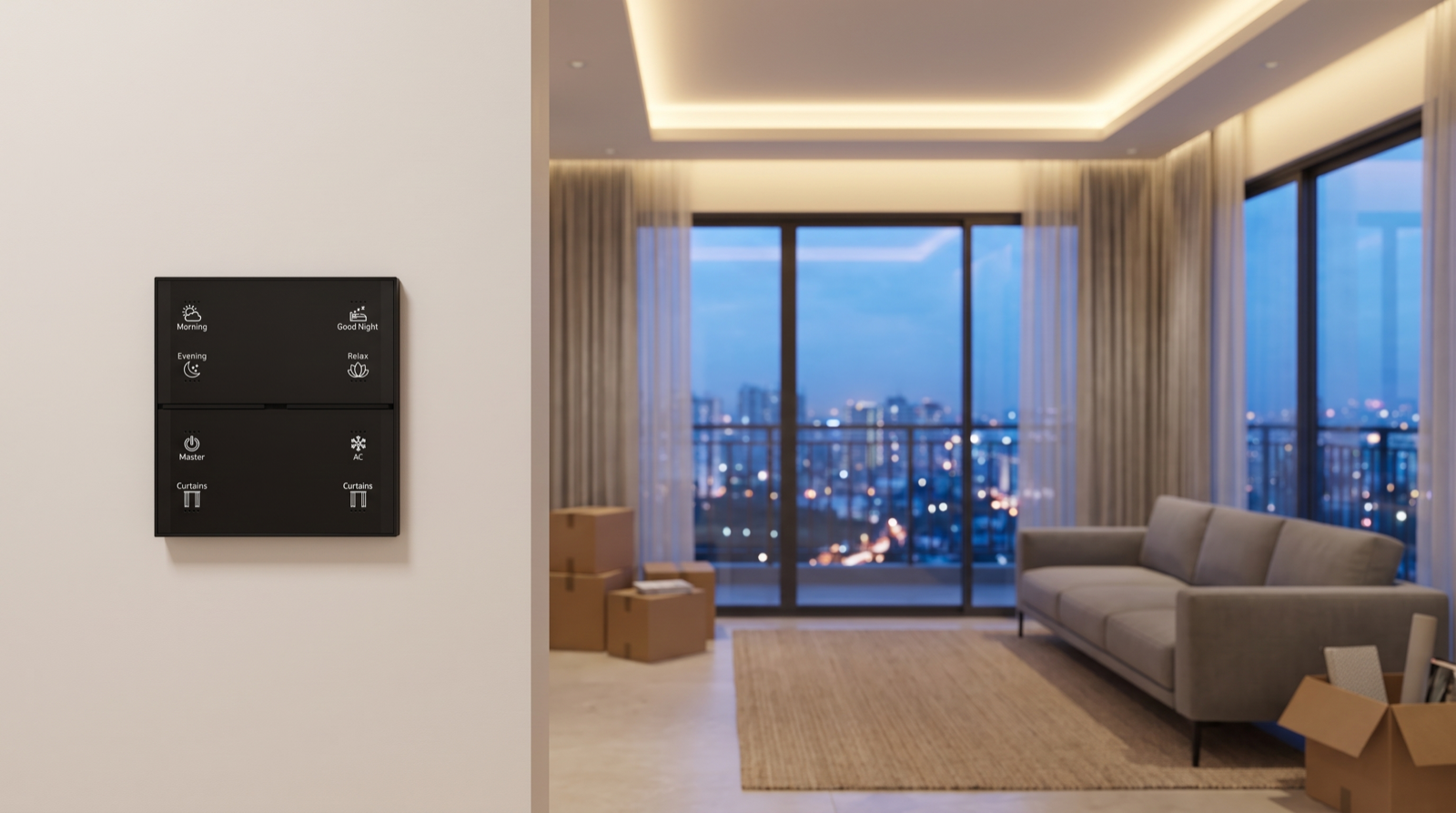
| 2–4 Wi-Fi or touch switches in the living room | On/off control of a few circuits from an app or by touch | Scenes across every room, dimming, tunable white, and Stella keypads with labelled buttons such as Morning, Evening and Relax |
| Smart or digital lock | PIN, fingerprint or card entry at the main door | A lock on the same network as the rest of the home, so Good Night can check it and Leave can report it; time-limited codes for house-help |
| Manufacturer app | Controls each device individually; simple timers | One app for lighting, curtains, keypads and security, with scenes and schedules running locally on a gateway |
| Voice assistant compatibility | Switch individual devices by voice | Voice can trigger whole scenes (“Good Night”), while keypads remain the everyday control that works for everyone, including elders and staff |
| Provisions (conduits, spare points, network point) | Space and routes for future wiring | A layout that uses those provisions: curtain power points, neutral wires at switchboards, gateway placement and keypad positions |
| Not included | — | Motorised curtains, dimmable and tunable lighting, door and motion sensors, Home, Away and Night routines |
How to read the brochure and specification sheet
Brochure language is short by necessity. Phrases such as “smart home features”, “home automation ready” or “app-controlled living” can mean very different things. The specification sheet, or the electrical section of your agreement, is where the detail lives. Here is how to read it and what to ask the builder’s customer relations or technical team.
Questions about the devices
- Which rooms and which circuits are covered? “Smart switches” might mean four circuits in the living room only. Ask for the room-by-room list.
- Which protocol do the devices use? Wi-Fi, Zigbee, Bluetooth or a proprietary system. This decides what they can work with later.
- Cloud or local? Do the switches and timers keep working when the internet is down, or does every command go through a cloud server?
- Which app, and whose account? Is the app set up in your name at handover, or managed by the builder or a facility team?
- Who supports it after handover? Ask who you call if a switch stops responding after the defects-liability period, and whether spares will be available.
Questions about removal and integration
- Can the builder’s devices be removed or replaced without affecting your warranty on the electrical work? Some projects ask you to inform them before changes.
- Can they be integrated with another system? Wi-Fi devices on a closed app usually cannot join a Zigbee network directly; a few can be linked through voice assistants only.
- Is the video door phone tied to the society intercom? If so, it should normally stay where it is.
Questions about wiring and provisions
- Is there a neutral wire at every switchboard? Most smart switches and keypad modules need one. Many modern projects run it, but older wiring practices sometimes skip it at certain boards. Ask, and if possible check during a site visit.
- How deep are the switchboard boxes, and which modular switch range is used? This decides whether retrofit modules fit behind the existing plates. Our guide to adding automation to existing modular switches explains why this matters.
- Is there a false ceiling, and who builds it? If the builder provides a false ceiling, ask whether you can specify cove lighting and curtain pockets. If not, your interior designer will plan it.
- Are there power points near the windows? Motorised curtains need a point at the top corner of each window, usually hidden in the pocket.
- Where is the network point? A gateway works best near the centre of the flat, connected to the router; a data point in the living room or a central passage helps.
- Are the inverter circuits marked? In Hyderabad, power cuts are common, so it helps to know which lights and points run on backup and whether the gateway and router can be on that circuit.
Write the answers down. They also make it far easier to compare proposals later, because each company will be quoting against the same facts. Our guide to reading a home automation quotation shows what to look for once proposals arrive.
Timing: the best moment to plan an upgrade
The single biggest factor in how smoothly an upgrade goes is when you plan it. Automation touches wiring, switchboards, false ceilings and curtain tracks, and each of those is cheapest and cleanest to change before it is finished.
| Stage | What is still easy to change | What to do |
|---|---|---|
| Under construction, customisation window open | Switchboard positions, extra points, neutral wires, curtain power points, sometimes ceiling provisions | Get an automation layout drawn now and submit electrical changes through the builder’s customisation process before the deadline |
| Near possession, before interiors | False ceiling, cove lighting, curtain pockets, light fittings and drivers, keypad positions | Plan automation together with your interior designer so the ceiling and lighting plan already allow for it |
| During interiors | Lighting choice and curtain tracks if the ceiling is still open | Coordinate dates so the automation installer visits before the ceiling is closed and painted |
| After moving in | Switchboard modules, keypads, plug-in devices, wireless sensors | Still very possible with retrofit modules and wireless devices, but ceiling and curtain-pocket changes become harder |
If your builder offers a customisation window, ask for its closing date early; these windows are often tied to a construction stage and can close months before handover. If there is no window, the gap between possession and the start of interiors is your best opportunity. A useful rule: book the automation consultation at the same time as your first interior design meeting, not after it.
Keep and integrate, keep alongside, or replace
Once you know exactly what the package contains, there are three broad ways forward. Many homes end up with a mix: one approach for the door phone, another for the living-room switches.
| Option | What it means | Pros | Cons |
|---|---|---|---|
| Keep and integrate | Builder devices stay and are linked into the new system where their protocol allows | Nothing wasted; least disruption; the builder’s support arrangement stays in place | Often only possible for some devices; integrations through voice or cloud links can be slower and stop working when the internet is down |
| Keep alongside | Builder devices stay as they are, and the designed system covers other rooms or functions | Simple; works well for the door phone and for rooms with light use | Two apps; builder switches cannot join scenes, so Good Night may not reach every light |
| Replace | Builder switches in key rooms are swapped for keypads and modules on one network | One network, one app, scenes that reach every room, local control | Builder devices become spares; check any conditions in your handover documents first |
A sensible default for many flats: keep the video door phone, keep or integrate the smart lock if it can join the same network, and replace or supplement the living-room Wi-Fi switches if that is where you want scenes, dimming and curtains. Bedrooms and bathrooms can be added to the designed system or left manual, depending on how much the family uses them.
A worked example: upgrading a 3BHK
The home: a 3BHK on the 18th floor of a new gated community in west Hyderabad. The specification sheet lists a video door phone linked to the security desk, four Wi-Fi touch switches in the living room, a digital lock on the main door and a network point in the living room. The flat is two months from possession. The family is two working parents, a teenager, a grandparent who is home all day, and a house-help who comes in the mornings. The living room has floor-to-ceiling glass facing west.
Step 1: check the facts
On the site visit, the installer confirms neutral wires at the living and bedroom switchboards, notes that one bedroom board lacks a neutral (the builder’s electrician can add it during the customisation window), and finds the Wi-Fi switches work only through the manufacturer’s cloud app.
Step 2: decide keep, integrate or replace
- Video door phone: keep. It is the society’s link to the gate.
- Digital lock: keep for now; replace with a smart door lock on the same network only if the family wants Good Night to check it and time-limited codes for the house-help.
- Living-room Wi-Fi switches: replace with a Stella keypad and switch modules, because the living room is where scenes, dimming and curtains matter most. The removed switches are handed back to the family as spares.
Step 3: plan with the interiors
- Cove lighting and dimmable downlights in the living and dining area, chosen with the interior designer so the drivers suit dimming and tunable white.
- Curtain pockets in the false ceiling along the west glass and in the master bedroom, with a power point at one end of each window.
- The gateway placed near the living-room network point, on an inverter-backed circuit along with the router.
Step 4: the finished layout
| Room | Builder package | After the upgrade |
|---|---|---|
| Main door | Video door phone, digital lock | Door phone kept; door sensor added; Stella keypad with Master (Leave) and Good Night |
| Living and dining | Four Wi-Fi touch switches | Stella keypad (Morning, Evening, Relax, AC, Curtains); dimmable and tunable lighting; motorised sheer and blackout curtains on the west glass |
| Master bedroom | Standard switches | Bedside keypad (Good Night, Curtains, AC); motorised curtains; wake-up lighting fade |
| Grandparent’s bedroom | Standard switches | Switch modules behind existing plates; motion-triggered low path light to the bathroom at night |
| Teenager’s bedroom | Standard switches | Left mostly manual; included in the Good Night and Master scenes |
| Balcony | Standard switch | Balcony door sensor; light on at sunset and off at a set time |
The result is one Zigbee network, one app and one set of scenes. The afternoon curtains close against the west sun on their own, Good Night switches off the whole flat and reports an open balcony door, and the grandparent never has to touch a phone. The builder’s door phone keeps doing the job it was chosen for. Because the work was planned two months before possession, nothing had to be broken out of a finished ceiling.
If you are comparing installers for an upgrade like this, our guide to the best home automation companies in Hyderabad lists the questions worth asking each one.
How Pert delivers it — a designed solution, not a DIY kit
Pert designs and installs complete systems — Stella keypads, tunable and dimmable lighting, motorised curtains, scene automation and security devices — working together on one Zigbee network through the Pert gateway, with scenes and schedules running locally in the home. For a new apartment, we start with your builder’s specification sheet and floor plan, visit the site where possible, and tell you plainly which package items to keep, which can work alongside the new system and which are worth replacing. We then plan the layout with your interior designer, so curtain pockets, cove lighting, neutral wires and keypad positions are agreed before the ceiling closes. We engrave the keypads to match your routine, program and test every scene on site, and tune timings with you after you have lived in the flat for a few weeks.
Got the specification sheet for your new flat? Send it to us before your interiors begin and we will help you work out what to keep, what to add and when to plan it, for apartments and villas across Hyderabad. Request a consultation →
Frequently asked questions
What does a builder’s smart home package usually include?
It varies by project, so always check your own specification sheet. Typically it covers a video door phone linked to the society’s intercom or security desk, a few Wi-Fi or touch switches in the living room or master bedroom, sometimes a digital or smart lock, and an app for those devices. Some projects offer only provisions, such as conduits, extra points or a network point, rather than finished smart devices.
What do builder smart home packages usually leave out?
Because packages are uniform across hundreds of flats, they usually do not include scenes across several rooms, motorised curtains, dimming or tunable white lighting, scene keypads in every room, local control that keeps working without the internet, or one app for everything. Those depend on your layout and routine, which a builder cannot know in advance.
When is the best time to upgrade a builder’s smart home package?
Before possession and before interiors start, when wiring changes, cove lighting and curtain pockets can be planned once without breaking finished walls or ceilings. If your builder offers a customisation window for electrical changes, plan the automation layout before it closes.
Should I remove the builder’s smart devices or keep them?
Not necessarily. The video door phone is usually tied to the society’s intercom and is best kept. A few Wi-Fi switches can often stay alongside a designed system in lightly used rooms. Replacement makes sense where the builder’s switches sit in rooms where you want scenes, dimming or curtains, because a designed system works best when the main rooms share one network.