
In this guide
- A smart home is not one thing: the layers that age differently
- Part by part: what wears, typical life and warning signs
- What actually ends a system’s life (it is rarely the hardware)
- Why open standards help: Zigbee, and what Matter changes
- What makes a system last longer
- Planning upgrades in stages, not all at once
- A 10-year maintenance timeline
- How Pert delivers it (designed, not DIY)
- FAQs
This article is part of our wider coverage of home automation in Hyderabad. It sits alongside our more detailed explainers on how firmware updates work, battery-powered sensors, locks and low-battery alerts and what happens when a single device fails. Read this one for the long view; go to those for the detail.
A note on the numbers: every range below is a general industry figure, not a promise for any particular product. Real life depends heavily on heat, dust, humidity, power quality and how often something is used.
A smart home is not one thing: the layers that age differently
It helps to picture a home automation system as a stack. The lower layers are built into the house and change slowly; the upper layers are software and change quickly.
- The building layer: concealed wiring, conduits, back boxes, the neutral wire at each switch point, and the control panel or DB space. Designed once, expected to last for the life of the interiors.
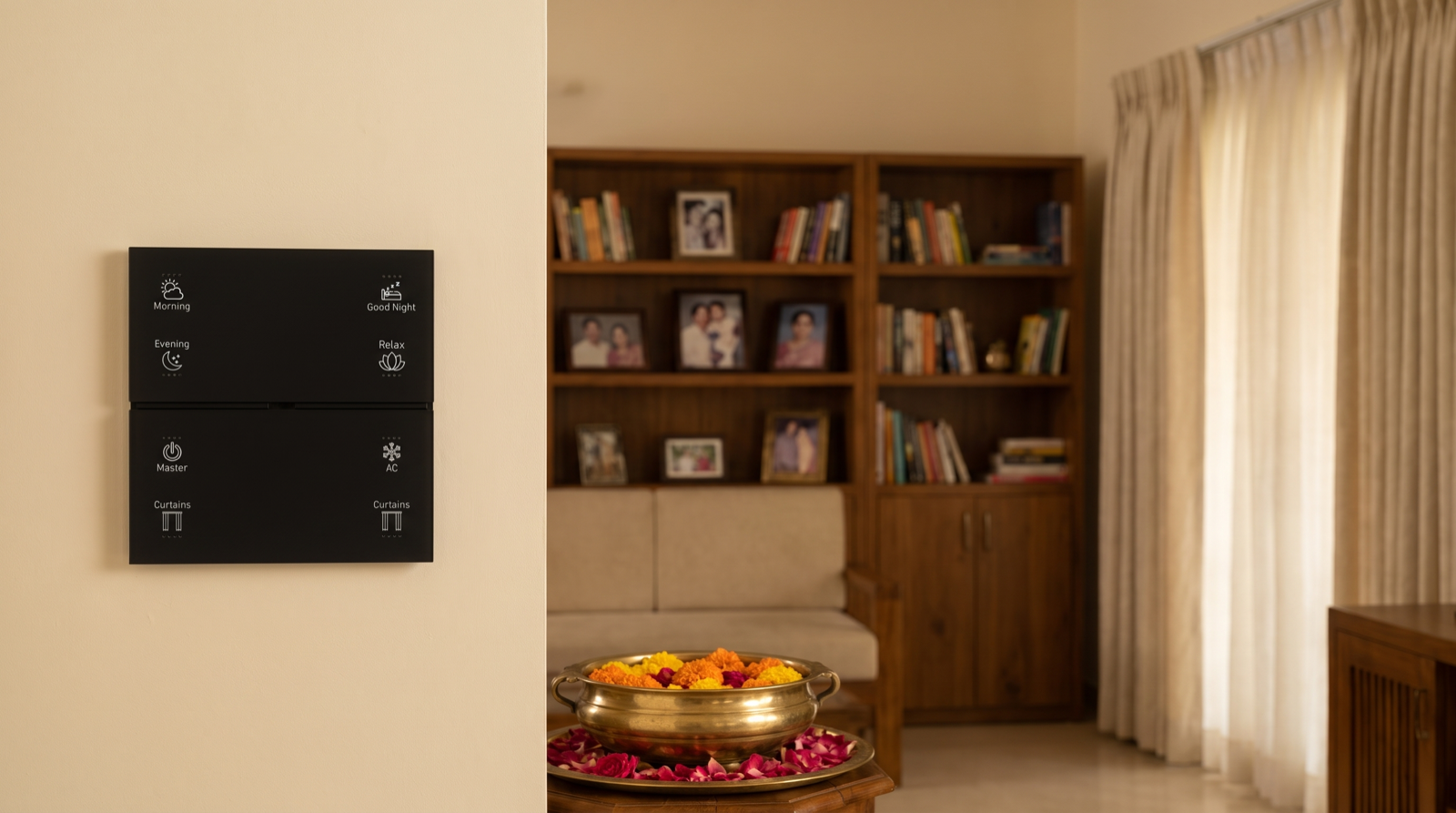
- The fixed-device layer: Stella wall keypads, LED drivers and tunable and dimmable lighting, and motorised curtain tracks and drives. These are hard-wired or mounted and are used every day.
- The battery-device layer: door and motion sensors and the smart door lock. Easy to swap, but they need regular battery changes.
- The network layer: the Zigbee mesh and the Pert gateway that runs scenes and schedules locally.
- The software layer: device firmware, the gateway software, the app, any cloud service for remote access, and voice-assistant links.
- The phone layer: the family’s phones and their operating systems, which typically change every two to four years.
The practical lesson: you never “replace the smart home”. You maintain the slow layers and refresh the fast ones.
Part by part: what wears, typical life and warning signs
The table below summarises each component. Treat the life ranges as typical, hedged figures; individual products and conditions vary widely.
| Component | What wears or dates it | Typical life (general range) | Signs it needs attention |
|---|---|---|---|
| Concealed wiring and conduits | Loose terminations, overheated joints, damp in walls during the monsoon, rodent damage in open ceilings | Usually decades, often the life of the building if done to a good standard | Warm or discoloured switch plates, a burning smell, tripping on one circuit, flicker that follows a circuit rather than one fitting |
| Wall keypads | Wear on the most-pressed buttons, fading backlight, outdated engraving after a room changes use, style going out of fashion | Often 10 years or more of daily use; the look may date before the electronics do | A button that needs a second press, uneven backlighting, a label that no longer matches what the button does |
| LED drivers | Heat ageing of internal components, especially in closed false ceilings; voltage spikes and surges | Commonly many years; heat is the main thing that shortens it, so a cool, ventilated driver can last far longer than one packed against a hot slab | Flicker at low dim levels, a buzz, a slow or delayed turn-on, one zone failing after a power cut |
| LED fixtures (COB, track, spot) | Gradual loss of brightness, slight colour shift over time, dust on lenses and reflectors | The LED itself often outlasts its driver; light output fades slowly over many years rather than failing suddenly | One fitting visibly dimmer or a different shade of white than its neighbours |
| Curtain drives and tracks | Dust and grit in the track, belt or gear wear, end-stop drift, heavy blackout fabric adding load | Often around 7–12 years depending on curtain weight and how many times a day it moves | Louder running, stopping short of the end, jerky movement, the curtain not meeting in the middle |
| Door and motion sensors | Coin-cell batteries, adhesive pads loosening in humidity, misaligned magnets on doors that sag | Coin cells often 1–2 years; the sensor itself typically many years longer | Low-battery alert, missed events, a door showing “open” when it is closed |
| Smart door lock | Batteries, mechanical wear on the latch, dust in the keypad or fingerprint reader | Batteries often 6–12 months depending on use; the mechanism typically many years with care | Slower response, repeated low-battery warnings, the bolt catching on the strike plate |
| Cameras | Sun and monsoon exposure on outdoor units, firmware and security support ending | Hardware often several years; the practical end is usually when security updates stop | Blurry night image, dropped connections, no firmware update for a long time |
| Gateway | Software support window, new standards, storage and memory limits as the home grows | Hardware can run for many years; practical life is usually set by how long the software is supported | Slow app response, devices dropping off after updates, no new features or fixes for a long time |
| App and cloud service | Phone OS changes, service changes, the vendor’s business decisions | Changes every year; depends entirely on the vendor continuing to support it | App no longer in the store, login or remote access failing, warnings about unsupported versions |
| Family phones | Normal replacement cycle, OS upgrades | Typically replaced every 2–4 years | A new phone that cannot install the app, or an old one that no longer gets OS updates |
Two patterns stand out: parts that live in heat (drivers) or on batteries (sensors) need the most attention, and almost every row near the bottom of the table is limited by software support, not by something physically breaking.
What actually ends a system’s life (it is rarely the hardware)
When a smart home is torn out after six or eight years, it is seldom because every device failed. More often, working hardware is stranded by something around it.
| What goes wrong | What it looks like in the home | How to reduce the risk |
|---|---|---|
| End of software support | The app stops updating, then stops working on new phones; remote access fails | Prefer systems where scenes and schedules run locally on the gateway, so daily control does not depend on the app or cloud |
| Protocol obsolescence | A closed, single-brand radio that no new device can join; replacements are no longer made | Choose an open, widely used standard such as Zigbee, which many manufacturers support |
| The company shuts down or exits | No spare parts, no support line, no one who knows how the system was set up | Work with an installer with a local support presence, and keep your own documentation and backups |
| No documentation | Nobody knows which driver feeds which circuit, what each keypad button does, or how to re-pair a device | Insist on a handover file: drawings, device list, scene list, panel photos and a configuration backup |
Notice that none of these is solved by buying a more expensive device. They are solved by design decisions made before installation and by a support relationship after it. Our guide to home automation maintenance and support in Hyderabad covers what that relationship should include.
Why open standards help: Zigbee, and what Matter changes
A system built on an open standard has more ways to survive the next decade than one built on a private protocol.
- Zigbee is mature and widely supported. It has been used in lighting, sensors and curtain control for many years, and many manufacturers make compatible devices. That means a replacement sensor or keypad is far more likely to be available years later than with a one-brand radio.
- Local control protects against cloud changes. When the gateway runs scenes and schedules inside the home, the Morning, Evening and Good Night buttons keep working even if an internet service changes or disappears. Only remote access and alerts depend on the outside connection.
- Matter changes the outside connections, not the whole house. Matter is an industry standard that lets devices and ecosystems such as Apple Home, Google Home and Amazon Alexa work together. It is commonly reached through a bridge or gateway that exposes existing devices, so a working Zigbee system does not usually need to be replaced to benefit.
What makes a system last longer
Most of what extends a system’s life is decided at design and installation. Here is a checklist worth asking any installer about.
- Drivers with headroom. A driver running close to its maximum rating runs hotter and ages faster. Sizing drivers with spare capacity, rather than exactly to the load, is one of the cheapest ways to add years.
- Ventilation where electronics live. Drivers and controllers in a closed false ceiling directly under a sun-baked roof slab face Hyderabad’s summer heat. Access panels, airflow and not burying drivers in insulation all help. A control panel should have space and airflow, not be packed into a sealed cupboard.
- Surge protection and clean power. Monsoon storms, grid switching and inverter or DG changeovers can send spikes through the wiring. A suitable surge protection device at the DB, and sensible inverter changeover, protect drivers and the gateway.
- Firmware kept current, carefully. Updates fix bugs and security issues, but they should be applied in a planned way, not the night before a family function. Our firmware update guide explains when to install and when to wait.
- Batteries on a schedule. Replacing sensor coin cells and lock batteries on a routine, rather than waiting for each alert, avoids the slow drift of missed events.
- Documentation and backups. A handover file with drawings, device lists, scene definitions and a gateway configuration backup means any competent technician can understand the system years later.
- A support relationship. A local team that knows your home, keeps your records and can visit is the single biggest factor in whether a system is maintained or abandoned.
Planning upgrades in stages, not all at once
A well-planned system is refreshed piece by piece. Because the layers age differently, you can match each upgrade to the layer that needs it.
- Keep the building layer. Good wiring, conduits, back boxes and neutral wires are the foundation. If they were done well, they rarely need touching. This is why spare conduits and switch points are worth adding at construction, even if you automate later.
- Refresh software continuously. Firmware, gateway software and the app should move forward in small steps every year, so you never face one giant jump.
- Replace consumables routinely. Batteries every year or two, worn curtain belts or end-stops as needed.
- Replace the hardest-working fixed devices selectively. The curtain in the sunniest room, the driver in the hottest ceiling, the keypad by the main door. Replace what has aged, not everything of the same type.
- Review the gateway against current standards. Around the eight-to-ten-year mark, check whether the gateway still receives updates and supports the ecosystems you want. Upgrading the gateway can often bring an older device network forward without touching the walls.
- Refresh the look when interiors change. If you renovate, re-engrave or restyle keypads and re-program scenes for the new layout rather than ripping out the system.
A 10-year maintenance timeline
Here is a practical outline for a typical apartment or villa. Timings are indicative; your installer should adjust them to your home.
| When | What to do | Why it matters |
|---|---|---|
| Year 1 | Tuning visit after the first few months: adjust scene levels, schedules and sunrise/sunset offsets; confirm power-return settings; check the handover file and configuration backup are complete; replace any early failures | Most early issues show up in the first months; a family’s routine settles, and the system should be tuned to it |
| Years 2–3 | Replace sensor coin cells and lock batteries; review and apply firmware updates; clean curtain tracks before the monsoon; test door and motion sensors; check phones can still run the app | This is when the first batteries run down and the first phone changes happen |
| Year 5 | Health check: inspect the control panel and DB for heat and loose terminations; check drivers in the hottest ceilings for flicker or buzz; service curtain tracks and recalibrate end-stops; check the Zigbee mesh for weak spots; confirm the gateway still receives updates; refresh the backup | Heat-stressed parts start to show their age; catching them early avoids surprise failures |
| Years 8–10 | Plan selective replacement of the most-used curtain drives, the oldest or hottest drivers and any worn keypads; review the gateway and app against current standards such as Matter; re-engrave keypads and re-program scenes if rooms have changed; update the documentation | This is the decision point for the next decade: refresh the parts that have aged, keep the wiring and the rest |
Between milestones the routine is light: change batteries when alerts come and call your installer if something starts behaving differently.
If you are comparing installers, ask each one what this timeline looks like for their system, who keeps your documentation and how long they have been supporting homes locally. Our guide to the best home automation companies in Hyderabad lists more questions worth asking.
How Pert delivers it — a designed solution, not a DIY kit
Pert designs and installs complete systems — Stella keypads, tunable and dimmable lighting, motorised curtains, scene automation and security devices — working together on one Zigbee network through the Pert gateway, with scenes and schedules running locally in the home. Longevity is a design decision, not something you can add after buying devices online. We plan wiring and conduits with room to grow, size and place lighting drivers with heat in mind, lay out the control panel so it can be serviced, and set power-return behaviour circuit by circuit. At handover we document what was installed and how it was programmed, and we stay available afterwards to tune scenes, help with batteries and firmware, and plan upgrades in stages as your home and the technology change.
Planning a system you will still be happy with in ten years? We design and install lighting, curtains, keypads, scenes and security for apartments and villas across Hyderabad, built on an open Zigbee network with local control and proper documentation. Request a consultation →
Frequently asked questions
How long does a home automation system last?
There is no single number, because the system is several layers that age at different speeds. Concealed wiring typically lasts for decades. Keypads, lighting and curtain tracks often give many years of service, commonly around 8 to 15 years depending on heat, dust and use. Sensor coin cells are often replaced every 1 to 2 years. The gateway and app are usually limited by software support rather than hardware. A well-designed, documented system on an open standard can be kept running for 15 years or more by replacing parts in stages.
What usually ends a smart home system’s life?
More often than a hardware failure, it is something around the hardware: the app or cloud service stops being supported, the phone operating system moves on, a closed protocol means nothing else can talk to the devices, the company shuts down, or nobody kept a record of how the system was set up. Open standards, local control and good documentation guard against all of these.
Will Matter make my existing Zigbee system obsolete?
Not in general. Matter is a common language for devices and platforms such as Apple, Google and Amazon to work together, and it is commonly reached through a bridge or gateway rather than by replacing every device. Zigbee remains a widely used, mature standard for lights, sensors and curtains. Matter mostly changes how a system connects to outside ecosystems in future.
How much maintenance does a home automation system need?
Less than most people expect, but not zero. Expect a tuning visit in the first year, battery changes and a firmware review every year or two, a health check of the panel, drivers, curtain tracks and gateway around year five, and selective replacement plus a gateway and app review between years eight and ten.