
In this guide
- Why a smart home is different for tradespeople
- Trade by trade: the risks and what to tell them
- What happens when an MCB goes off and comes back on
- Before work starts: a checklist and a note for the DB
- If something stops working afterwards
- When to bring the installer in
- How Pert delivers it (designed, not DIY)
- FAQs
This article is part of our wider coverage of home automation in Hyderabad. It is written for homeowners but plain enough to forward to a contractor. If a device has already failed and you want to know how replacement works, read what happens when a smart home device fails alongside this one.
Why a smart home is different for tradespeople
To a tradesperson walking in for the first time, a smart home looks like any other: switches on the wall, lights in the ceiling, curtains on a track. The differences are behind the wall and above the ceiling, exactly where ordinary work happens.
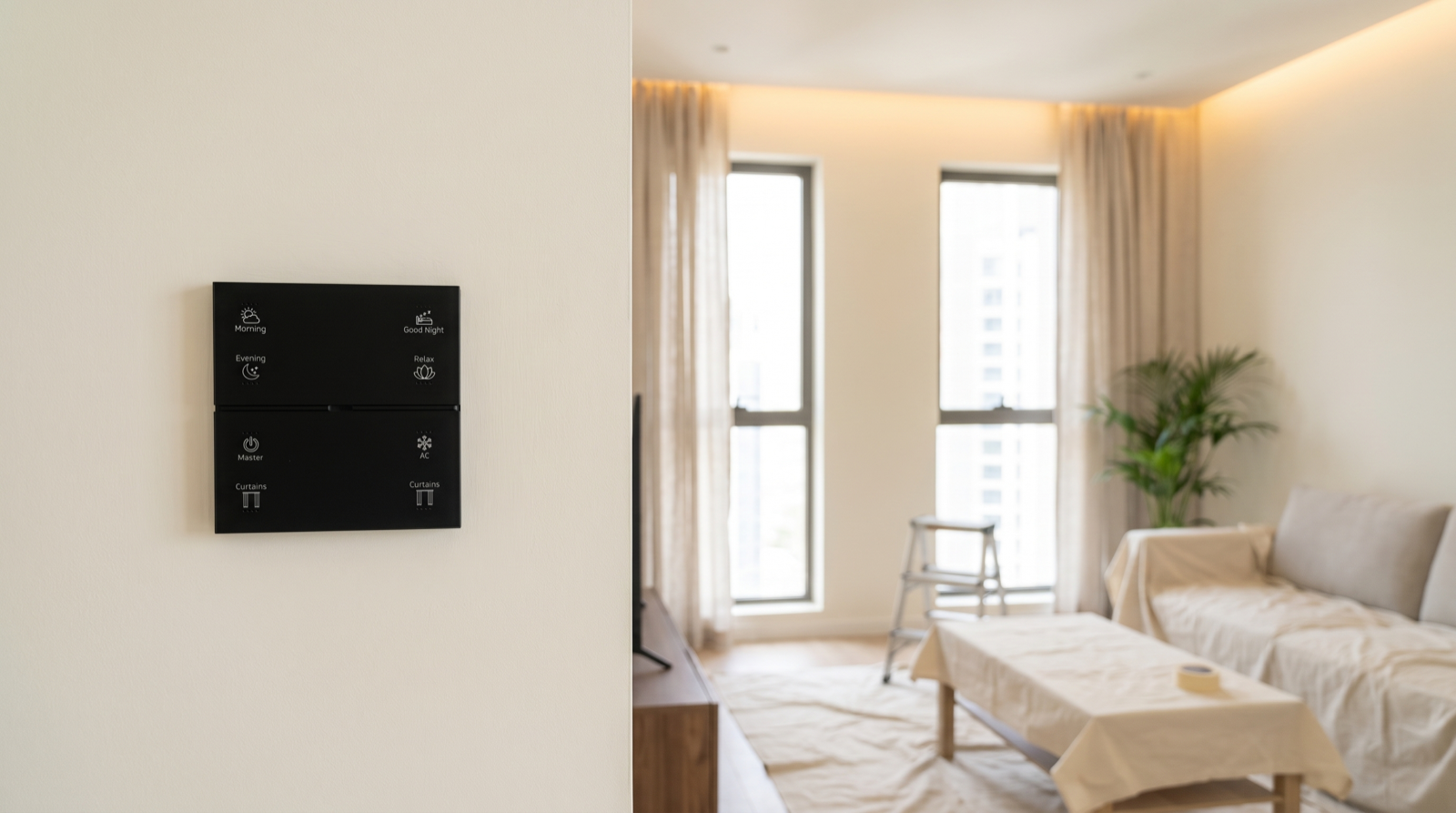
- Keypads are not plain switches. A Stella keypad is a small powered electronic device with its own wiring, configuration and a place on the home’s wireless network. A button labelled Evening or Good Night may control eight lights, two curtains and an AC in different rooms. Swap it for a regular switch and the circuit may still work, but every scene that depended on it disappears.
- Neutral and load wiring matter. Smart keypads and lighting modules usually need a neutral and a set order of line, load and neutral. “Tidying up” the box, borrowing its neutral for a new socket or swapping line and load can stop a device working or damage it.
- Zigbee devices relay for each other. Mains-powered keypads and modules pass messages along for devices further from the Pert gateway. Switching off one circuit for a day can leave a door sensor two rooms away unable to reach the gateway.
- Curtain motors have set limits. Each motorised curtain is commissioned with open and closed limits. Shifting a bracket, changing the fabric or forcing the curtain by hand can throw them off, so it stops short or strains at the end.
- Lighting channels are sized and set. A dimmer channel feeding dimmable or tunable lights is chosen for that load and driver. “Just one more light” on the same wire can cause flicker or overheating, and it will not be in any scene.
- The gateway needs power. It runs scenes and schedules locally. Unplugging its socket strip to run a drill takes the system’s brain offline.
None of this stops other trades working in your home. They just need ten minutes of briefing and a clear line between their job and the installer’s.
Trade by trade: the risks and what to tell them
Share this table with the contractor before work begins. The right-hand column is the instruction.
| Trade | Typical risk to the automation | What to tell them |
|---|---|---|
| Electrician | Swapping a keypad for a normal switch; using a keypad’s neutral for a new point; turning off circuits that feed keypads or the gateway for hours; adding a light to a dimmer channel; mislabelled MCBs | Never remove or replace a keypad or rewire its box. Ask before switching off circuits marked keypads, automation or gateway, and switch them back on soon. No new loads on lighting circuits without the installer. Label any MCB you touch. |
| Painter | Paint or putty on glass keypads and in the gap around them; paint over motion-sensor lenses; paint on curtain tracks; keypads pulled off the wall to paint behind them | Do not remove keypads or sensors; mask them with low-tack tape and paper. Keep paint off glass, sensor lenses and curtain tracks. Dust-sheet the curtains and gateway. If anything must come off the wall, wait for the installer. |
| Carpenter | Screwing through a pelmet into a curtain track or cable run; blocking access to curtain motors; building wardrobes or panelling over the control panel or a junction box; cutting into walls where keypad cables run | Ask before drilling near pelmets, keypads or ceiling lights. Keep the curtain motor end of each track reachable. Never box in the panel, DB or a junction box; leave a removable panel. Check the wiring layout before drilling. |
| False-ceiling worker | Covering lighting drivers and modules with fixed gypsum; crushing or cutting cables in the ceiling; sealing curtain pockets so the motor cannot be reached; moving downlight positions | Every driver and module above the ceiling needs an access point. Do not seal curtain pockets. Do not move or reconnect lighting points; leave unknown cables for the installer. |
| AC technician | Moving the indoor unit or mounting it where the IR blaster cannot see it; replacing the AC with a new brand or model; switching off the AC circuit at the DB and leaving it off | Keep a clear line of sight from the IR blaster to the AC. If the unit is replaced or moved, the installer must update the AC remote codes, or the AC button may misbehave. Switch the AC MCB back on. |
| Cleaning or deep-cleaning crew | Spraying cleaner directly onto glass keypads or into sensors; wet cloths dripping into the keypad edge; pulling curtains by hand along the track; unplugging the gateway to plug in a machine | Wipe glass keypads with a dry or barely damp microfibre cloth; never spray onto the keypad or into sensors and cameras. Use the Curtains button, not hands. Never unplug the gateway or router. |
| Pest control | Spraying near keypads, sensors and cameras; furniture left blocking sensors | Keep sprays away from keypads, sensors and lenses. Put furniture back so sensors are not blocked. |
Some mistakes show up at once, like a curtain that no longer moves; others days later, like an evening scene that skips one light. Test a few buttons the evening after any work, while the tradesperson can still be reached.
A word on carpenters and curtain pelmets
A common carpentry problem is a pelmet built with no access to the curtain motor at one end of the track, so a simple service later means breaking laminate. Before new woodwork near windows, see our guide on planning curtain pelmets and ceiling pockets for typical depths and access details.
What happens when an MCB goes off and comes back on
Homeowners often worry that switching off a circuit at the distribution board will “erase” the smart home. It will not. Here is what typically happens in a Zigbee system like the one Pert installs.
| Situation | What happens | What you should do |
|---|---|---|
| One lighting or keypad circuit off for a few minutes | That circuit goes dark; a few devices elsewhere may briefly lose their route to the gateway. | Nothing. Devices rejoin on their own within a few minutes. |
| Main MCB off for a few hours | Everything goes off, including the gateway unless it is on an inverter. Scenes, schedules and pairings are stored, so nothing is lost. | Allow 10–15 minutes for the network to settle before testing. |
| Power returns at night | Each light goes to the power-on state chosen at commissioning, which is usually off, so rooms do not light up at 3am. | Nothing, unless you want a different behaviour; that is a setting the installer can change. |
| Curtains during a power cut | Curtains stop where they are and stay there. They do not reopen or close by themselves when power returns. | Use the keypad or app once power is back. Avoid dragging them by hand repeatedly. |
| Gateway circuit off for a day or more | Scenes across rooms, schedules and sensor rules pause until the gateway is back. | Keep the gateway powered, ideally on the inverter circuit. |
The rule of thumb is simple: power off and on is safe; resetting is not. A factory reset or a hurried re-pairing by someone without the original configuration can remove a device from every scene it belonged to. Our guide to electrical safety and power protection for a smart home covers surge protection, inverter circuits and how the DB is typically arranged.
Before work starts: a checklist and a note for the DB
Ten minutes before work starts saves hours later. Go through this with the tradesperson.
- Walk them through the rooms they will work in. Point out every keypad, sensor, camera, curtain track and the gateway.
- Show them the DB. Point to the MCBs for keypads, lighting modules, curtains and the gateway. Check the labels are still readable; relabel with a marker if needed.
- Agree what is off-limits. No opening keypads, no new loads on lighting circuits, no moving cables, no unplugging the gateway or router.
- Protect before work, not after. Masking on keypads and sensors, dust sheets over curtains and the gateway, before any sanding, painting or drilling begins.
- Plan for power cuts. If circuits must go off, agree the time and duration. Ask that the gateway circuit stays on if at all possible.
- Note the installer’s number. If the tradesperson finds a cable or device they are unsure about, they should stop and call, not guess.
- Test afterwards. Press Morning, Evening, Good Night and Curtains once each, walk past a motion sensor and open a sensed door. Do it the same day.
The one-page note to tape inside the DB
Electricians always open the DB, so put a short note there. Adjust this for your home and keep it in a plastic sleeve.
| THIS HOME HAS A SMART HOME SYSTEM — PLEASE READ BEFORE WORK | |
|---|---|
| Do not | Replace any wall keypad with a normal switch. Open or rewire keypad boxes. Add lights or sockets to existing lighting circuits. Factory-reset or re-pair any device. |
| Circuits to ask about first | Keypads / lighting modules: MCB no. ___ Curtains: MCB no. ___ Gateway and router: MCB no. ___ |
| If you switch off a circuit | Tell the homeowner, switch it back on when done, and wait 10–15 minutes before testing. |
| If something stops working | Stop. Do not try to fix the automation. Call the installer: name ________ phone ________ |
| Installed on | __________ System: Zigbee keypads, lighting, curtains and sensors through one gateway |
Keep the wiring layout and keypad schedule from your handover pack in the same place, or on your phone.
If something stops working afterwards
Even with a good briefing, things occasionally go wrong. Check in this order; the wrong first step can turn a five-minute fix into a full reconfiguration.
- Check which circuit. Look at the DB. Is any MCB still off or tripped? Was the circuit for that room or for the gateway switched off during the work? Switch it back on if it is safe to do so.
- Wait 10–15 minutes. Give the gateway time to restart and devices time to rejoin the network. Many “faults” disappear in this window.
- Narrow it down. Is it one light, one keypad, one curtain, one room or the whole house? Does the keypad backlight come on? Does the app show the device as offline? Is it only a scene that fails, or the direct button as well?
- Do not reset, re-pair or open anything. Do not let the tradesperson “have a look” inside a keypad either. Resetting removes the device from its scenes and schedules, and opening a box can make things worse.
- Write down what was done. Which trade, which room, which circuits were switched off, whether anything was moved, replaced or drilled. A photo of the area helps.
- Call the installer. With those details, most issues are quick to diagnose: a tripped circuit, a loose or reversed connection, a device that needs to be rejoined, curtain limits that need to be reset, or AC codes that need updating.
If your installation is covered by a support plan, this is exactly what it is for. Our page on home automation maintenance and support in Hyderabad explains what a typical support visit covers and how to prepare for one.
When to bring the installer in
Some jobs look small but change the configuration. Book the installer for the smart part, or have them on call.
| Job | Why the installer is needed | Who does what |
|---|---|---|
| Moving a keypad | Wiring, neutral and the keypad’s place in the network all change; the engraving may no longer suit the new spot | Electrician can run the conduit and cable; installer moves, rewires and re-tests the keypad |
| Adding a light or a lighting circuit | Load has to be checked against the channel, and the new light has to be added to the right scenes | Installer plans the channel; electrician can do the cabling to that plan |
| Changing curtains or tracks | New fabric weight or track length changes the curtain limits; the motor may need to be moved or reset | Installer removes and refits the motor and resets the limits; tailor or carpenter handles fabric and pelmet |
| Replacing or moving an AC | New brand or model needs new IR codes; a moved unit may need the IR blaster relocated | AC technician installs the unit; installer updates codes and checks the AC button and scenes |
| Repainting a whole room or flat | Keypads and sensors sometimes need to come off the wall for a clean finish | Installer removes and refits keypads and sensors; painter does the rest |
If you are still choosing who to work with, our guide to the best home automation companies in Hyderabad lists questions about after-installation support worth asking every company.
How Pert delivers it — a designed solution, not a DIY kit
Pert designs and installs complete systems — Stella keypads, tunable and dimmable lighting, motorised curtains, scene automation and security devices such as smart door locks, door and motion sensors and cameras — working together on one Zigbee network through the Pert gateway, with scenes and schedules running locally in the home. Because we plan the wiring, DB labelling, access points for drivers and curtain motors, and the keypad layout ourselves, other trades can work around the system safely. At handover we walk you through which circuits feed the automation and what should never be touched, and we are a phone call away when a painter, carpenter, electrician or AC technician is due. When something needs to move, be added or be replaced, we do the smart part properly so your scenes and schedules keep working the way they were designed.
Planning renovation, painting or carpentry in a home with automation? We design and install lighting, curtains, keypads, scenes and security for apartments and villas across Hyderabad, and we can plan the smart part of any change with your other trades. Request a consultation →
Frequently asked questions
Can a normal electrician work in a home with smart switches?
Yes, for ordinary work elsewhere in the house, as long as they are told which circuits feed the keypads and the gateway and agree not to touch the smart wiring. They should not open a keypad, swap it for a regular switch, add a light to an existing dimmer channel or move wiring behind a keypad. Those jobs change the configuration, so the installer should do them or be on call.
What happens to the smart home if the electrician switches off the main MCB?
Nothing is lost. Scenes, schedules and pairings are stored in the devices and the gateway. When power returns, devices rejoin the Zigbee network on their own, usually within a few minutes, and lights go to the power-on state set at commissioning, typically off. Curtains stay where they were. If a device still does not respond after about 15 minutes, call the installer rather than re-pairing it yourself.
How should painters protect smart switches and sensors?
They should not remove keypads or sensors themselves. Mask each one with low-tack tape and paper or a plastic bag, keep paint and putty off the glass and edges, never paint over a motion-sensor lens or curtain track, and cover curtains and tracks with dust sheets. If a keypad must come off the wall, the installer should remove and refit it.
What should I do if something stops working after other work in the house?
Check whether the circuit that feeds it was switched off and is back on, then wait 10 to 15 minutes. Note which device is affected, what work was done and where. Do not reset, re-pair or open anything. Then call your installer; most such faults are a tripped circuit, a loose connection or a device that needs rejoining.